Windows 11 updates sleep mode audio behavior
💡Essential for developers building background-aware apps on Windows to avoid unexpected process suspension.
⚡ 30-Second TL;DR
What Changed
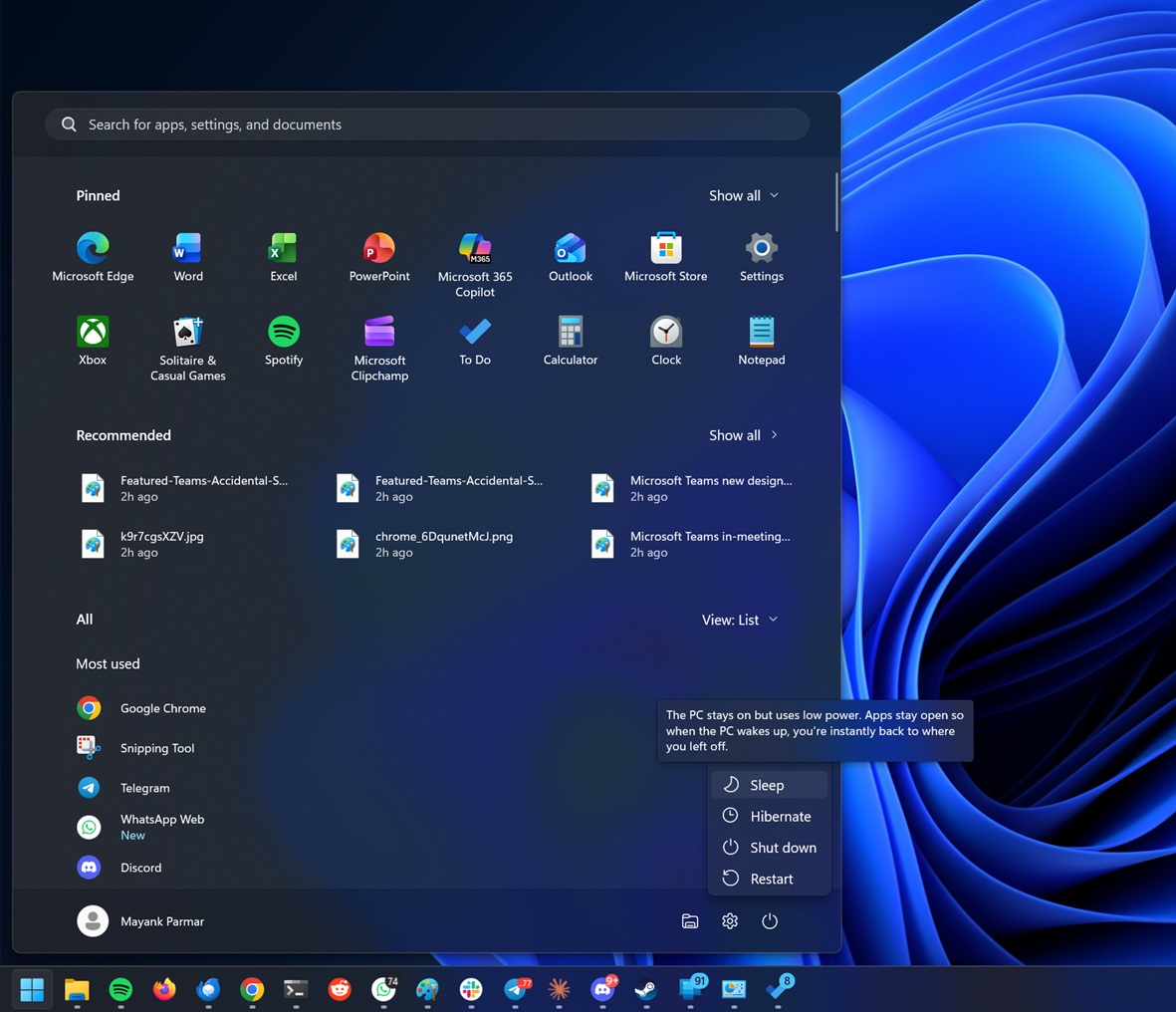
Audio playback stops when laptop lid closes or sleep is triggered
Why It Matters
This update alters background process behavior, potentially affecting applications that rely on continuous audio output during low-power states.
What To Do Next
Review your application's power management manifest if it requires background audio processing on Windows 11.
Key Points
- •Audio playback stops when laptop lid closes or sleep is triggered
- •Affects Windows 11 versions 24H2 and 25H2
- •Change is integrated into Modern Standby power management
🧠 Deep Insight
Web-grounded analysis with 10 cited sources.
🔑 Enhanced Key Takeaways
- •The change specifically differentiates between explicit user-initiated sleep (lid close, power button, Start menu sleep) where audio stops, and the system idling to screen-off, where audio playback can continue.
- •This modification is part of Microsoft's broader efforts to enhance Modern Standby's efficiency, reduce battery drain, and prevent unexpected device wake-ups.
- •Microsoft has acknowledged this as expected behavior in its documentation, stating that audio playback is no longer supported when standby is entered explicitly from Windows 11 version 24H2 onwards.
- •The new behavior applies universally, regardless of whether the device is operating on battery power or connected to AC power.
- •Application developers are now expected to design their media and communication apps to gracefully pause playback when a device explicitly enters standby and resume appropriately upon waking.
🛠️ Technical Deep Dive
- Modern Standby operates in the S0 Low Power Idle state, which allows for background activity and network connectivity, contrasting with the older S3 sleep state that aggressively powers down most components.
- The audio subsystem in Modern Standby platforms is designed with two power management modes: an active mode for streaming and a low-power sleep (D3) mode where the audio processing unit is off, consuming less than one milliwatt.
- The PortCls system driver (Portcls.sys) works in conjunction with audio drivers to manage power states, transitioning audio devices to a D3 state when idle and back to D0 (active) upon new activity.
- Windows 11 24H2 also introduced additional power-saving measures, such as disabling most wake sources if excessive battery drain is detected and removing support for Voice Input to wake the device from sleep.
- Low-power audio support for USB audio devices was integrated in Windows Version 1903, and for Bluetooth A2DP low-power audio in Windows 11 version 21H2.
🔮 Future ImplicationsAI analysis grounded in cited sources
⏳ Timeline
📎 Sources (10)
Factual claims are grounded in the sources below. Forward-looking analysis is AI-generated interpretation.
Weekly AI Recap
Read this week's curated digest of top AI events →
👉Related Updates

PACA: Open-source tool for ancient fossil coordinate mapping

First atmosphere detected on habitable-zone exoplanet
Samsung Secures $200B Broadcom AI Infrastructure Deal

How AMD's 2006 ATI Acquisition Built Today's AI Empire
AI-curated news aggregator. All content rights belong to original publishers.
Original source: cnBeta (Full RSS) ↗