Microsoft Will Remove WMIC from Windows 11 26H2
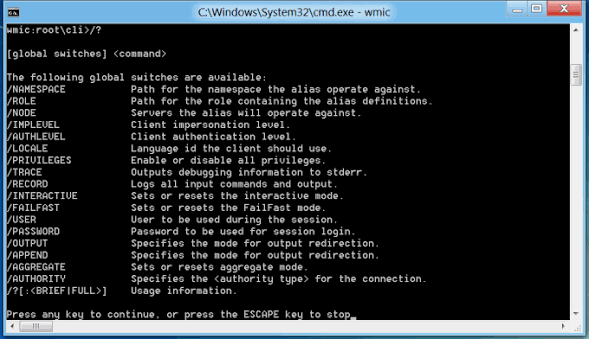
💡A 25-year-old Windows automation tool is disappearing—check whether your AI infrastructure scripts still depend on WMIC.
⚡ 30-Second TL;DR
What Changed
WMIC will be removed entirely in the Windows 11 26H2 feature update.
Why It Matters
AI practitioners running Windows-based development, data-processing, or deployment environments could face automation failures if legacy scripts depend on WMIC. Early migration reduces compatibility risks during future workstation and server upgrades.
What To Do Next
Search your repositories and CI jobs for `wmic` commands, then replace each dependency with supported PowerShell CIM cmdlets before adopting Windows 11 26H2.
Key Points
- •WMIC will be removed entirely in the Windows 11 26H2 feature update.
- •The tool is a command-line interface for Windows Management Instrumentation.
- •Microsoft is ending all support for the roughly 25-year-old utility.
- •Automation and administration scripts that invoke WMIC may require migration.
🧠 Deep Insight
AI-generated analysis for this event.
🔑 Enhanced Key Takeaways
- •Microsoft has been deprecating WMIC since Windows 10 version 21H1, marking a multi-year transition period before final removal.
- •The primary recommended replacement for WMIC is the PowerShell WMI module (Get-WmiObject or Get-CimInstance), which offers more robust object-oriented capabilities.
- •WMIC was originally introduced in Windows 2000 as a way to provide a command-line interface to the WMI infrastructure, which was previously only accessible via programming APIs.
- •The removal is part of a broader Microsoft initiative to reduce the attack surface of Windows by eliminating legacy, less secure, or infrequently used command-line tools.
- •System administrators can still access WMI data through the CIM (Common Information Model) cmdlets in PowerShell, which are cross-platform and more efficient than the legacy WMIC utility.
🛠️ Technical Deep Dive
- WMIC (Windows Management Instrumentation Command-line) acted as a wrapper for the WMI COM API, translating command-line arguments into WMI queries.
- The tool relied on the WMI service (Winmgmt), which remains in Windows to support modern management frameworks.
- Migration involves shifting from text-based parsing of WMIC output to object-based processing in PowerShell, which significantly reduces script fragility.
- PowerShell CIM cmdlets (CimInstance) communicate via WS-MAN (Web Services for Management) or DCOM, providing better performance and security compared to the legacy WMIC implementation.
🔮 Future ImplicationsAI analysis grounded in cited sources
⏳ Timeline
Weekly AI Recap
Read this week's curated digest of top AI events →
👉Related Updates



AI-curated news aggregator. All content rights belong to original publishers.
Original source: cnBeta (Full RSS) ↗