Microsoft Retires Copilot Mode in Edge Browser
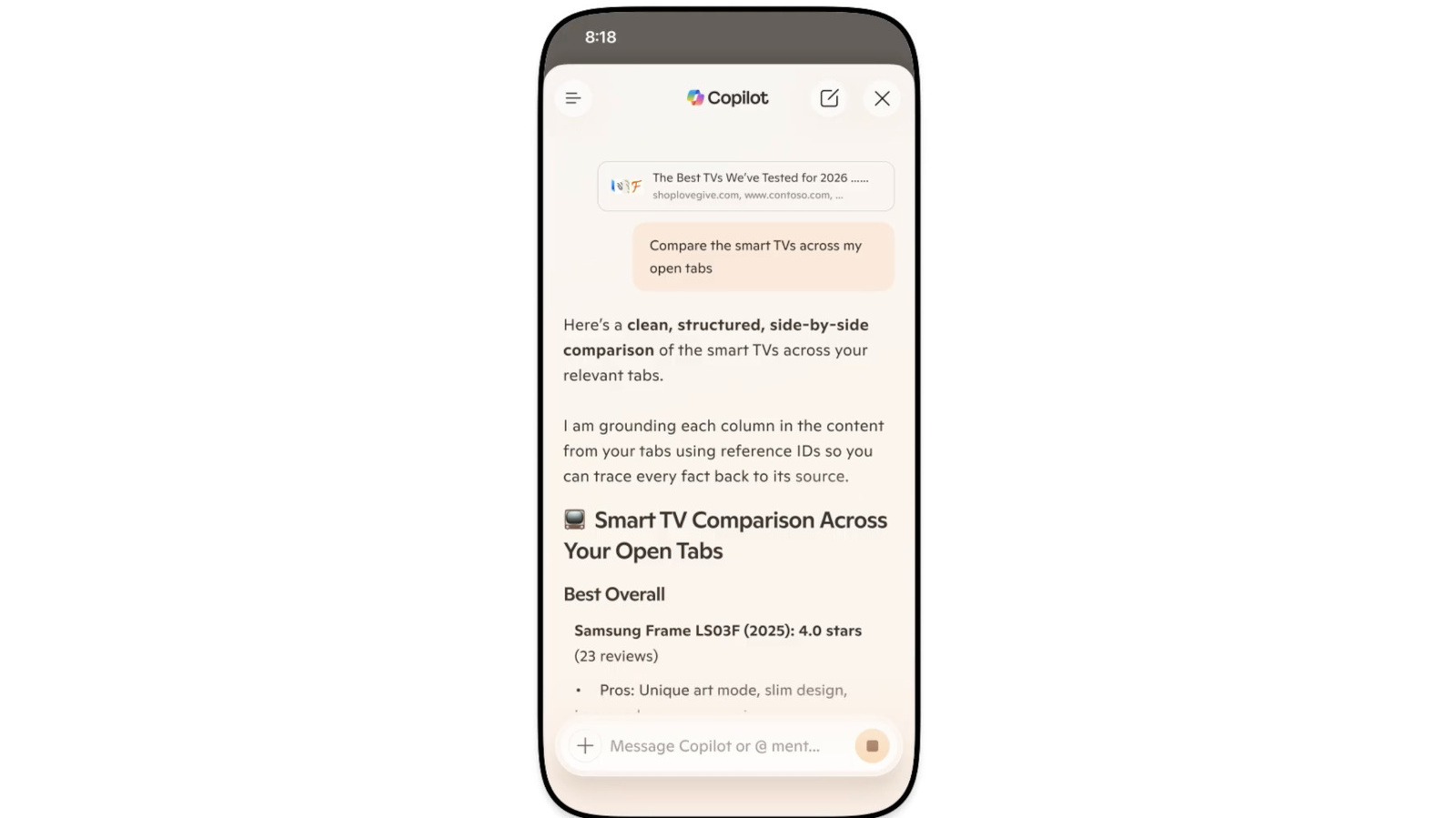
Microsoft is standardizing AI across Edge; learn how this impacts your browser-based AI tool integration.
30-Second TL;DR
What Changed
Microsoft is officially retiring the dedicated Copilot Mode in Edge.
Why It Matters
This shift simplifies the user interface for Edge, reducing friction for users accessing AI tools. It suggests that Microsoft views Copilot as a foundational browser utility rather than an optional add-on.
What To Do Next
Review your browser-based AI workflows to ensure they leverage the new native Copilot integration instead of relying on the legacy mode.
Key Points
- •Microsoft is officially retiring the dedicated Copilot Mode in Edge.
- •Copilot capabilities are being woven into the standard browser interface.
- •Mobile versions of Edge now feature integrated Copilot functionality.
- •The move signals a shift toward ubiquitous AI integration rather than siloed features.
Deep Insight
Background and context from public sources — not the original article. 34 sources cited.
Enhanced Key Takeaways
- •Copilot Mode was initially launched as an experimental, opt-in feature in July 2025, offering a streamlined new tab page for AI-powered chat, search, and web navigation, along with the ability to reason across multiple open tabs.
- •The retirement of the dedicated 'Copilot Mode' signifies that its advanced, action-oriented capabilities, such as performing multi-step tasks like booking reservations or managing errands, are now being integrated directly into the broader "Browse with Copilot" functionality.
- •New AI features being rolled out as part of this integration include long-term memory for browsing history, study and learn modes that create interactive quizzes, and AI-generated audio summaries.
- •Copilot in Edge leverages Microsoft's Prometheus model, which is built upon OpenAI's GPT-4 large language model, fine-tuned with supervised and reinforcement learning techniques.
Competitor Analysis
- AI Assistant/Feature
- Copilot (integrated)
- Key Capabilities
- Context-aware assistance across tabs, task automation (e.g., bookings, comparisons), voice navigation, summarization of web pages/videos/PDFs, image generation, long-term memory, study modes, AI-generated audio summaries.
- AI Assistant/Feature
- Gemini in Chrome (AI Mode)
- Key Capabilities
- Answers questions, compares info across open tabs, summarizes content, performs "auto browse" tasks, on-device AI (Gemini Nano) for security and developer APIs.
- AI Assistant/Feature
- Opera AI (formerly Aria), Browser Connector
- Key Capabilities
- Voice input/output, real-time web access, image generation, file analysis (PDFs, videos), contextual responses across tabs/Tab Islands, integration with ChatGPT/Gemini, allows adding various third-party AI chatbots.
- AI Assistant/Feature
- Brave Leo, AI Browsing
- Key Capabilities
- Privacy-focused summarization of webpages/videos/PDFs, content translation, document analysis, content generation, supports multiple LLMs (Mixtral, Llama 2, Claude), agentic AI browsing in isolated profiles, no conversation logging.
| Browser | AI Assistant/Feature | Key Capabilities |
|---|---|---|
| Microsoft Edge | Copilot (integrated) | Context-aware assistance across tabs, task automation (e.g., bookings, comparisons), voice navigation, summarization of web pages/videos/PDFs, image generation, long-term memory, study modes, AI-generated audio summaries. |
| Google Chrome | Gemini in Chrome (AI Mode) | Answers questions, compares info across open tabs, summarizes content, performs "auto browse" tasks, on-device AI (Gemini Nano) for security and developer APIs. |
| Opera | Opera AI (formerly Aria), Browser Connector | Voice input/output, real-time web access, image generation, file analysis (PDFs, videos), contextual responses across tabs/Tab Islands, integration with ChatGPT/Gemini, allows adding various third-party AI chatbots. |
| Brave | Brave Leo, AI Browsing | Privacy-focused summarization of webpages/videos/PDFs, content translation, document analysis, content generation, supports multiple LLMs (Mixtral, Llama 2, Claude), agentic AI browsing in isolated profiles, no conversation logging. |
Technical Deep Dive
- Copilot in Edge utilizes Microsoft's Prometheus model, which is built upon OpenAI's GPT-4 foundational large language model, fine-tuned using supervised and reinforcement learning techniques.
- For prompts requiring page content, Edge can use information from the current webpage, open tabs, browser history, and user preferences, with explicit user permission.
- When page content is not required, Copilot only shares the URL, page title, the prompt, and previous conversation history to formulate responses.
- Copilot accesses user data (such as emails, chats, and documents) from Microsoft Graph within the user's Microsoft 365 tenant, strictly adhering to existing Microsoft 365 role-based access controls.
- Enterprise data protection is a core feature, ensuring that user data is not used to train the large language models.
- The "Browse with Copilot" functionality, which enables Copilot to perform actions in the browser, executes these actions locally, providing users with real-time visibility and control. It captures screenshots during tasks, but these are not sent if the task is stopped.
Future ImplicationsAI analysis grounded in cited sources
Timeline
- 2023-02Bing Chat (predecessor to Copilot) introduced as a built-in feature for Microsoft Bing and Edge.
- 2023-09Microsoft began rebranding its various chatbot products to "Microsoft Copilot".
- 2025-07Microsoft launched "Copilot Mode" in Edge as an experimental, opt-in feature, introducing a streamlined new tab page and multi-tab reasoning.
- 2025-10Copilot Mode became widely available, introducing "Copilot Actions" and "Journeys" (limited U.S. preview).
- 2026-05Microsoft retires the dedicated 'Copilot Mode' in Edge, integrating its features directly into the core browser experience and mobile versions.
Sources (34)
Factual claims are grounded in the sources below. Forward-looking analysis is AI-generated interpretation.
Weekly AI Recap
Read this week's curated digest of top AI events →
Related Updates

AI-curated news aggregator. All content rights belong to original publishers.
Original source: Engadget ↗
This is a summary, not the original. Read the source, or get the weekly briefing.
The weekly digest
One email a week. Unsubscribe anytime.