Cuneflow Tablet Uses AI for Meeting Transcription
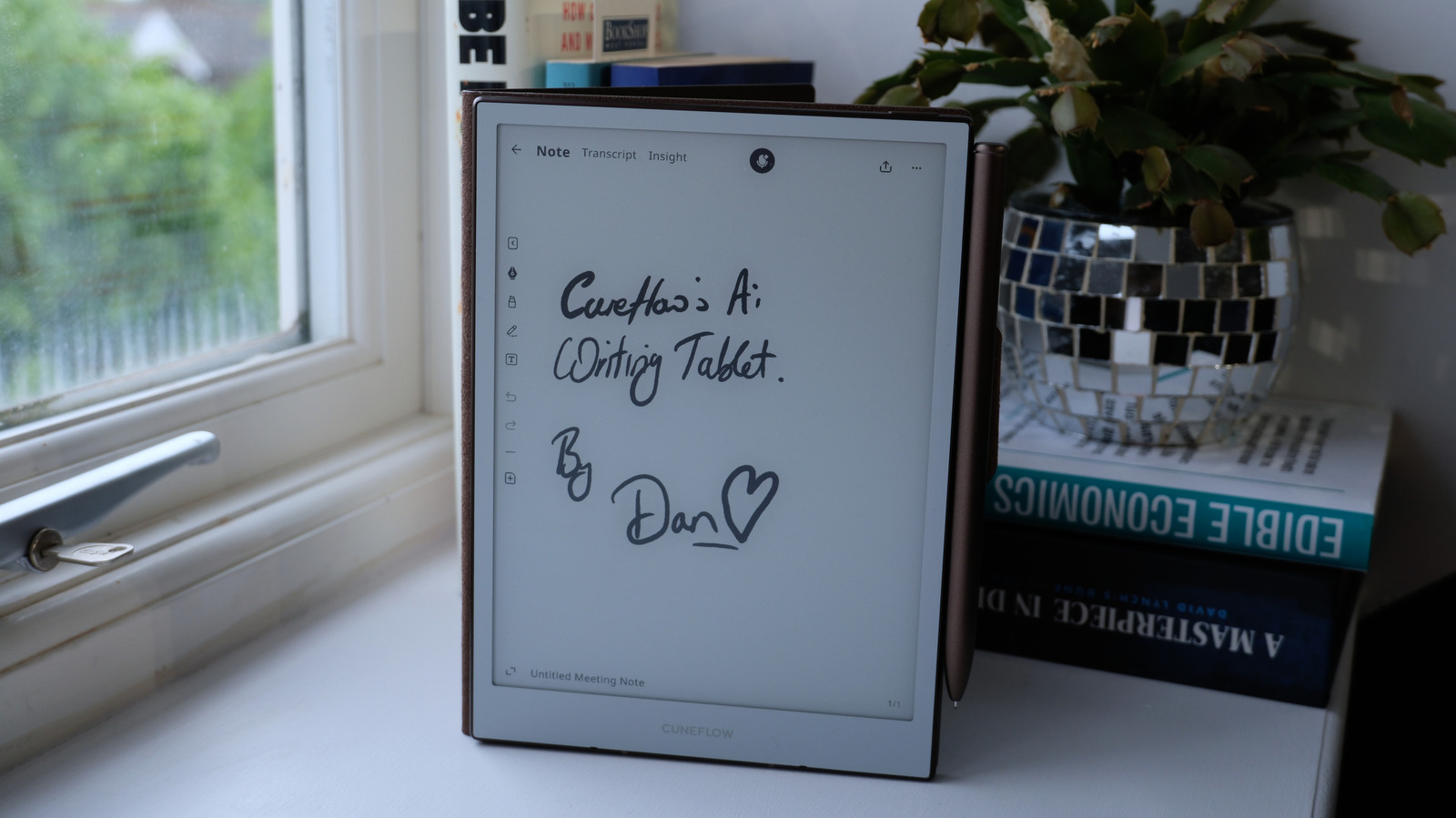
A new hardware form factor integrating AI transcription to disrupt traditional productivity workflows.
30-Second TL;DR
What Changed
E-paper display for distraction-free writing
Why It Matters
This device represents the growing trend of hardware-software convergence in productivity tools using local or cloud-based AI.
What To Do Next
Evaluate the transcription accuracy of this device against standard Whisper-based workflows for enterprise use.
Key Points
- •E-paper display for distraction-free writing
- •Integrated AI-powered voice recording and transcription
- •Designed specifically for automating meeting minutes
Deep Insight
Background and context from public sources — not the original article. 13 sources cited.
Enhanced Key Takeaways
- •The Cuneflow tablet integrates both handwriting and voice capture, leveraging AI to generate comprehensive summaries, extract action items, and produce structured meeting minutes.
- •It offers seamless integration with popular enterprise and productivity platforms, including Notion, Slack, Microsoft 365, and Google Workspace, allowing for automatic synchronization of notes and AI-generated insights.
- •Cuneflow prioritizes user data privacy by implementing AES-256 encryption for data at rest and TLS for data in transit, explicitly stating that user audio, notes, and transcriptions are never utilized to train public AI models.
- •The device operates on an Android operating system, featuring a customized user interface optimized for AI integration and pen input, enabling users to mark emphasis with drawn symbols that the system connects to the audio timeline for enhanced summaries.
- •Hardware specifications include an 8.2-inch E-Ink Carta 1000 display with a resolution of 1920 x 1440 pixels (292 ppi) and a Wacom EMR stylus equipped with a ceramic nib, designed to replicate a natural paper-like writing experience.
Competitor Analysis
- Cuneflow Tablet
- 8.2-inch E-Ink Carta 1000 (292 ppi)
- reMarkable 2 / Paper Pro
- 10.3-inch monochrome (226 PPI) / 11.8-inch color E-Ink (Paper Pro)
- iFLYTEK AINOTE Air 2
- 8.2-inch / 10.65-inch flexible E-Ink (AINOTE 2)
- Onyx Boox Note Air5 C
- Large-screen E-Ink, color display
- Cuneflow Tablet
- Built-in AI for real-time transcription, multilingual detection, translation, summaries, action items, and AI-driven prompts. Powered by OpenAI & Gemini.
- reMarkable 2 / Paper Pro
- No AI transcription; focus on distraction-free analog feel
- iFLYTEK AINOTE Air 2
- Real-time voice-to-text (up to 17 languages), handwriting recognition (83+ languages), AI summaries, task extraction.
- Onyx Boox Note Air5 C
- Transcription tools, AI features
- Cuneflow Tablet
- Wacom EMR stylus with ceramic nib, pressure sensitivity
- reMarkable 2 / Paper Pro
- Passive, pressure-sensitive stylus (Marker/Marker Plus, extra cost)
- iFLYTEK AINOTE Air 2
- Wacom-compatible passive stylus (4096 pressure levels)
- Onyx Boox Note Air5 C
- Pen input, paper-like writing feel
- Cuneflow Tablet
- Android with custom UI
- reMarkable 2 / Paper Pro
- Custom Linux-based OS (closed ecosystem)
- iFLYTEK AINOTE Air 2
- Android (limits distractions to core tools)
- Onyx Boox Note Air5 C
- Android (allows Android apps from Google Play Store)
- Cuneflow Tablet
- Notion, Slack, Microsoft 365, Google Workspace
- reMarkable 2 / Paper Pro
- Microsoft, Google, Dropbox (cloud storage)
- iFLYTEK AINOTE Air 2
- Cloud sync, secure to cloud
- Onyx Boox Note Air5 C
- Cloud app (reMarkable Connect for reMarkable 2)
- Cuneflow Tablet
- AES-256 encryption, TLS, zero AI training on user data
- reMarkable 2 / Paper Pro
- Not explicitly detailed for AI training, but focuses on local storage for privacy.
- iFLYTEK AINOTE Air 2
- Secure cloud sync
- Onyx Boox Note Air5 C
- Not explicitly detailed
- Cuneflow Tablet
- "Within the average market range," early backer discounts (Kickstarter)
- reMarkable 2 / Paper Pro
- reMarkable 2: $299-$399; Paper Pro: $629; Paper Pro Move: $430 (stylus often extra)
- iFLYTEK AINOTE Air 2
- AINOTE Air 2: Not specified, but positioned as a premium alternative
- Onyx Boox Note Air5 C
- Not specified, but generally competitive with other e-ink tablets
| Feature / Product | Cuneflow Tablet | reMarkable 2 / Paper Pro | iFLYTEK AINOTE Air 2 | Onyx Boox Note Air5 C |
|---|---|---|---|---|
| Display | 8.2-inch E-Ink Carta 1000 (292 ppi) | 10.3-inch monochrome (226 PPI) / 11.8-inch color E-Ink (Paper Pro) | 8.2-inch / 10.65-inch flexible E-Ink (AINOTE 2) | Large-screen E-Ink, color display |
| AI Transcription & Summaries | Built-in AI for real-time transcription, multilingual detection, translation, summaries, action items, and AI-driven prompts. Powered by OpenAI & Gemini. | No AI transcription; focus on distraction-free analog feel | Real-time voice-to-text (up to 17 languages), handwriting recognition (83+ languages), AI summaries, task extraction. | Transcription tools, AI features |
| Stylus | Wacom EMR stylus with ceramic nib, pressure sensitivity | Passive, pressure-sensitive stylus (Marker/Marker Plus, extra cost) | Wacom-compatible passive stylus (4096 pressure levels) | Pen input, paper-like writing feel |
| Operating System | Android with custom UI | Custom Linux-based OS (closed ecosystem) | Android (limits distractions to core tools) | Android (allows Android apps from Google Play Store) |
| Workflow Integration | Notion, Slack, Microsoft 365, Google Workspace | Microsoft, Google, Dropbox (cloud storage) | Cloud sync, secure to cloud | Cloud app (reMarkable Connect for reMarkable 2) |
| Data Privacy | AES-256 encryption, TLS, zero AI training on user data | Not explicitly detailed for AI training, but focuses on local storage for privacy. | Secure cloud sync | Not explicitly detailed |
| Pricing | "Within the average market range," early backer discounts (Kickstarter) | reMarkable 2: $299-$399; Paper Pro: $629; Paper Pro Move: $430 (stylus often extra) | AINOTE Air 2: Not specified, but positioned as a premium alternative | Not specified, but generally competitive with other e-ink tablets |
Technical Deep Dive
- Display: 8.2-inch E-ink display, 1920 x 1440 pixels resolution, 292 ppi, with a 24-Level Cool White front light.
- Stylus: Battery-Free Wacom EMR Stylus with a ceramic nib, offering pressure sensitivity for a natural writing feel.
- Processor & Storage: Features a 2.0 GHz dual-core ARM processor and comes with 4GB RAM and 128GB of internal storage.
- Operating System: Runs on an Android operating system, overlaid with a custom user interface specifically designed for AI integration and pen-first input.
- AI Capabilities: Powered by a combination of OpenAI and Gemini models, enabling real-time multilingual detection, transcription, translation, and AI-driven prompts.
- Connectivity: Primarily uses Wi-Fi for synchronization and cloud services.
- Security: Employs AES-256 encryption for data at rest and TLS for data in transit, with a strict policy against using user data for AI model training.
- Physical Dimensions: Measures 191mm × 138mm × 5.2mm and weighs 230g.
Future ImplicationsAI analysis grounded in cited sources
Timeline
- 2026-01Cuneflow E-Ink AI Notebook discovered at CES Las Vegas 2026, showcasing its voice+ink capabilities.
- 2026-05-08Gadget Flow publishes an in-depth review of the Cuneflow, highlighting its AI features and workflow integrations.
- 2026-05-20Engadget announces the launch of Cuneflow's e-paper writing tablet on Kickstarter, emphasizing its AI for meeting transcription.
Sources (13)
Factual claims are grounded in the sources below. Forward-looking analysis is AI-generated interpretation.
Weekly AI Recap
Read this week's curated digest of top AI events →
Related Updates

AI-curated news aggregator. All content rights belong to original publishers.
Original source: Engadget ↗
This is a summary, not the original. Read the source, or get the weekly briefing.
The weekly digest
One email a week. Unsubscribe anytime.