SourcecnBeta (Full RSS)•Stalecollected in 3h
Windows Clock App Gains AI Distraction Detection
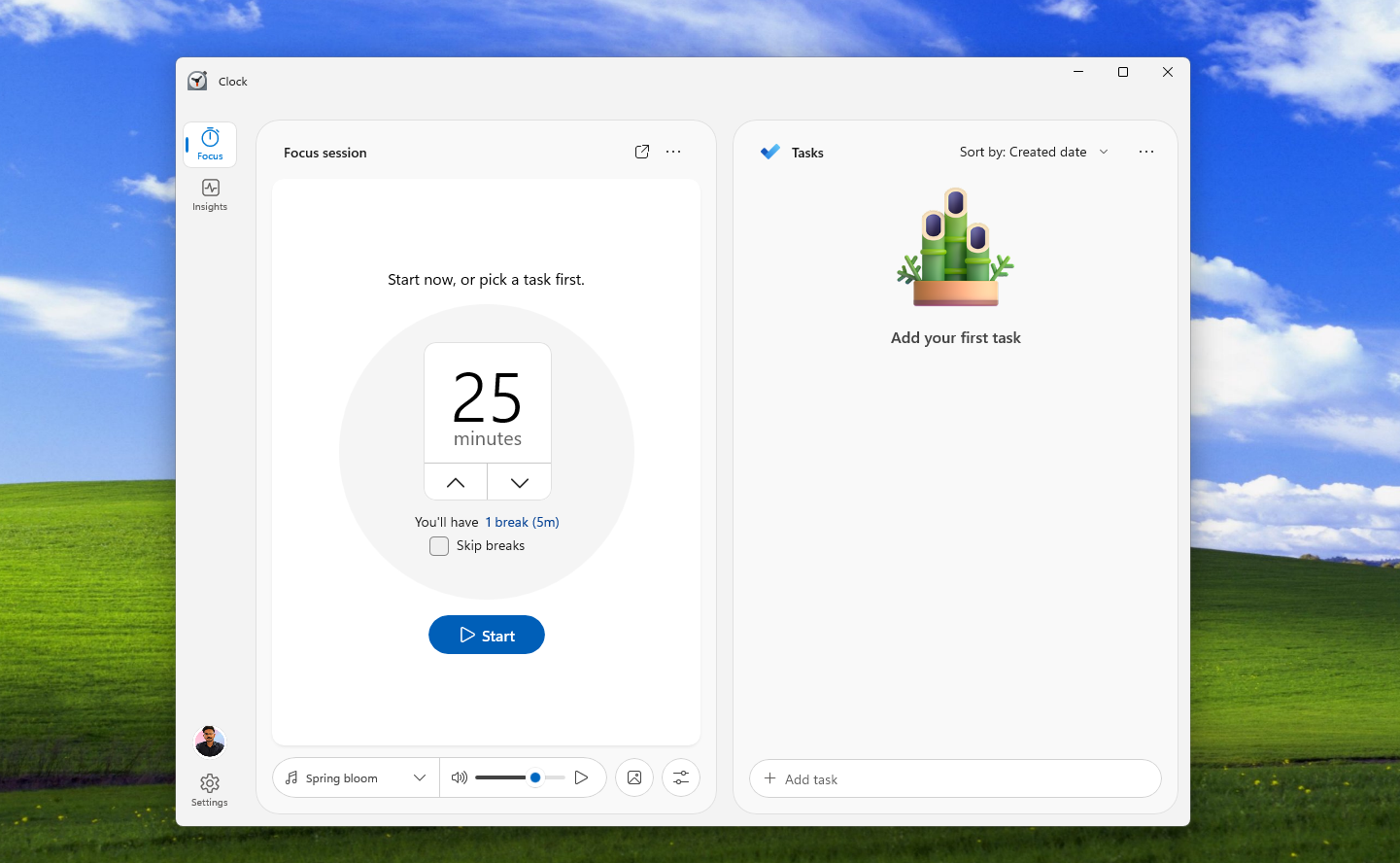
MSFT embeds NPU AI in Clock app for distraction auto-pause—edge AI in daily tools
30-Second TL;DR
What Changed
AI-driven attention detection using PC NPU
Why It Matters
Brings on-device AI to core Windows productivity tools, boosting NPU adoption in consumer apps.
What To Do Next
Install Windows 11 Insider build to test NPU-powered attention features in Clock app.
Who should care:Developers & AI Engineers
Key Points
- •AI-driven attention detection using PC NPU
- •Auto-pauses timers when user is distracted
- •Redesigned UI with rounded corners and simpler style
- •Enhances Focus mode with productivity insights
Deep Insight
AI-generated analysis for this event — not the original article.
Enhanced Key Takeaways
- •The feature leverages the Windows 'Focus Sessions' framework, which integrates with Microsoft To Do and Spotify to manage task lists and ambient audio alongside the new NPU-based attention tracking.
- •Privacy is managed via local NPU processing, ensuring that video feed data used for attention detection is never transmitted to the cloud or stored permanently by the Clock app.
- •This update is part of a broader 'Windows Intelligence' initiative, which aims to standardize NPU-accelerated background tasks across native Windows 11 inbox applications to reduce CPU overhead.
Competitor Analysis
Attention Detection
- Windows Clock (New)
- NPU-based (Hardware)
- Pomofocus.io
- None
- Forest App
- None
OS Integration
- Windows Clock (New)
- Deep (System-level)
- Pomofocus.io
- Browser-based
- Forest App
- Mobile/Browser
Pricing
- Windows Clock (New)
- Free (Included)
- Pomofocus.io
- Free/Premium
- Forest App
- Paid/Freemium
Privacy
- Windows Clock (New)
- Local Processing
- Pomofocus.io
- Cloud-based
- Forest App
- Cloud-based
| Feature | Windows Clock (New) | Pomofocus.io | Forest App |
|---|---|---|---|
| Attention Detection | NPU-based (Hardware) | None | None |
| OS Integration | Deep (System-level) | Browser-based | Mobile/Browser |
| Pricing | Free (Included) | Free/Premium | Paid/Freemium |
| Privacy | Local Processing | Cloud-based | Cloud-based |
Technical Deep Dive
- •Utilizes the Windows Copilot Runtime API to interface directly with the NPU (Neural Processing Unit) for real-time computer vision inference.
- •Employs a lightweight, quantized gaze-estimation model optimized for low-power background execution, minimizing impact on battery life.
- •Implements a 'Privacy-First' architecture where the camera stream is processed in a secure enclave, outputting only binary 'distraction' signals to the application layer.
- •The UI redesign utilizes the WinUI 3 framework, leveraging Mica material effects for improved performance and visual consistency with the Windows 11 design language.
Future ImplicationsAI analysis grounded in cited sources
Microsoft will expand NPU-based attention detection to the Edge browser.
The successful implementation of local attention tracking in the Clock app provides a blueprint for reducing browser-based distractions during high-focus tasks.
Third-party productivity apps will gain access to Windows NPU attention APIs by 2027.
Microsoft's strategy of opening system-level AI features to developers suggests a move toward a standardized ecosystem for hardware-accelerated productivity tools.
Timeline
2021-10
Microsoft introduces 'Focus Sessions' in the Windows 11 Clock app.
2023-09
Microsoft begins integrating AI-powered features into Windows 11 under the 'Copilot' branding.
2025-05
Microsoft announces the 'Windows Intelligence' initiative to prioritize NPU-based local AI processing.
2026-04
Windows Clock app receives the NPU-based attention detection update.
- 2021-10Microsoft introduces 'Focus Sessions' in the Windows 11 Clock app.
- 2023-09Microsoft begins integrating AI-powered features into Windows 11 under the 'Copilot' branding.
- 2025-05Microsoft announces the 'Windows Intelligence' initiative to prioritize NPU-based local AI processing.
- 2026-04Windows Clock app receives the NPU-based attention detection update.
Weekly AI Recap
Read this week's curated digest of top AI events →
Related Updates

AI-curated news aggregator. All content rights belong to original publishers.
Original source: cnBeta (Full RSS) ↗
This is a summary, not the original. Read the source, or get the weekly briefing.
The weekly digest
One email a week. Unsubscribe anytime.