Microsoft to Expand Windows 11 UI Customization Options
Understand upcoming Windows UI changes that could impact your desktop application's integration and user experience.
30-Second TL;DR
What Changed
Focus on personalization as a core Windows DNA feature
Why It Matters
Increased UI flexibility may improve developer workflow efficiency on Windows. It signals a shift toward more modular OS design.
What To Do Next
Monitor the Windows Insider Preview builds to test how these UI changes affect your desktop development environment.
Key Points
- •Focus on personalization as a core Windows DNA feature
- •Upcoming updates for taskbar and Start menu control
- •Testing of movable and resizable taskbar elements
Deep Insight
Background and context from public sources — not the original article. 20 sources cited.
Enhanced Key Takeaways
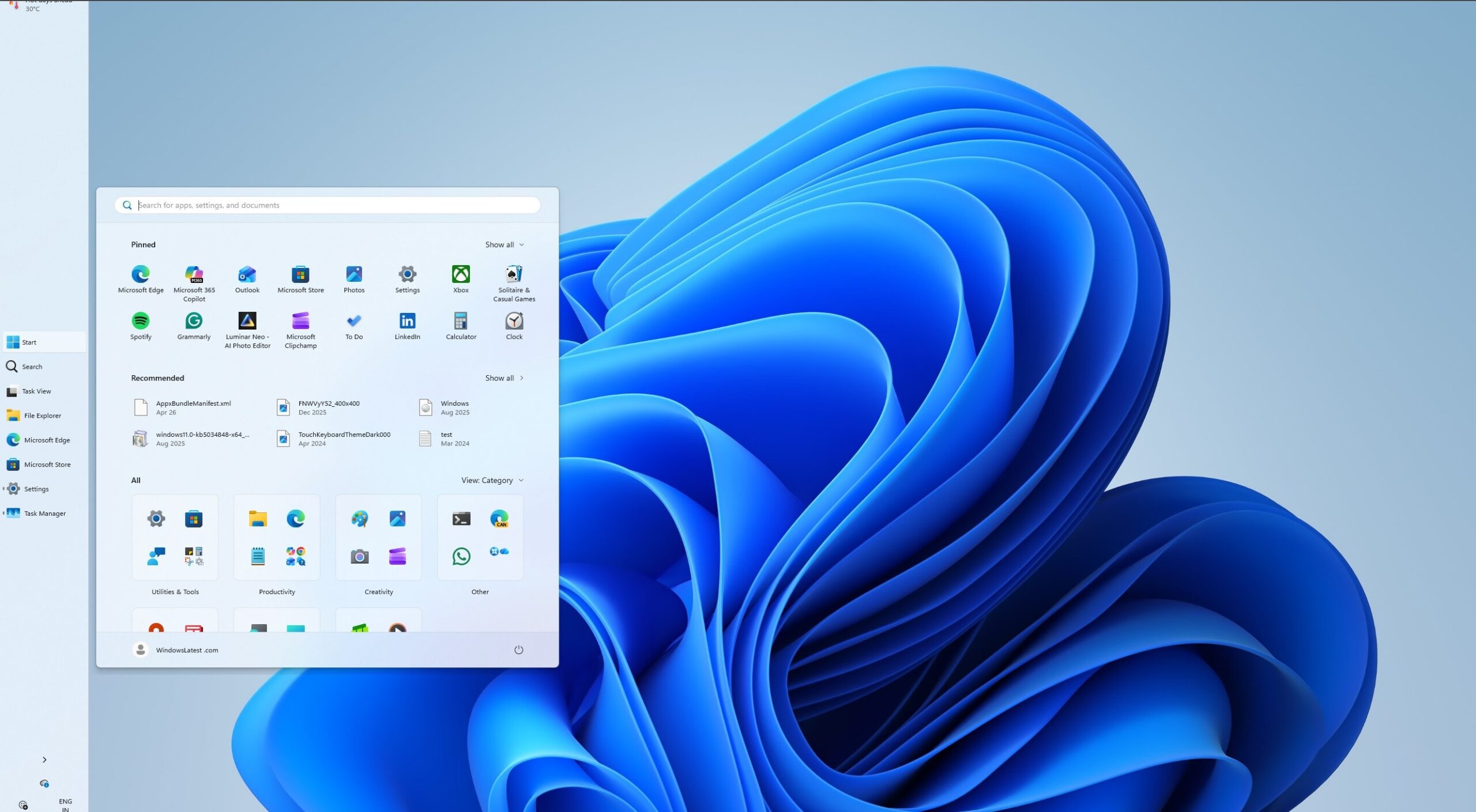
- •Users will gain granular control over the Start menu, including the ability to toggle off entire sections like "Pinned," "Recommended," and "All apps," and manually choose between "Small" and "Large" layouts, independent of screen size.
- •The "Recommended" section in the Start menu will be renamed to "Recent" and will offer improved file recommendations, with the option to disable them without affecting jump lists or recent files in File Explorer.
- •The taskbar can now be positioned on any edge of the screen (top, bottom, left, or right), and icon alignment (left-aligned or centered) can be adjusted for each position.
- •A "smaller taskbar" option is being introduced, which reduces both icon size and taskbar height, providing more vertical screen space, particularly beneficial for smaller devices or developers.
- •Microsoft is also adding an option to hide account details (username and profile picture) from the Start menu for privacy during screen sharing or streaming.
Technical Deep Dive
- The Start menu is being rebuilt using WinUI 3, aiming for improved performance and responsiveness.
- OEMs can customize the Windows 11 Start layout using a
LayoutModification.jsonfile, which is required and supports specifying pinned apps and recommended items. - The taskbar in Windows 11 was initially rewritten from scratch, leading to the removal of many Windows 10 features like drag-and-drop and movable positions.
- The reintroduction of movable and resizable taskbar elements is part of the "Windows K2 initiative," focusing on addressing long-standing user complaints.
- Some features like auto-hide, touch gesture support, and the Search box are still "in progress" for alternate taskbar positions.
Future ImplicationsAI analysis grounded in cited sources
Timeline
- 2021-07Windows 11 announced with redesigned taskbar, initially lacking advanced customization.
- 2021-10Windows 11 officially rolls out; taskbar rewritten from scratch, missing features like drag-and-drop and movable positions.
- 2021-10OEM documentation for Windows 11 Start menu customization published, detailing `LayoutModification.json` usage.
- 2025-11An update causes the Windows 11 Start menu to become significantly larger, leading to user complaints.
- 2026-03Reports emerge about Microsoft planning major Windows 11 UI overhauls, including a movable taskbar and enhanced Start menu.
- 2026-05Microsoft releases Windows 11 Build 26300.8493 to the Experimental channel, introducing movable and smaller taskbar, and announcing further Start menu customization.
Sources (20)
Factual claims are grounded in the sources below. Forward-looking analysis is AI-generated interpretation.
Weekly AI Recap
Read this week's curated digest of top AI events →
Related Updates

AI-curated news aggregator. All content rights belong to original publishers.
Original source: cnBeta (Full RSS) ↗
This is a summary, not the original. Read the source, or get the weekly briefing.
The weekly digest
One email a week. Unsubscribe anytime.