HapticPad adds tactile feedback to Mac browsing
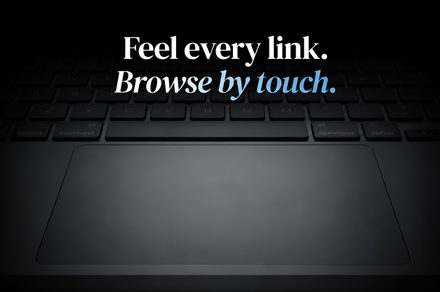
See how haptic feedback can be leveraged to create more intuitive and responsive web interfaces.
30-Second TL;DR
What Changed
Leverages Force Touch hardware for enhanced UI interaction.
Why It Matters
This tool demonstrates how subtle hardware-level feedback can significantly improve the ergonomics and responsiveness of web-based applications.
What To Do Next
Explore integrating haptic feedback APIs into your web-based AI interfaces to improve user engagement and accessibility.
Key Points
- •Leverages Force Touch hardware for enhanced UI interaction.
- •Provides tactile feedback for web elements in Chrome.
- •Improves accessibility and user experience for Mac power users.
Deep Insight
AI-generated analysis for this event — not the original article.
Enhanced Key Takeaways
- •HapticPad utilizes the macOS Accessibility API and event listeners to intercept DOM element interactions in real-time.
- •The application is built using Swift and leverages the private 'HapticFeedback' framework to trigger specific Taptic Engine patterns.
- •It includes a customizable intensity slider, allowing users to adjust the vibration strength to prevent trackpad fatigue.
- •The software operates as a background process with a low CPU footprint, specifically optimized for Apple Silicon (M-series) architectures.
- •Initial user feedback indicates the tool is particularly effective for users with visual impairments who rely on screen readers or spatial navigation.
Competitor Analysis
- HapticPad
- Web-specific haptics
- BetterTouchTool
- General gesture automation
- HapticKey
- System-wide haptic mapping
- HapticPad
- Freemium
- BetterTouchTool
- Paid (License)
- HapticKey
- Open Source
- HapticPad
- High (Plug-and-play)
- BetterTouchTool
- Moderate (Steep learning curve)
- HapticKey
- Low (Technical setup)
| Feature | HapticPad | BetterTouchTool | HapticKey |
|---|---|---|---|
| Primary Focus | Web-specific haptics | General gesture automation | System-wide haptic mapping |
| Pricing | Freemium | Paid (License) | Open Source |
| Ease of Use | High (Plug-and-play) | Moderate (Steep learning curve) | Low (Technical setup) |
Technical Deep Dive
- Implementation relies on the NSEvent monitor to track mouse movement and hover states within the Chrome browser process.
- Uses the CoreHaptics framework to define custom vibration patterns (transients vs. continuous) mapped to specific HTML tags like ,
- Employs a debouncing algorithm to ensure that rapid cursor movement does not overwhelm the Taptic Engine with excessive feedback requests.
- Communicates with the browser via a lightweight native messaging host to bridge the gap between the macOS system layer and the Chrome extension environment.
Future ImplicationsAI analysis grounded in cited sources
Timeline
- 2026-02HapticPad project initiated as an open-source experiment on GitHub.
- 2026-04Beta version released to a closed group of accessibility testers.
- 2026-06Official public launch of HapticPad 1.0 on the Mac App Store.
Weekly AI Recap
Read this week's curated digest of top AI events →
AI-curated news aggregator. All content rights belong to original publishers.
Original source: Digital Trends ↗
This is a summary, not the original. Read the source, or get the weekly briefing.
The weekly digest
One email a week. Unsubscribe anytime.