Firefox introduces AI guardrails for mobile browsers
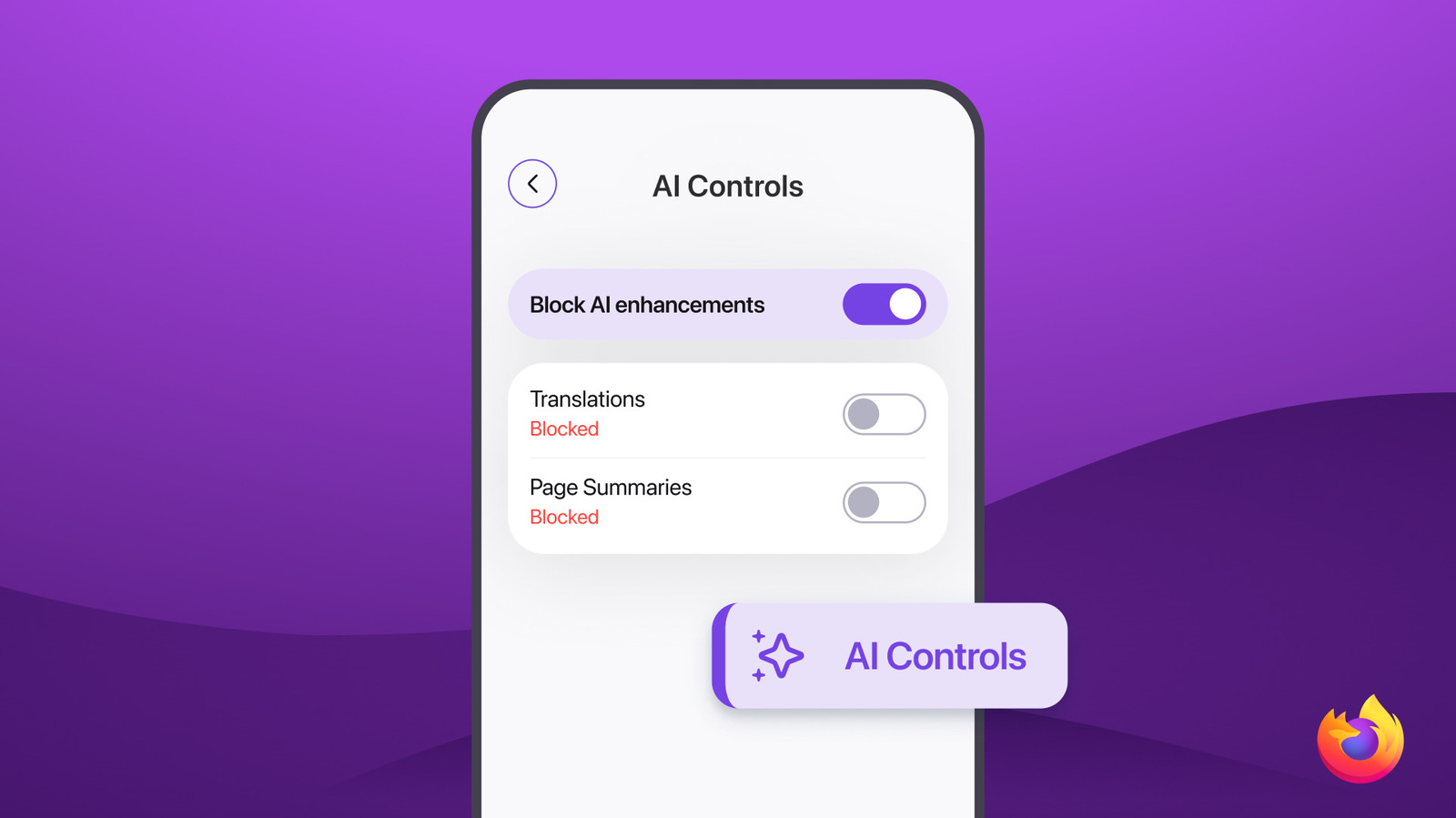
Learn how Firefox is implementing user-controlled AI guardrails to balance innovation with browser privacy.
30-Second TL;DR
What Changed
New one-tap toggle to disable all AI enhancements
Why It Matters
This update reflects a broader industry trend toward 'AI transparency' and user-controlled autonomy, forcing developers to consider opt-out mechanisms for AI features.
What To Do Next
If you are building AI-integrated apps, implement a clear, centralized 'opt-out' setting to improve user trust and compliance with emerging AI transparency standards.
Key Points
- •New one-tap toggle to disable all AI enhancements
- •Focuses on user privacy and control within mobile browsing
- •Addresses growing user concerns regarding automated AI features
Deep Insight
Background and context from public sources — not the original article. 19 sources cited.
Enhanced Key Takeaways
- •The AI enhancements in Firefox mobile browsers include features such as translations, AI-enhanced tab grouping, link previews, and a sidebar that supports various third-party chatbots like Claude, ChatGPT, Copilot, Gemini, and Mistral Chat.
- •Mozilla's AI features are designed to operate locally on users' devices to ensure privacy, meaning content data is not sent to Mozilla, and any data shared is de-identified or aggregated.
- •A significant performance improvement, up to 10 times faster, was achieved for Firefox's on-device AI features by replacing the less efficient WebAssembly (WASM) implementation with native C++ code, integrating the ONNX Runtime directly into the browser.
- •Mozilla frames its AI strategy as a 'rebel alliance' against the 'winner-takes-all' approach of larger tech companies, advocating for open-source, privacy-first AI and prioritizing user choice and control.
- •The AI guardrails, including the one-tap toggle, were initially rolled out with Firefox version 148 for desktop browsers on February 24, 2026, with plans for mobile expansion.
Competitor Analysis
- Firefox
- Sidebar with choice of third-party LLMs (ChatGPT, Gemini, Copilot, Claude, Mistral Chat)
- Brave Leo
- Built-in Leo AI assistant (no login, private by design)
- Microsoft Edge Copilot
- Built-in Copilot assistant
- Opera Aria
- Built-in Aria AI assistant
- Arc Max
- Built-in AI tools
- Firefox
- One-tap toggle to disable all generative AI features; granular control over individual features; opt-in by default
- Brave Leo
- No login required; chats not stored, shared, or used for training; can remove chatbot from sidebar
- Microsoft Edge Copilot
- Integrated, but options don't have the same granular control as Firefox; Copilot shortcut can be removed
- Opera Aria
- Embedded AI assistant
- Arc Max
- AI tools to clean up and summarize
- Firefox
- Strong emphasis on user privacy and control; AI features operate locally on device; data not sent to Mozilla; de-identified/aggregated data sharing
- Brave Leo
- Privacy-focused; no account/login required; chats are private and anonymous
- Microsoft Edge Copilot
- Deep integration with Microsoft 365; privacy practices vary by provider
- Opera Aria
- AI assistant embedded; privacy practices vary by provider
- Arc Max
- Local privacy controls
- Firefox
- Translations, AI-enhanced tab grouping, link previews, alt text for PDFs
- Brave Leo
- On-page summarization, translation, content generation
- Microsoft Edge Copilot
- Page summaries, content creation, video insights
- Opera Aria
- Tab control, writing tools, image analysis, smart tab grouping
- Arc Max
- Organize cluttered tab sidebar, summarization, writing, tab management
- Firefox
- Gecko
- Brave Leo
- Chromium
- Microsoft Edge Copilot
- Chromium
- Opera Aria
- Chromium
- Arc Max
- Chromium
| Feature / Browser | Firefox | Brave Leo | Microsoft Edge Copilot | Opera Aria | Arc Max |
|---|---|---|---|---|---|
| AI Assistant/Chatbot | Sidebar with choice of third-party LLMs (ChatGPT, Gemini, Copilot, Claude, Mistral Chat) | Built-in Leo AI assistant (no login, private by design) | Built-in Copilot assistant | Built-in Aria AI assistant | Built-in AI tools |
| User Control over AI | One-tap toggle to disable all generative AI features; granular control over individual features; opt-in by default | No login required; chats not stored, shared, or used for training; can remove chatbot from sidebar | Integrated, but options don't have the same granular control as Firefox; Copilot shortcut can be removed | Embedded AI assistant | AI tools to clean up and summarize |
| Privacy Stance | Strong emphasis on user privacy and control; AI features operate locally on device; data not sent to Mozilla; de-identified/aggregated data sharing | Privacy-focused; no account/login required; chats are private and anonymous | Deep integration with Microsoft 365; privacy practices vary by provider | AI assistant embedded; privacy practices vary by provider | Local privacy controls |
| Key AI Features | Translations, AI-enhanced tab grouping, link previews, alt text for PDFs | On-page summarization, translation, content generation | Page summaries, content creation, video insights | Tab control, writing tools, image analysis, smart tab grouping | Organize cluttered tab sidebar, summarization, writing, tab management |
| Underlying Engine | Gecko | Chromium | Chromium | Chromium | Chromium |
Technical Deep Dive
- Firefox's on-device AI features achieved up to 10 times faster performance by replacing the WebAssembly (WASM) implementation with native C++ code.
- The technical implementation involved integrating the ONNX Runtime C++ directly into the Firefox tree.
- This native C++ backend is exposed to JavaScript via a thin WebIDL layer, allowing Transformers.js to wire to the new backend.
- The previous inference pipeline was inefficient, involving JavaScript preprocessing, WASM execution, and then returning to JavaScript for post-processing.
- The AI Controls settings panel specifically manages generative ML and generative AI features, such as those producing summaries or name suggestions, and does not include traditional machine learning technologies like autocorrect or personalization.
- Users can manage downloaded AI models through the
about:addonspage under an 'On-Device AI' section, where they can review model sizes, uses, and remove them to manage device space.
Future ImplicationsAI analysis grounded in cited sources
Timeline
- 2024-02-20Mozilla launches 'Privacy for All' campaign, highlighting the link between privacy and AI.
- 2025-02-28Mozilla clarifies its AI features operate locally on devices, not sending content data to Mozilla, following updated terms of service.
- 2025-09-01Firefox significantly boosts on-device AI performance (up to 10x faster) by transitioning from WebAssembly to native C++ code.
- 2025-11-13Mozilla announces its strategy for integrating AI into Firefox, emphasizing user choice and an opt-in 'AI Window'.
- 2026-01-29Mozilla outlines its 'Rebel Alliance' AI manifesto, committing to open-source, privacy-first AI and investing $650 million.
- 2026-02-24Firefox version 148 is officially released, introducing a dedicated AI Controls section with a master toggle to disable generative AI features for desktop.
Sources (19)
Factual claims are grounded in the sources below. Forward-looking analysis is AI-generated interpretation.
Weekly AI Recap
Read this week's curated digest of top AI events →
Related Updates

AI-curated news aggregator. All content rights belong to original publishers.
Original source: Engadget ↗
This is a summary, not the original. Read the source, or get the weekly briefing.
The weekly digest
One email a week. Unsubscribe anytime.