Custom MCP Catalogs and Profiles for Enterprise AI
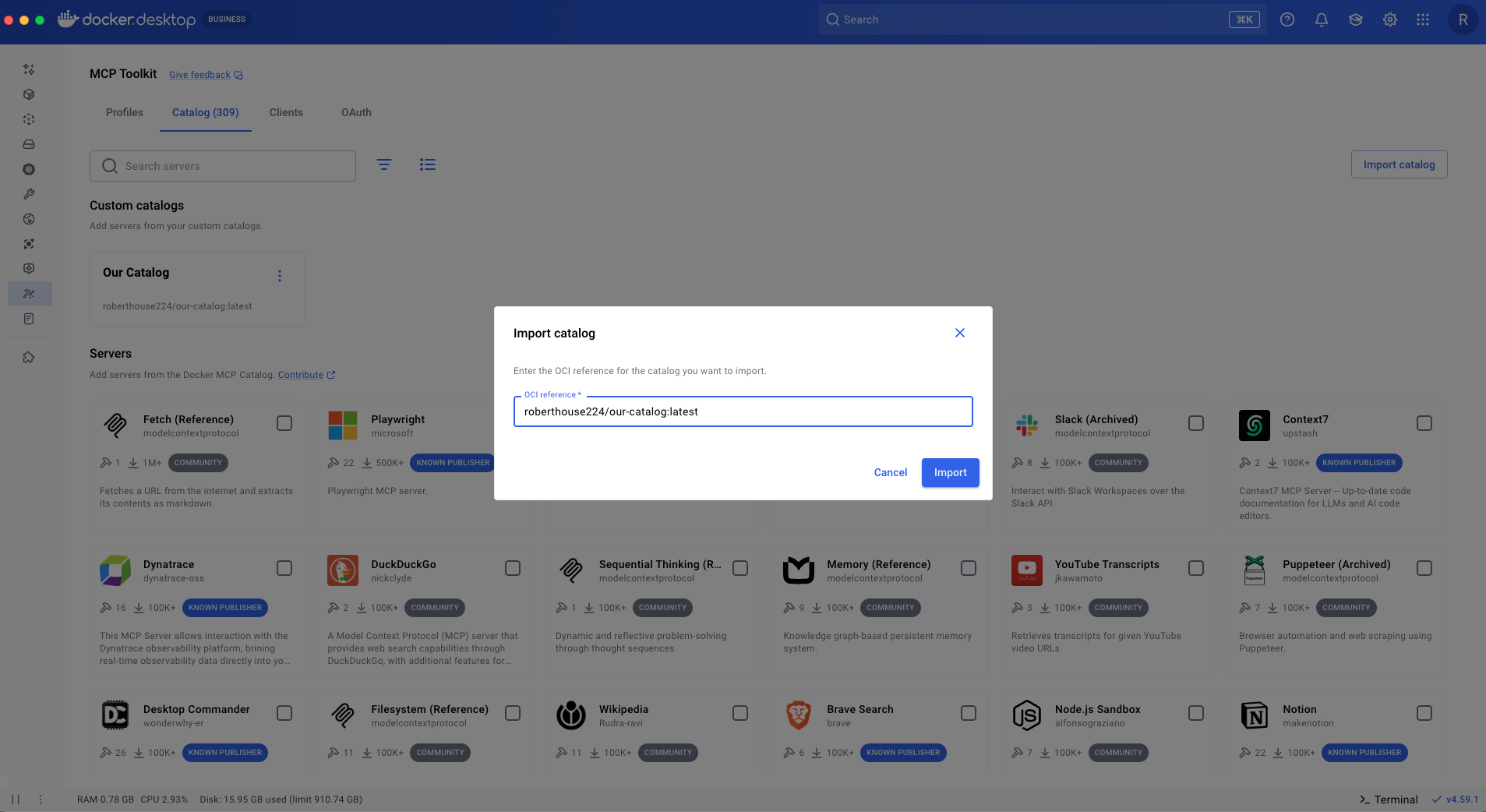
Learn how to standardize and scale AI tool distribution across your enterprise using Docker's new MCP management tools.
30-Second TL;DR
What Changed
Custom MCP Catalogs enable centralized curation and distribution of approved AI tools.
Why It Matters
This update significantly reduces the friction of deploying AI agents in enterprise environments by providing a structured way to manage tool dependencies and configurations.
What To Do Next
Review your current MCP server deployment workflow and create a standardized Profile to streamline your team's local development environment.
Key Points
- •Custom MCP Catalogs enable centralized curation and distribution of approved AI tools.
- •MCP Profiles simplify the configuration and execution of AI servers for individual developers.
- •Enhances enterprise-wide adoption of MCP by streamlining tool management and governance.
Deep Insight
Background and context from public sources — not the original article. 17 sources cited.
Enhanced Key Takeaways
- •The Model Context Protocol (MCP) is an open, JSON-RPC-based standard, initially published by Anthropic in November 2024, designed to enable seamless integration between LLM applications and external data sources and tools, thereby addressing the 'N x M integration problem' by standardizing tool discovery and invocation.
- •Custom Catalogs allow organizations to curate specific subsets of approved MCP servers, including proprietary internal servers, and host them in their own container registries, which enhances security, compliance, and control over the AI tools available to development teams beyond Docker's public catalog.
- •MCP Profiles centralize server configurations into named collections for different projects, enabling developers to easily switch between tailored toolsets and share these configurations with their teams, significantly reducing individual setup overhead and ensuring consistent development environments.
- •Docker's MCP tooling, including the MCP Gateway, leverages Open Container Initiative (OCI) artifacts for catalogs and profiles, which facilitates immutable versioning, GitOps integration, and consistent security scanning and provenance tracking for enterprise-grade governance.
- •The MCP Gateway acts as a single connection point for AI clients to access multiple MCP servers, handling authentication, lifecycle management, and supporting dynamic discovery and on-demand instantiation of servers from curated catalogs.
Technical Deep Dive
- The Model Context Protocol (MCP) is an open and evolving JSON-RPC-based standard.
- It enables AI applications to discover and interact with external tools, reusable prompts, and data resources from remote MCP servers through a stateful session.
- MCP defines three core primitives that servers can expose: Tools (executable functions), Resources (read-only contextual data like files or database schemas), and Prompts (reusable templates for structured interactions).
- The architecture is client-server, where the Large Language Model (LLM) or AI agent acts as the client, and enterprise tools or data systems function as MCP servers.
- Communication between clients and servers typically occurs over WebSocket or HTTP.
- MCP draws inspiration from the Language Server Protocol (LSP) for standardizing how development tools integrate with programming languages.
- Docker packages MCP servers as OCI artifacts (container images) for distribution via Docker Hub and custom registries, ensuring versioning, provenance, and security updates.
- The MCP Gateway serves as a centralized connection point, routing client requests to the appropriate MCP server and managing authentication and server lifecycle.
- Dynamic MCP is a feature that allows AI agents to discover and add MCP servers on-demand during conversations, searching within the defined catalogs.
- MCP Apps (formerly mcp-ui), formalized in early 2026, is an official extension that standardizes the delivery of interactive user interfaces (e.g., React-based dashboards, forms) from MCP servers to host AI applications.
Future ImplicationsAI analysis grounded in cited sources
Timeline
- 2023-Q4Docker announced the GenAI Stack with partners Neo4j, LangChain, and Ollama, expanding its AI capabilities.
- 2024-11Anthropic introduced the Model Context Protocol (MCP) as an open standard to standardize AI system integration.
- 2025-01Docker launched Gordon, an AI agent integrated into Docker Desktop to assist with Docker-specific tasks.
- 2025-04Docker Desktop 4.40 introduced Model Runner (Beta) for local LLM execution and enhanced Docker AI Agent with MCP integration.
- 2025-11Docker Desktop 4.50 included early support for Model Context Protocol (MCP) tooling and Experimental Dynamic MCP.
- 2026-05Docker announced the general availability of Custom Catalogs and Profiles for MCP servers.
Sources (17)
Factual claims are grounded in the sources below. Forward-looking analysis is AI-generated interpretation.
Weekly AI Recap
Read this week's curated digest of top AI events →
AI-curated news aggregator. All content rights belong to original publishers.
Original source: Docker Blog ↗
This is a summary, not the original. Read the source, or get the weekly briefing.
The weekly digest
One email a week. Unsubscribe anytime.