Apple Updates Developer Resources for Liquid Glass Visual Style
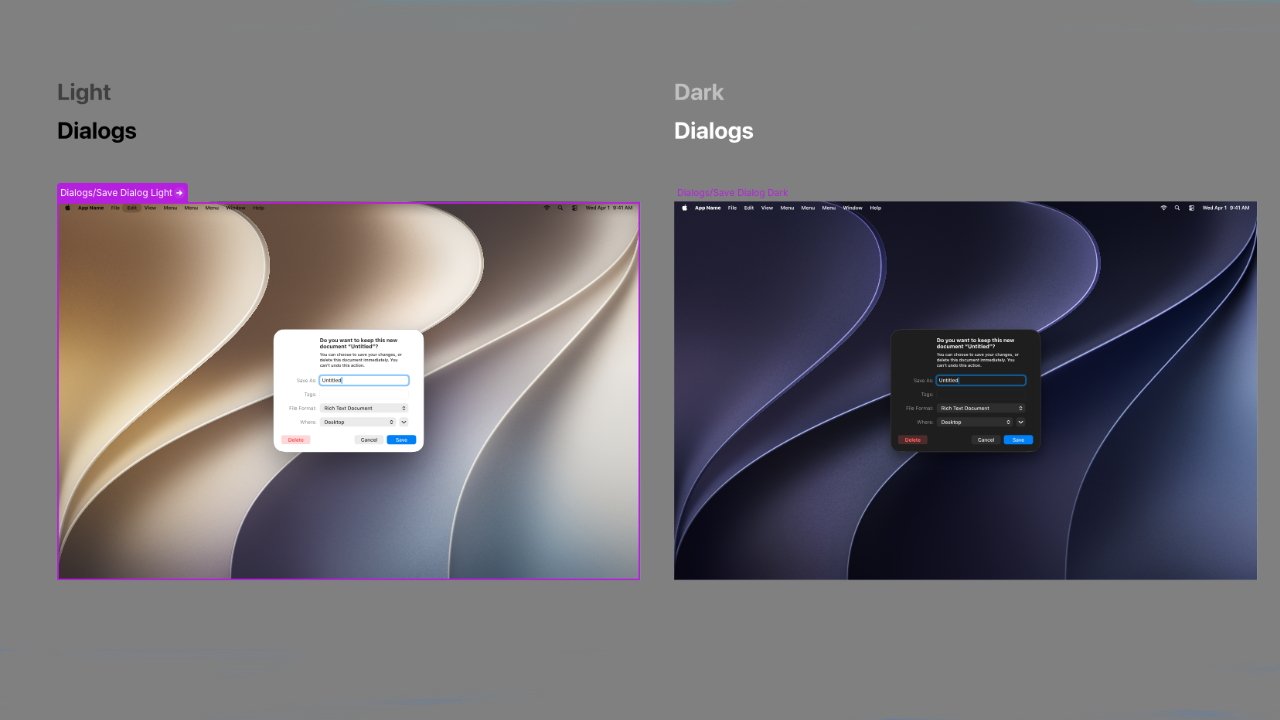
💡Ensure your app's UI remains native and modern by adopting Apple's latest Liquid Glass design specifications.
⚡ 30-Second TL;DR
What Changed
Updated design resources for iOS 27 and macOS Golden Gate.
Why It Matters
Developers can now ensure their UI components remain consistent with Apple's evolving design language, reducing friction in user experience.
What To Do Next
Review the updated Apple Developer design documentation to refactor your UI components for the new Liquid Glass style.
Key Points
- •Updated design resources for iOS 27 and macOS Golden Gate.
- •Detailed visual specifications for buttons, arrows, and dialogs.
- •Focus on achieving a native system look and feel for third-party apps.
🧠 Deep Insight
Background and context from public sources — not the original article. 24 sources cited.
🔑 Enhanced Key Takeaways
- •The 'Liquid Glass' visual style was initially introduced with iOS 26 and macOS Tahoe at WWDC 2025, and the current updates for iOS 27 and macOS Golden Gate are refinements based on user and developer feedback from its initial rollout.
- •This design language draws direct inspiration from visionOS, the operating system for Apple Vision Pro, signaling Apple's strategic commitment to unifying its immersive design principles across all its platforms.
- •A key enhancement in iOS 27 and macOS Golden Gate is the addition of a system-wide slider, allowing users to precisely customize the transparency level of the Liquid Glass effect, which directly addresses previous complaints regarding readability and contrast.
- •The technical implementation of Liquid Glass involves a sophisticated multi-pass render pipeline that includes background capture, downsampling, blurring, and a saturation boost to maintain content legibility and prevent colors from appearing washed out.
- •Apple's updated Human Interface Guidelines (HIG) for Liquid Glass place a strong emphasis on accessibility, ensuring the design adapts gracefully to system settings such as 'Reduce Transparency' and 'Increase Contrast,' and provides clear guidance on maintaining optimal contrast ratios.
📊 Competitor Analysis▸ Show
| Design System | Key Characteristics | Platforms | Accessibility Focus |
|---|---|---|---|
| Apple Liquid Glass | Translucent surfaces, depth effects, environmental responsiveness, fluid motion, real-time light manipulation, adaptive color tinting, parallax. | iOS, iPadOS, macOS, watchOS, tvOS, visionOS | Strong support for system toggles (Reduce Transparency, Increase Contrast, Reduce Motion), cognitive accessibility, minimum contrast ratios. |
| Google Material Design | Adaptable system of guidelines, components, and tools; emphasizes interface physics through calibrated shadows and elevation models; balances consistency and flexibility. | Android, Web, Desktop | Extensive guidance on accessibility, including motion, depth, typography, and layout. |
| Microsoft Fluent Design | Cross-platform approach with components that adapt to surroundings; focuses on creating a recognizable Microsoft feel without rigid visual language; emphasizes functionality. | Windows, Office 365, Teams, Azure, Web, Mobile | Strict accessibility, localization, and regulatory compliance, including keyboard navigation and screen reader support. |
🛠️ Technical Deep Dive
- Liquid Glass is a dynamic "digital meta-material" that integrates real-time blur, depth-based refraction, and specular highlights to create floating panels and controls.
- Its rendering pipeline is multi-pass, involving capturing the background, applying a Gaussian blur (often at lower resolution), and then boosting the saturation of the blurred content by 10-20% to prevent colors from appearing dull.
- The design utilizes "lensing" to bend and concentrate light, which helps users intuitively understand the hierarchy and spatial relationships within the interface.
- A "rim light" effect is incorporated, where the material becomes more reflective and brighter as the viewing angle becomes shallower, simulating physical thickness and clearly defining interactive boundaries.
- Optimal performance (60 frames per second) for Liquid Glass effects requires higher-end Apple silicon, with older devices potentially defaulting to a simpler frosted appearance.
- The material is designed to be highly adaptive, responding to touch, device orientation, underlying content, and user-defined accessibility preferences.
- Standard UI components from SwiftUI, UIKit, and AppKit automatically inherit the appearance and behavior of the Liquid Glass material, simplifying adoption for developers.
🔮 Future ImplicationsAI analysis grounded in cited sources
⏳ Timeline
📎 Sources (24)
Factual claims are grounded in the sources below. Forward-looking analysis is AI-generated interpretation.
Weekly AI Recap
Read this week's curated digest of top AI events →
👉Related Updates
AI-curated news aggregator. All content rights belong to original publishers.
Original source: cnBeta (Full RSS) ↗
This is a summary, not the original. Read the source, or get the weekly briefing.
The weekly digest
One email a week. Unsubscribe anytime.