Windows 11 bug causes massive disk space consumption
💡Critical OS bug causing massive storage loss; essential for developers running local AI models on Windows.
⚡ 30-Second TL;DR
What Changed
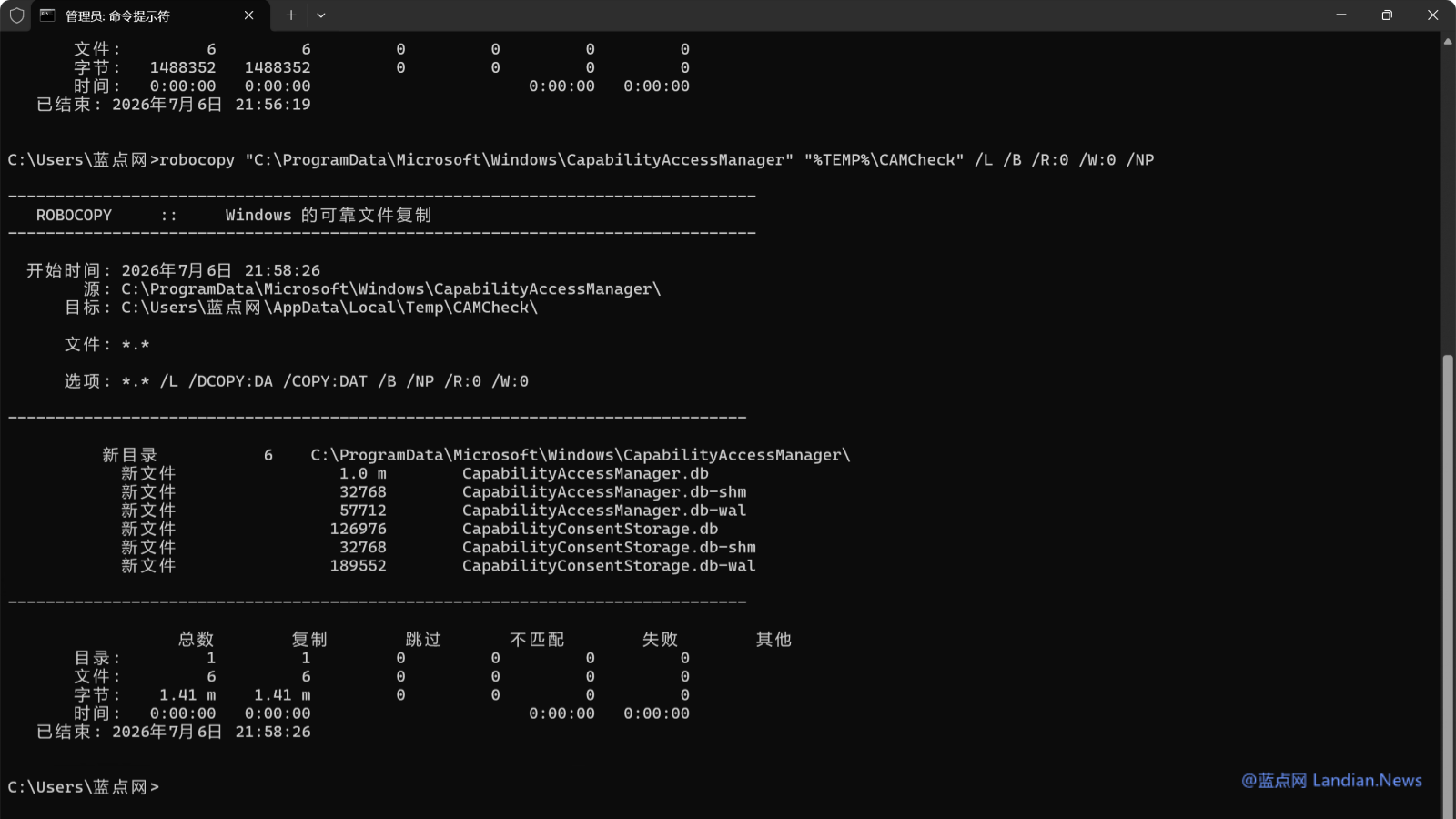
System database logs are inflating due to a software bug
Why It Matters
This issue can cause critical system instability or crash local development environments that rely on Windows 11. It highlights the importance of monitoring system storage for automated AI agents running on local hardware.
What To Do Next
Check your Windows storage settings for abnormal 'System and Reserved' usage and clear temporary logs if you encounter space issues.
Key Points
- •System database logs are inflating due to a software bug
- •Affected users report disk space usage spikes in 'System and Reserved' categories
- •Microsoft is currently working on a fix for this issue
🧠 Deep Insight
AI-generated analysis for this event — not the original article.
🔑 Enhanced Key Takeaways
- •The issue is specifically linked to the Windows Extensible Storage Engine (ESE) database, which is failing to truncate transaction logs properly.
- •Affected log files are primarily located within the C:\Windows\System32\LogFiles\Sum directory, often associated with the Software Usage Metrics service.
- •Advanced users have discovered that manually stopping the 'Application Experience' service can temporarily halt the log growth until a patch is deployed.
- •Telemetry data suggests the bug is triggered when the system fails to reconcile database checkpoints during specific Windows Update cycles.
- •Microsoft has issued a temporary workaround via a PowerShell script that clears the corrupted log files without damaging the underlying database integrity.
🛠️ Technical Deep Dive
- The bug involves the ESE (Extensible Storage Engine) jet engine, specifically the .log files generated by the SrumDb.dat database.
- The SrumDb.dat file tracks system resource usage, including CPU, network, and energy consumption per application.
- Failure in the checkpoint process prevents the engine from committing transactions to the main database file, causing the transaction logs to grow indefinitely.
- The issue is exacerbated by the system's inability to initiate a 'hard recovery' or 'soft recovery' sequence when the log file exceeds the maximum allowed size of 512MB per segment, leading to the observed multi-hundred gigabyte accumulation.
🔮 Future ImplicationsAI analysis grounded in cited sources
⏳ Timeline
Weekly AI Recap
Read this week's curated digest of top AI events →
👉Related Updates



AI-curated news aggregator. All content rights belong to original publishers.
Original source: cnBeta (Full RSS) ↗
This is a summary, not the original. Read the source, or get the weekly briefing.
Weekly AI briefing
One email a week. Unsubscribe anytime.