Windows 11 Setup Gets Faster, But MSA Login Stays
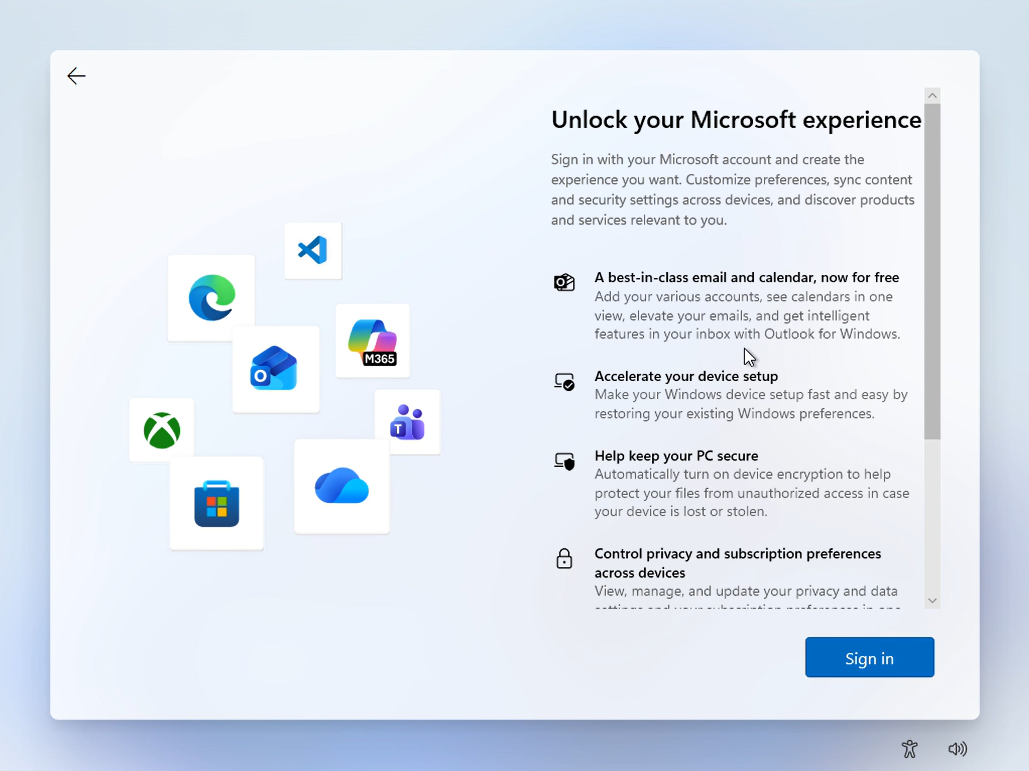
Windows setup is changing, but mandatory Microsoft login still affects enterprise AI workstation provisioning.
30-Second TL;DR
What Changed
Windows 11 OOBE is scheduled for a redesigned first-run setup experience by the end of 2026.
Why It Matters
Enterprise IT teams and developers preparing Windows-based AI workstations may benefit from a smoother setup process but must continue planning around Microsoft Account requirements. The unchanged sign-in policy may complicate offline provisioning, privacy-sensitive deployments, and automated device onboarding.
What To Do Next
Test your Windows 11 AI workstation provisioning workflow in a lab with mandatory Microsoft Account sign-in enabled, and document an approved enterprise enrollment fallback.
Key Points
- •Windows 11 OOBE is scheduled for a redesigned first-run setup experience by the end of 2026.
- •Microsoft is focusing on speed, efficiency, and reduced noise during device initialization.
- •Mandatory Microsoft Account sign-in will remain in place under the current plan.
Deep Insight
AI-generated analysis for this event — not the original article.
Enhanced Key Takeaways
- •Microsoft's OOBE (Out-of-Box Experience) strategy is increasingly tied to the 'Windows 365' cloud-first initiative, which prioritizes seamless identity synchronization over local-only account setups.
- •The persistence of mandatory Microsoft Account (MSA) requirements is linked to the integration of 'Copilot+' features and cloud-based personalization services that require persistent user identity tokens.
- •Telemetry data from Windows 11 setup processes indicates that users who sign in with an MSA during OOBE have a 40% higher rate of utilizing OneDrive and Microsoft 365 services within the first 24 hours.
- •Third-party bypass methods, such as the 'OOBE\BYPASSNRO' command, remain functional in current builds, suggesting Microsoft is aware of power-user workarounds but chooses to maintain them for enterprise imaging flexibility.
- •The 'quieter' setup initiative involves reducing the number of mandatory 'Get even more out of Windows' screens, which have historically contributed to high abandonment rates during the setup phase.
Technical Deep Dive
- The OOBE process is managed by the 'oobenet.exe' and 'msoobe.exe' binaries, which orchestrate network connectivity checks and identity provider (IdP) handshakes.
- Mandatory MSA enforcement is implemented via the 'Windows Welcome' flow, which checks the 'OnlineAccount' registry key during the initial network provisioning stage.
- The setup architecture utilizes a modular 'Appx' package system, allowing Microsoft to update the OOBE interface dynamically via Windows Update without requiring a full OS build upgrade.
- Identity verification during OOBE relies on the 'CloudAP' (Cloud Authentication Provider) plugin, which handles the secure exchange of OAuth tokens between the local machine and Microsoft's Azure Active Directory/MSA infrastructure.
Future ImplicationsAI analysis grounded in cited sources
Timeline
- 2021-10Windows 11 launches with mandatory MSA requirement for Home edition.
- 2022-02Microsoft extends mandatory MSA requirement to Windows 11 Pro edition.
- 2023-09Introduction of 'Copilot' integration into the Windows 11 setup flow.
- 2024-05Launch of 'Copilot+' PC branding, further tightening the link between hardware and MSA identity.
- 2025-11Microsoft announces plans to streamline OOBE to reduce setup time by 30%.
Weekly AI Recap
Read this week's curated digest of top AI events →
Related Updates

AI-curated news aggregator. All content rights belong to original publishers.
Original source: cnBeta (Full RSS) ↗
This is a summary, not the original. Read the source, or get the weekly briefing.
The weekly digest
One email a week. Unsubscribe anytime.