Photoshop Gets a Dedicated AI Editing Workspace

💡See how Photoshop combines prompts and visual markup to simplify AI-powered image editing.
⚡ 30-Second TL;DR
What Changed
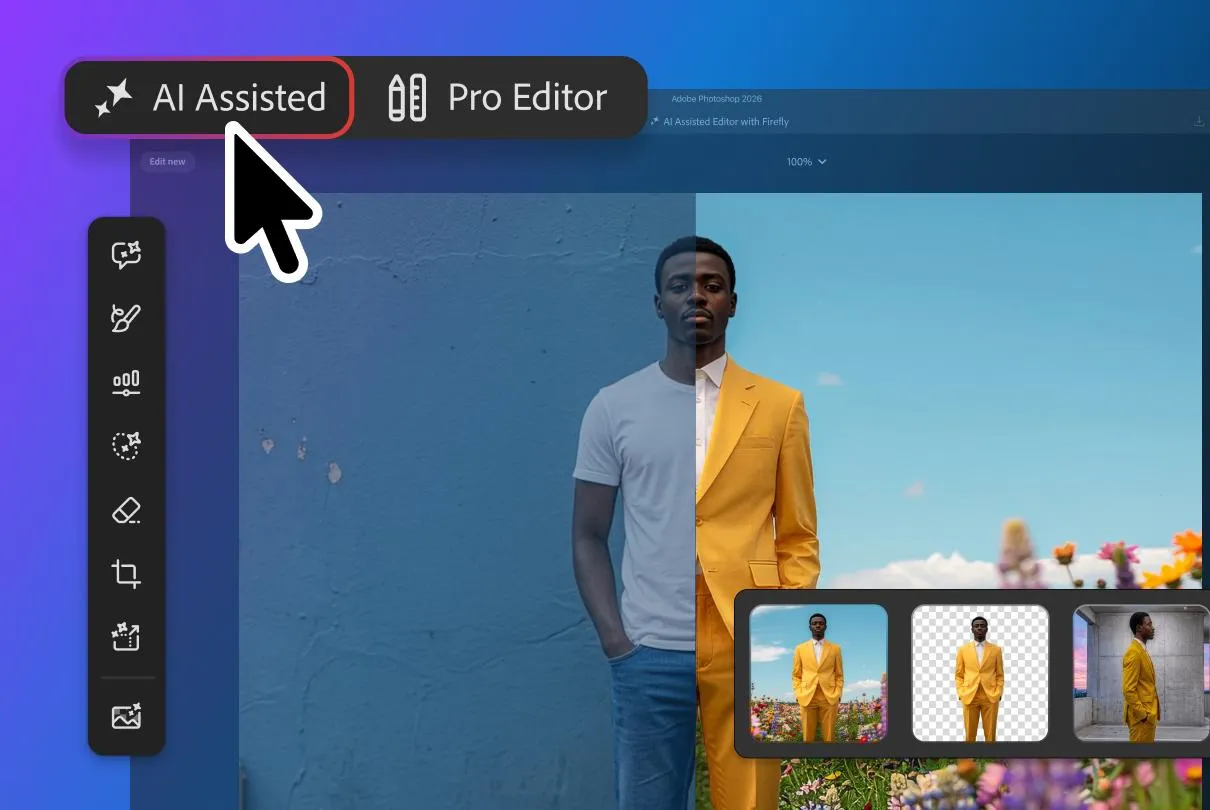
The optional AI Assisted Editor view is launching in beta.
Why It Matters
The update could make generative image editing more accessible to creators who do not use Photoshop's full conventional toolset. For AI practitioners building creative workflows, it signals a shift toward multimodal interfaces that combine prompts with direct visual instructions.
What To Do Next
Enable the Photoshop beta and test the AI Assisted Editor markup workflow on a repeatable image-editing task before integrating it into production.
Key Points
- •The optional AI Assisted Editor view is launching in beta.
- •The new toolbar combines prompt-based editing, background removal, AI image extension, and other AI tools.
- •A markup feature lets users circle areas, draw arrows, or sketch rough shapes to communicate edit instructions.
- •The workflow is designed to reduce reliance on traditional Photoshop tools for AI-assisted edits.
🧠 Deep Insight
Background and context from public sources — not the original article. 6 sources cited.
🔑 Enhanced Key Takeaways
- •The workspace utilizes Firefly Image 5, enabling localized, context-aware edits that preserve branding and surrounding image elements.
- •A new non-destructive light adjustment layer has been introduced, bringing Camera Raw-style precision directly into the standard Photoshop layer stack.
- •The update includes enhanced dynamic text handling, allowing text to automatically reflow along custom vector shapes and paths.
- •Adobe has integrated a dockable panel for direct access to over 900 million Adobe Stock assets, allowing licensing without leaving the workspace.
- •The platform now supports hybrid generative processing, allowing users to choose between cloud-based or on-device execution for AI tasks.
📊 Competitor Analysis▸ Show
| Feature | Adobe Photoshop (AI Workspace) | Midjourney (Web Editor) | Canva (Magic Studio) |
|---|---|---|---|
| Editing Precision | High (Non-destructive layers) | Low (Generative focus) | Medium (Template-based) |
| Workflow | Professional/Layer-based | Prompt-to-image | Drag-and-drop |
| AI Model | Firefly Image 5 | Proprietary | Multi-model (Studio) |
🛠️ Technical Deep Dive
- Powered by Firefly Image 5 model architecture for context-aware localized generation.
- Implements hybrid processing architecture allowing for on-device generative inference alongside cloud-based compute.
- Utilizes vector-path integration for dynamic text reflow capabilities.
- Incorporates non-destructive adjustment layer logic for lighting controls (Exposure, Contrast, Highlights, Shadows, Whites, Blacks).
🔮 Future ImplicationsAI analysis grounded in cited sources
⏳ Timeline
📎 Sources (6)
Factual claims are grounded in the sources below. Forward-looking analysis is AI-generated interpretation.
Weekly AI Recap
Read this week's curated digest of top AI events →
👉Related Updates
AI-curated news aggregator. All content rights belong to original publishers.
Original source: The Verge ↗
This is a summary, not the original. Read the source, or get the weekly briefing.
Weekly AI briefing
One email a week. Unsubscribe anytime.