Outlook to introduce AI-powered outdated email warnings
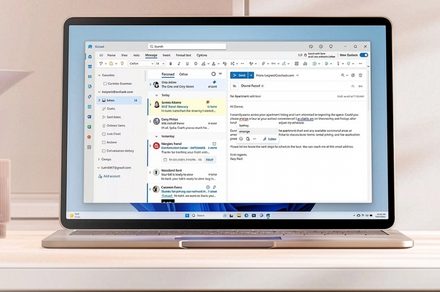
💡See how Microsoft is embedding context-aware AI into Outlook to automate inbox management and reduce user errors.
⚡ 30-Second TL;DR
What Changed
New warning system detects when users are replying to outdated email threads.
Why It Matters
These features leverage predictive intelligence to reduce user error and improve productivity in enterprise communication. It signals Microsoft's continued push to embed AI-driven context awareness into the core Microsoft 365 suite.
What To Do Next
Monitor the Microsoft 365 Roadmap for the rollout of these intelligent features to integrate them into your team's automated communication workflows.
Key Points
- •New warning system detects when users are replying to outdated email threads.
- •Improved email categorization logic to better organize user inboxes.
- •Integration of automated response templates for faster communication.
🧠 Deep Insight
AI-generated analysis for this event — not the original article.
🔑 Enhanced Key Takeaways
- •The feature leverages Microsoft's 'Copilot' AI infrastructure to analyze thread context, specifically looking for time-delta thresholds between the last message and the current draft.
- •Microsoft is deploying this update as part of a broader 'Intelligent Inbox' initiative aimed at reducing 'email fatigue' for enterprise users in Microsoft 365 environments.
- •The automated response templates utilize generative AI to mirror the user's historical writing style and tone, rather than relying on static, pre-written text blocks.
- •The categorization logic has been upgraded to use a new Large Language Model (LLM) classifier that processes email intent (e.g., 'Action Required', 'FYI', 'Scheduling') in real-time.
- •This update includes a 'Smart Snooze' functionality that suggests hiding threads based on the same outdated-thread detection logic, allowing users to declutter their active view automatically.
📊 Competitor Analysis▸ Show
| Feature | Outlook (AI-Enhanced) | Gmail (Gemini) | Superhuman |
|---|---|---|---|
| Outdated Thread Warning | Native AI Detection | Limited/Manual | Manual/Workflow-based |
| Response Templates | Generative/Adaptive | Smart Reply (Static) | Snippets (Manual) |
| Pricing | Included in M365 | Included in Workspace | Premium Subscription |
| Categorization | AI-Intent Based | Tabbed/Priority | Rule-based/Manual |
🛠️ Technical Deep Dive
- The outdated thread detection utilizes a temporal decay algorithm combined with a lightweight transformer model to assess message relevance.
- Automated response generation is powered by a fine-tuned version of the GPT-4o architecture, optimized for low-latency inference within the Outlook client.
- Categorization logic employs a multi-label classification head that runs on the client-side for privacy-sensitive data, with server-side fallback for complex threads.
- Integration relies on the Microsoft Graph API to maintain state consistency across web, desktop, and mobile versions of Outlook.
🔮 Future ImplicationsAI analysis grounded in cited sources
⏳ Timeline
Weekly AI Recap
Read this week's curated digest of top AI events →
👉Related Updates
AI-curated news aggregator. All content rights belong to original publishers.
Original source: Digital Trends ↗
This is a summary, not the original. Read the source, or get the weekly briefing.
The weekly digest
One email a week. Unsubscribe anytime.