SourcecnBeta (Full RSS)•Stalecollected in 67m
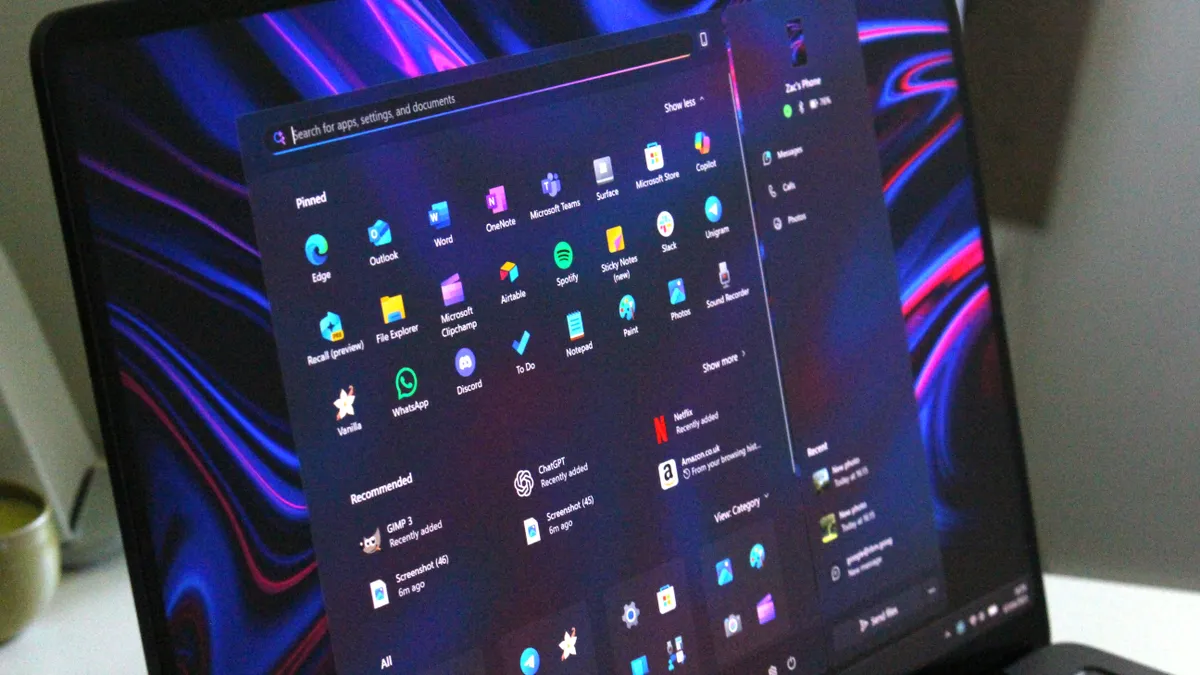
Microsoft Rebuilds WinUI 3 Start Menu
#start-menu#ui-framework#updatewindows-11microsoftwindows-11winui-3
💡WinUI 3 Start menu revamp boosts perf for Windows AI desktop apps
⚡ 30-Second TL;DR
What Changed
New WinUI 3-based Start menu architecture
Why It Matters
Improves Windows user experience, benefiting developers building native apps on the platform including AI tools.
What To Do Next
Test WinUI 3 apps on Windows 11 previews to leverage new Start menu performance gains.
Who should care:Developers & AI Engineers
Key Points
- •New WinUI 3-based Start menu architecture
- •Enhanced customization for appearance and behavior
- •Significant improvements in response speed and performance
- •Part of ongoing Windows 11 pain point fixes
🧠 Deep Insight
AI-generated analysis for this event — not the original article.
🔑 Enhanced Key Takeaways
- •The transition to WinUI 3 replaces the legacy XAML-based architecture, aiming to unify the Start menu's codebase with the broader Windows 11 design language and improve memory management.
- •Internal testing indicates that the new architecture decouples the Start menu process from the main Windows Shell (Explorer.exe), which is intended to prevent the entire taskbar from freezing when the menu hangs.
- •This update is part of a broader 'Windows Core' initiative to modularize system components, allowing Microsoft to update the Start menu independently via the Microsoft Store rather than requiring full OS feature updates.
🛠️ Technical Deep Dive
- •Architecture: Migration from legacy XAML/DirectUI to WinUI 3 (Windows App SDK).
- •Process Isolation: Moving the Start menu UI host into a dedicated, sandboxed process separate from the primary Explorer.exe shell.
- •Rendering: Leveraging the Composition API for hardware-accelerated animations and blur effects, reducing CPU overhead compared to the previous implementation.
- •Deployment: Packaged as a modular component via the Windows App SDK, enabling decoupled servicing and versioning.
🔮 Future ImplicationsAI analysis grounded in cited sources
Start menu updates will decouple from Windows Update cycles.
By moving to a WinUI 3/Windows App SDK architecture, Microsoft can push UI and performance patches directly through the Microsoft Store.
System resource consumption will decrease during idle states.
The shift to a more efficient, isolated process model reduces the memory footprint associated with the legacy shell-integrated Start menu.
⏳ Timeline
2021-10
Windows 11 launches with the initial XAML-based Start menu.
2022-09
Windows 11 22H2 introduces folders in the Start menu, highlighting early limitations of the legacy architecture.
2024-05
Microsoft accelerates the integration of Windows App SDK components into the core shell.
2026-02
Initial testing of the WinUI 3-based Start menu appears in Windows Insider Dev Channel builds.
📰 Event Coverage
📰
Weekly AI Recap
Read this week's curated digest of top AI events →
👉Related Updates
AI-curated news aggregator. All content rights belong to original publishers.
Original source: cnBeta (Full RSS) ↗
This is a summary, not the original. Read the source, or get the weekly briefing.
The weekly digest
One email a week. Unsubscribe anytime.