Microsoft Previews Windows Terminal UI Overhaul
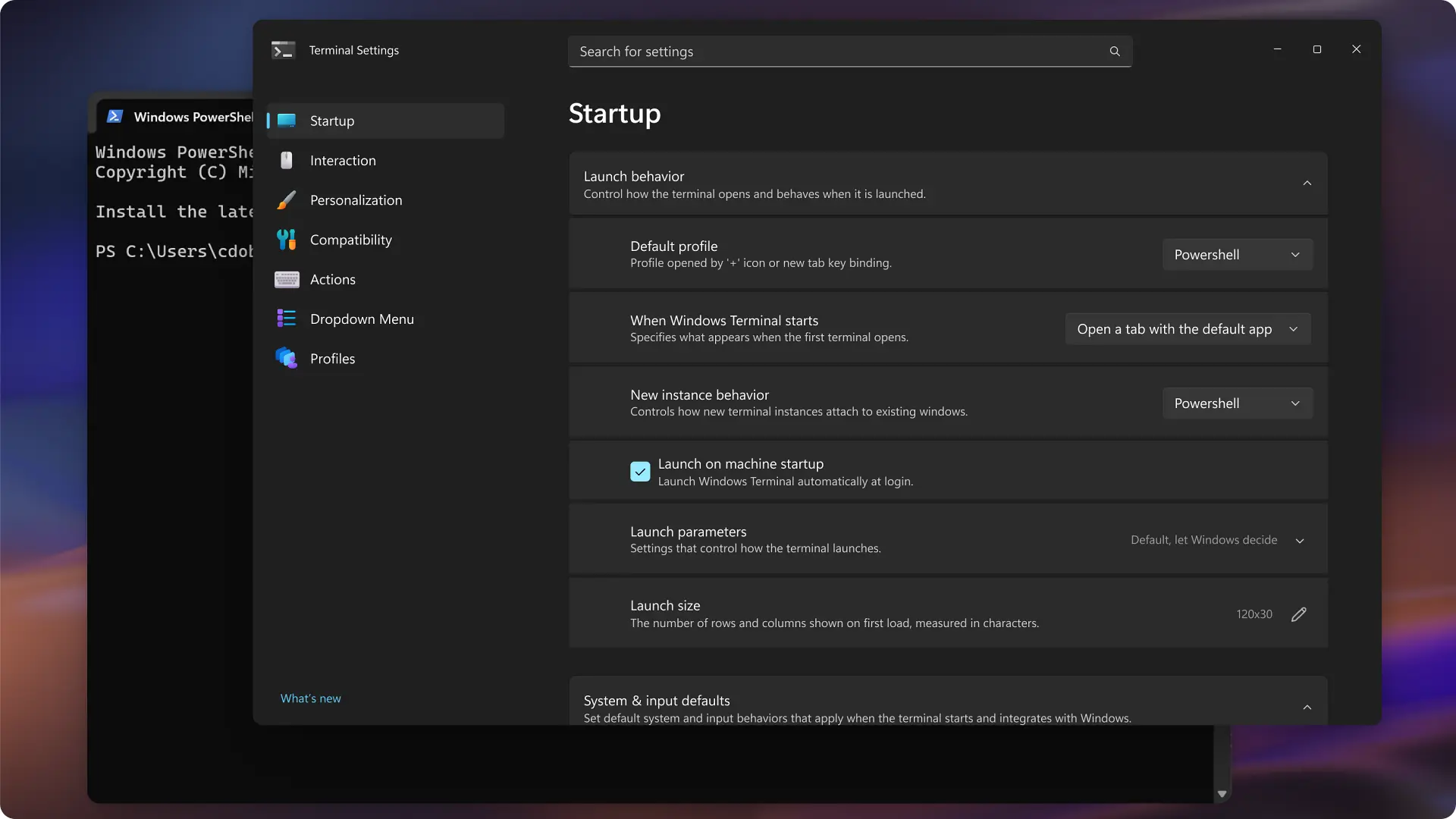
Smoother Windows Terminal UI eases CLI tasks for AI coding workflows.
30-Second TL;DR
What Changed
Large-scale settings interface redesign for Windows Terminal.
Why It Matters
Streamlines command-line workflows for Windows developers, aiding AI practitioners in scripting, training, and deployment tasks. Could boost adoption among cross-platform teams.
What To Do Next
Install Windows Terminal preview from GitHub to test redesigned settings UI.
Key Points
- •Large-scale settings interface redesign for Windows Terminal.
- •Visual upgrades improve navigation for novice and expert users.
- •Enhances interaction logic while preserving GPU acceleration and multi-tabs.
Deep Insight
AI-generated analysis for this event — not the original article.
Enhanced Key Takeaways
- •The redesign is part of a broader initiative to unify the Windows Terminal experience with the Windows 11 'Mica' material design language, moving away from the legacy-style settings JSON-first approach.
- •Microsoft is introducing a new 'Command Palette' integration within the settings menu to allow users to search for specific configuration options without navigating nested sub-menus.
- •The update includes a new accessibility-focused engine that improves screen reader compatibility for terminal output, addressing long-standing feedback from the developer community.
Competitor Analysis
- Windows Terminal
- GPU Accelerated
- iTerm2 (macOS)
- GPU Accelerated
- Alacritty
- GPU Accelerated
- Hyper
- Web-based (Electron)
- Windows Terminal
- GUI + JSON
- iTerm2 (macOS)
- GUI
- Alacritty
- YAML
- Hyper
- JavaScript/CSS
- Windows Terminal
- Free (Open Source)
- iTerm2 (macOS)
- Free (Open Source)
- Alacritty
- Free (Open Source)
- Hyper
- Free (Open Source)
- Windows Terminal
- High
- iTerm2 (macOS)
- High
- Alacritty
- Very High
- Hyper
- Moderate
| Feature | Windows Terminal | iTerm2 (macOS) | Alacritty | Hyper |
|---|---|---|---|---|
| Rendering | GPU Accelerated | GPU Accelerated | GPU Accelerated | Web-based (Electron) |
| Configuration | GUI + JSON | GUI | YAML | JavaScript/CSS |
| Pricing | Free (Open Source) | Free (Open Source) | Free (Open Source) | Free (Open Source) |
| Performance | High | High | Very High | Moderate |
Technical Deep Dive
- •The UI overhaul leverages the WinUI 3 framework, enabling better integration with the Windows App SDK.
- •Settings logic is transitioning from a direct JSON-file-editing model to a structured data-binding approach, reducing the risk of syntax errors during configuration.
- •The rendering pipeline continues to utilize the 'AtlasEngine,' which offloads text shaping and glyph rendering to the GPU to maintain high frame rates during heavy output streams.
- •Interaction logic updates include a new event-driven input handler designed to reduce latency between keystroke and terminal response.
Future ImplicationsAI analysis grounded in cited sources
Timeline
- 2019-05Microsoft announces Windows Terminal at Build 2019.
- 2020-07Windows Terminal 1.0 reaches general availability.
- 2021-10Windows Terminal becomes the default terminal emulator in Windows 11.
- 2023-09Microsoft introduces the 'AtlasEngine' for improved text rendering performance.
- 2025-02Windows Terminal adds native support for more complex shell integrations and improved tab management.
Weekly AI Recap
Read this week's curated digest of top AI events →
Related Updates


AI-curated news aggregator. All content rights belong to original publishers.
Original source: cnBeta (Full RSS) ↗
This is a summary, not the original. Read the source, or get the weekly briefing.
The weekly digest
One email a week. Unsubscribe anytime.