Microsoft Edge mobile adds Copilot and AI features
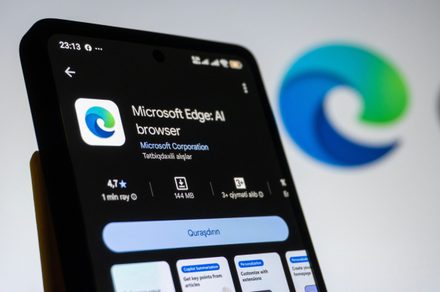
Microsoft is aggressively integrating Copilot into mobile browsing; learn how it impacts user experience.
30-Second TL;DR
What Changed
Edge mobile now includes Copilot tab reasoning for smarter navigation.
Why It Matters
The integration of advanced AI reasoning directly into the mobile browser UI changes how users interact with web content on the go.
What To Do Next
Test the Copilot tab reasoning feature to see how it handles complex multi-tab research tasks compared to standard LLM chat interfaces.
Key Points
- •Edge mobile now includes Copilot tab reasoning for smarter navigation.
- •New features include Journeys, Voice, and Vision capabilities.
- •The update positions Edge as a direct AI-powered competitor to Chrome.
Deep Insight
Background and context from public sources — not the original article. 23 sources cited.
Enhanced Key Takeaways
- •Copilot's "tab reasoning" feature allows it to analyze and compare information across multiple open tabs, summarize complex topics, or extract specific details without requiring users to manually switch between pages.
- •The Journeys feature, now available on mobile, automatically organizes a user's browsing history into topic-based projects, complete with summaries and suggested next steps, to help them easily resume tasks like trip planning or research.
- •New Voice and Vision capabilities enable hands-free interaction with Copilot, allowing users to share their mobile screen and ask questions by voice about the content they are viewing.
- •Microsoft is retiring the separate "Copilot Mode" in Edge, opting instead to integrate AI features directly into the browser experience on both desktop and mobile, making AI a more seamless and pervasive part of everyday browsing.
- •Beyond core Copilot integration, Edge mobile also gains additional AI-powered tools such as a Study and Learn mode for generating interactive quizzes from web pages, an AI Writing Assistant for drafting and refining text, and the ability to convert web page content into podcast-style audio.
Competitor Analysis
- Microsoft Edge Mobile (with Copilot)
- Microsoft Copilot
- Google Chrome on Android (with Gemini)
- Google Gemini
- Microsoft Edge Mobile (with Copilot)
- Yes, compares and summarizes information across open tabs.
- Google Chrome on Android (with Gemini)
- Yes, can compare info and get help with open tabs.
- Microsoft Edge Mobile (with Copilot)
- Journeys: Organizes history into topic-based projects with summaries and next steps.
- Google Chrome on Android (with Gemini)
- AI Mode: Can add recent tabs into a query for contextual search.
- Microsoft Edge Mobile (with Copilot)
- Yes, share screen and interact via voice.
- Google Chrome on Android (with Gemini)
- Gemini on mobile works with anything on screen; Gemini Live for voice mode.
- Microsoft Edge Mobile (with Copilot)
- Not explicitly detailed for multi-step automation beyond tab reasoning.
- Google Chrome on Android (with Gemini)
- Auto browse: Can handle tasks like booking appointments or reserving parking.
- Microsoft Edge Mobile (with Copilot)
- Study and Learn mode (quizzes), Writing Assistant, Turn pages into podcasts.
- Google Chrome on Android (with Gemini)
- Image generation (Nano Banana), Rambler (spoken thoughts to polished text), Custom widgets.
- Microsoft Edge Mobile (with Copilot)
- Uses browsing history and past chats for more relevant answers (with permission); long-term memory.
- Google Chrome on Android (with Gemini)
- Uses Gemini's Personal Intelligence for autofill; can leverage context-aware agentic browsing.
- Microsoft Edge Mobile (with Copilot)
- Free (browser features)
- Google Chrome on Android (with Gemini)
- Free (browser features)
- Microsoft Edge Mobile (with Copilot)
- Rolling out now (as of May 13-14, 2026) on iOS and Android.
- Google Chrome on Android (with Gemini)
- Rolling out in USA by June 2026 for Android 12+ phones (first on Pixel/Galaxy).
| Feature/Capability | Microsoft Edge Mobile (with Copilot) | Google Chrome on Android (with Gemini) |
|---|---|---|
| Core AI Assistant | Microsoft Copilot | Google Gemini |
| Multi-tab Reasoning/Comparison | Yes, compares and summarizes information across open tabs. | Yes, can compare info and get help with open tabs. |
| Browsing History Organization | Journeys: Organizes history into topic-based projects with summaries and next steps. | AI Mode: Can add recent tabs into a query for contextual search. |
| Voice & Vision Interaction | Yes, share screen and interact via voice. | Gemini on mobile works with anything on screen; Gemini Live for voice mode. |
| Automated Tasks/Agentic Browsing | Not explicitly detailed for multi-step automation beyond tab reasoning. | Auto browse: Can handle tasks like booking appointments or reserving parking. |
| Content Transformation | Study and Learn mode (quizzes), Writing Assistant, Turn pages into podcasts. | Image generation (Nano Banana), Rambler (spoken thoughts to polished text), Custom widgets. |
| Personalization/Memory | Uses browsing history and past chats for more relevant answers (with permission); long-term memory. | Uses Gemini's Personal Intelligence for autofill; can leverage context-aware agentic browsing. |
| Pricing | Free (browser features) | Free (browser features) |
| Availability | Rolling out now (as of May 13-14, 2026) on iOS and Android. | Rolling out in USA by June 2026 for Android 12+ phones (first on Pixel/Galaxy). |
Technical Deep Dive
- Microsoft Copilot in Edge, with user permission, can reason across open tabs and access browsing history and past chats to provide more relevant answers.
- Microsoft Copilot retrieves information from across Microsoft 365 using Microsoft Graph, including content from SharePoint, OneDrive, Teams, and Outlook. It operates on data the user has access to, respecting existing Microsoft 365 role-based access controls.
- The core architecture of AI agent systems like Copilot typically includes a client interface, foundational infrastructure, an orchestrator, a language model (LLM), and tool calling capabilities.
- Copilot preprocesses user prompts through a process called "grounding" before sending them to a Large Language Model (LLM) to generate contextually relevant responses.
- User privacy is a key consideration, with Microsoft emphasizing that Copilot requires explicit user permission to access sensitive data such as open tabs, browsing history, screen contents, and past chats.
Future ImplicationsAI analysis grounded in cited sources
Timeline
- 2025-10-23New Copilot features for Microsoft Edge browser announced.
- 2026-01-08Microsoft Copilot Studio details agent architecture components.
- 2026-03-24Microsoft 365 Copilot architecture and data usage explained, leveraging Microsoft Graph and LLMs.
- 2026-04-15Microsoft 365 Copilot described as an AI-powered tool coordinating LLMs and organizational data.
- 2026-04-30Discussion on preparing data for Microsoft Copilot, emphasizing data architecture and governance.
- 2026-05-13Microsoft announces major updates to Edge across desktop and mobile, retiring 'Copilot Mode' and integrating AI features like multi-tab reasoning, Journeys, Voice, and Vision directly into the browser.
Sources (23)
Factual claims are grounded in the sources below. Forward-looking analysis is AI-generated interpretation.
Weekly AI Recap
Read this week's curated digest of top AI events →
AI-curated news aggregator. All content rights belong to original publishers.
Original source: Digital Trends ↗
This is a summary, not the original. Read the source, or get the weekly briefing.
The weekly digest
One email a week. Unsubscribe anytime.