Microsoft Boosts Start Menu Speed with WinUI Shift
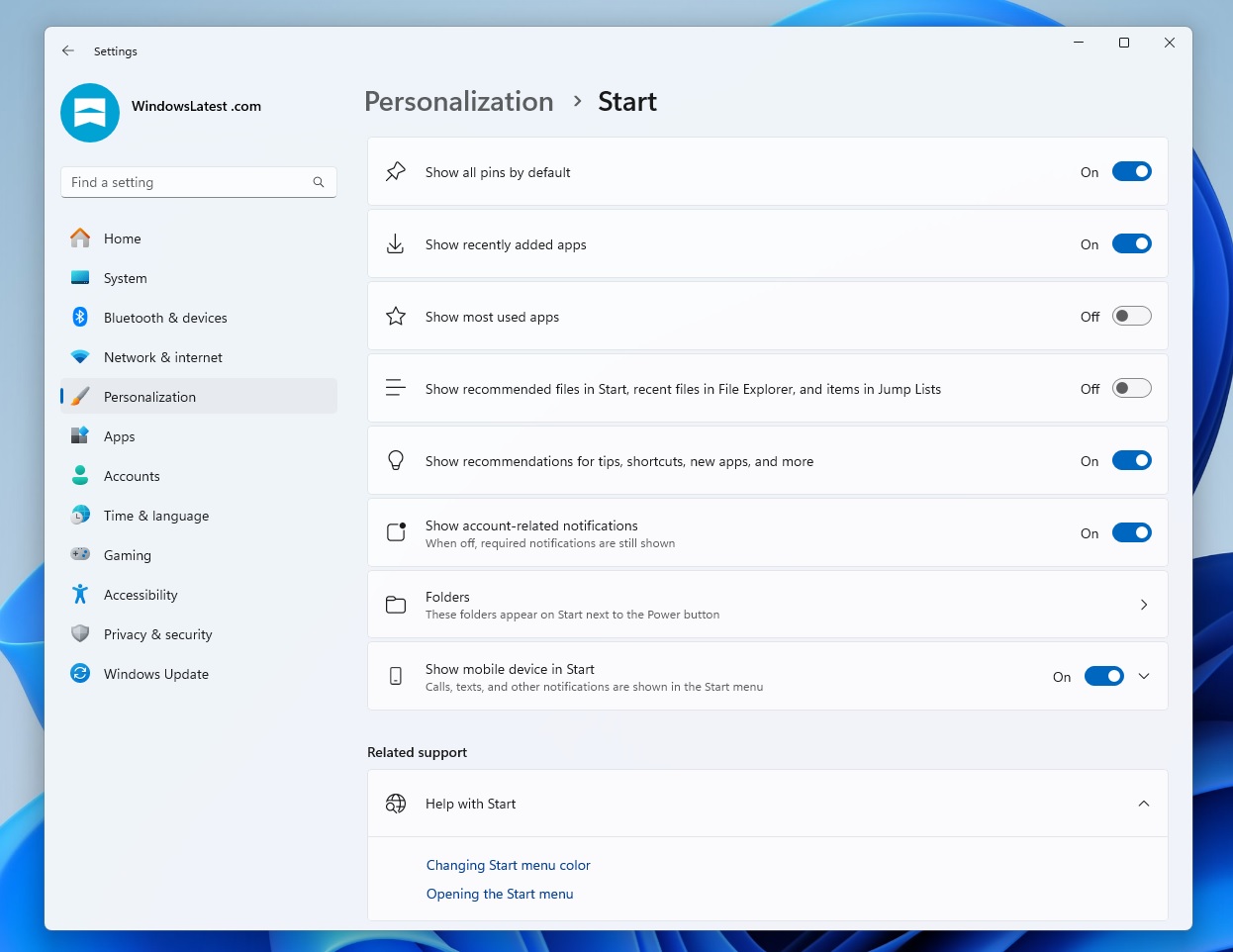
💡Snappier Start Menu cuts latency in Windows AI dev environments
⚡ 30-Second TL;DR
What Changed
Start Menu replaces React Shell with WinUI
Why It Matters
Faster Start Menu improves daily productivity for developers running AI tools on Windows. Aligns with Microsoft's native performance push, benefiting local AI workflows.
What To Do Next
Join Windows Insider to test WinUI Start Menu in previews for smoother AI dev sessions.
Key Points
- •Start Menu replaces React Shell with WinUI
- •Reduces interaction delays for snappier feel
- •Part of broader shift to native WinUI framework
🧠 Deep Insight
Background and context from public sources — not the original article. 12 sources cited.
🔑 Enhanced Key Takeaways
- •The transition specifically targets the 'Recommended' feed and 'All apps' list, which were the primary React Native-based bottlenecks causing a 30% to 70% CPU spike on a single core during Start Menu activation.
- •Microsoft is migrating the 'shared UI infrastructure' to WinUI 3 (Windows App SDK), effectively removing the JavaScript bridge and runtime overhead that previously hindered 'Time to Interact' (TTI) metrics.
- •This shift is a cornerstone of the '2026 Quality Initiative' led by Windows President Pavan Davuluri, aimed at reversing the 'web-wrapper' trend that users criticized for causing UI flicker and inconsistent responsiveness.
- •The move enables deeper integration with hardware-accelerated Fluent Design effects like Mica and Acrylic, which previously suffered from rendering lag when hosted within XAML Islands for web-based components.
📊 Competitor Analysis▸ Show
| Feature | Windows 11 (WinUI 3 Shift) | macOS (Sequoia/Sonoma) | ChromeOS |
|---|---|---|---|
| Shell Architecture | Native WinUI 3 (C++/XAML) | Native SwiftUI / AppKit | Web-based (Aura / Views) |
| Primary Language | C++ / C# | Swift / Objective-C | C++ / JavaScript |
| Latency Profile | Low (Native execution) | Ultra-Low (Hardware-tuned) | Moderate (Web-runtime overhead) |
| Resource Usage | Optimized (Reduced RAM/CPU) | Highly Optimized | Low (but scales with tabs/apps) |
🛠️ Technical Deep Dive
- •Framework Migration: Moving from 'React Native for Windows' (which used a C++ bridge to render XAML) to pure WinUI 3, eliminating the need for a JavaScript engine (Hermes/V8) to manage shell state.
- •Decoupled Delivery: Utilizing the Windows App SDK (WASDK) to deliver UI updates via NuGet packages, allowing shell improvements to bypass the traditional semi-annual OS update cycle.
- •Rendering Pipeline: Leveraging the
Microsoft.UI.Compositionnamespace for direct hardware-accelerated animations, reducing the inter-process communication (IPC) latency between the Start Menu process and the Desktop Window Manager (DWM). - •Process Optimization: Consolidating the
StartMenuExperienceHost.exedependencies to reduce the working set memory footprint by removing WebView2/Edge-based runtime requirements for core navigation.
🔮 Future ImplicationsAI analysis grounded in cited sources
⏳ Timeline
📎 Sources (12)
Factual claims are grounded in the sources below. Forward-looking analysis is AI-generated interpretation.
Weekly AI Recap
Read this week's curated digest of top AI events →
👉Related Updates
AI-curated news aggregator. All content rights belong to original publishers.
Original source: cnBeta (Full RSS) ↗
This is a summary, not the original. Read the source, or get the weekly briefing.
The weekly digest
One email a week. Unsubscribe anytime.