Introducing Mobile Layout for Amazon QuickSight Dashboards
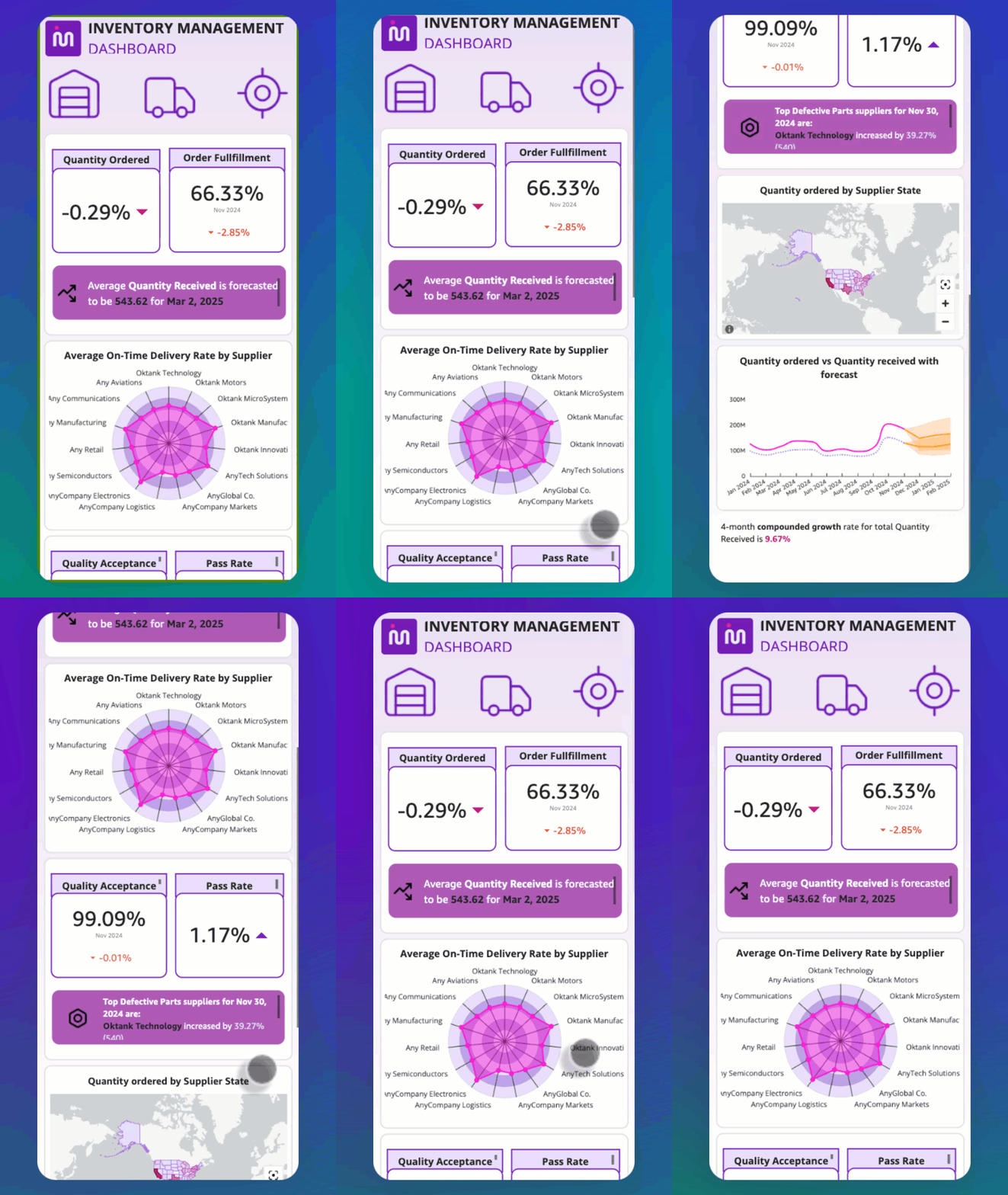
💡Optimize your BI dashboards for mobile to ensure stakeholders can access critical data insights anywhere.
⚡ 30-Second TL;DR
What Changed
Enables custom dashboard layouts specifically for mobile devices.
Why It Matters
This update improves the usability of data-driven decision-making for field teams and executives. It ensures that critical business intelligence is accessible and readable regardless of the user's location.
What To Do Next
Log into your QuickSight console and enable the 'Mobile' layout option in your existing dashboard editor to improve mobile accessibility for your stakeholders.
Key Points
- •Enables custom dashboard layouts specifically for mobile devices.
- •Improves accessibility for users monitoring operations or metrics while traveling.
- •Reduces interaction friction by removing the need for pinch-to-zoom on desktop-designed dashboards.
🧠 Deep Insight
AI-generated analysis for this event.
🔑 Enhanced Key Takeaways
- •The mobile layout feature utilizes a responsive grid system that allows authors to hide specific visuals or reorder elements independently of the desktop version.
- •QuickSight mobile layouts support both portrait and landscape orientations, enabling authors to tailor the user experience for different device holding preferences.
- •The implementation leverages the existing QuickSight 'Free-form' layout engine, which provides pixel-perfect control over element placement on mobile canvases.
- •Mobile-optimized dashboards are automatically detected by the QuickSight mobile app, ensuring users are served the correct layout without manual configuration.
- •Authors can preview mobile layouts directly within the QuickSight authoring environment using device-specific aspect ratio simulators before publishing.
📊 Competitor Analysis▸ Show
| Feature | Amazon QuickSight | Microsoft Power BI | Tableau (Salesforce) |
|---|---|---|---|
| Mobile Layout Customization | Dedicated Mobile Canvas | Phone Report View | Device Designer |
| Licensing Model | Pay-per-session/User | Per User/Capacity | Per User/Creator |
| Mobile App Rating | High | High | Moderate/High |
🛠️ Technical Deep Dive
- The mobile layout engine operates on a decoupled rendering layer that separates the data query logic from the visual presentation layer.
- It utilizes CSS Grid-based positioning for the mobile canvas, allowing for responsive reflow of visual containers.
- The system supports conditional visibility, where specific dashboard components can be flagged as 'desktop-only' or 'mobile-only' to optimize load times on cellular networks.
- Integration with AWS IAM ensures that mobile-specific layouts inherit the same Row-Level Security (RLS) and Column-Level Security (CLS) policies as desktop views.
🔮 Future ImplicationsAI analysis grounded in cited sources
⏳ Timeline
Weekly AI Recap
Read this week's curated digest of top AI events →
👉Related Updates
AI-curated news aggregator. All content rights belong to original publishers.
Original source: AWS Machine Learning Blog ↗