How to Edit Claude’s Memory
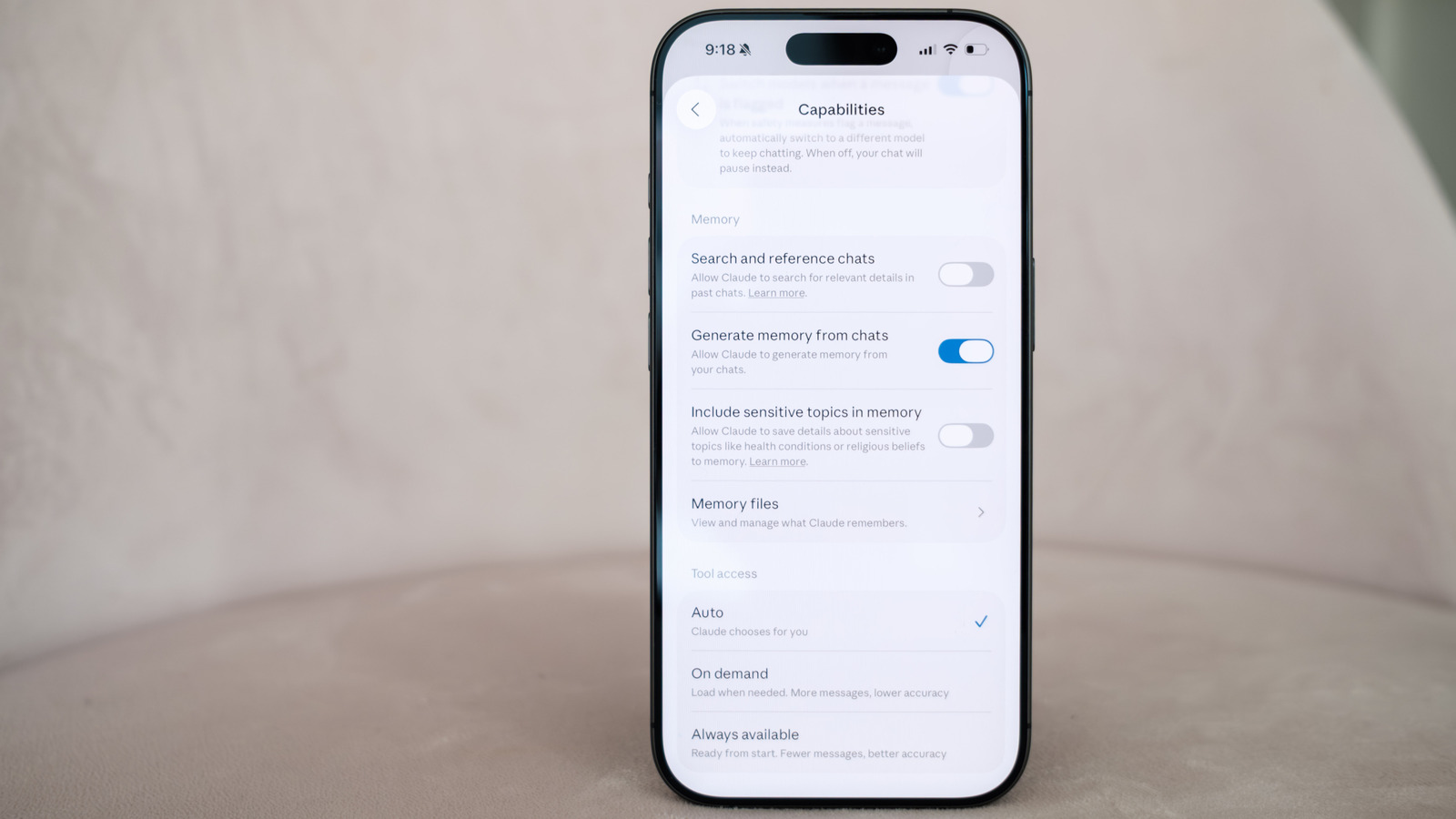
💡Learn how to keep Claude’s persistent context accurate before it shapes future prompts.
⚡ 30-Second TL;DR
What Changed
Claude uses past conversations as context for future prompts
Why It Matters
Editable memory gives users more control over persistent AI personalization and can reduce errors caused by outdated context. For AI product teams, it also highlights the importance of transparency and user controls around long-term conversational state.
What To Do Next
Open Claude’s memory controls, review the stored entries, and remove or correct any context that could distort your production prompt tests.
Key Points
- •Claude uses past conversations as context for future prompts
- •Users should verify that stored memories remain accurate
- •Editing memory can help correct or update Claude’s personalization
Weekly AI Recap
Read this week's curated digest of top AI events →
👉Related Updates
AI-curated news aggregator. All content rights belong to original publishers.
Original source: Engadget ↗
This is a summary, not the original. Read the source, or get the weekly briefing.
Weekly AI briefing
One email a week. Unsubscribe anytime.