🇳🇬TechCabal•Freshcollected in 10m
How Google’s Daily Brief works and how to set it up
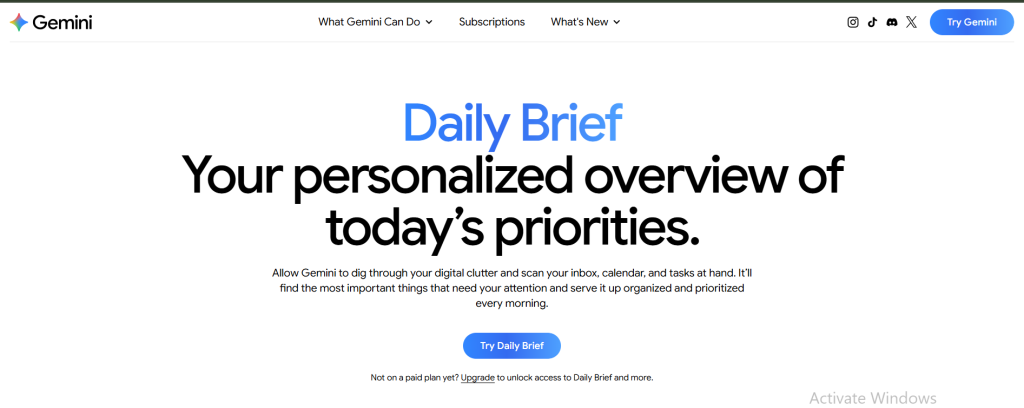
💡Learn how Google is shifting from search to proactive AI-driven personal assistance in daily workflows.
⚡ 30-Second TL;DR
What Changed
Automated synthesis of inbox and calendar data
Why It Matters
This feature signals Google's strategy to embed proactive AI agents directly into the user's workflow. It highlights the shift from reactive search to predictive personal assistance.
What To Do Next
Explore the Google Workspace API documentation to understand how to integrate similar context-aware summarization into your own productivity tools.
Who should care:Developers & AI Engineers
Key Points
- •Automated synthesis of inbox and calendar data
- •AI-driven prioritization of daily tasks
- •Designed to streamline morning routines for users
🧠 Deep Insight
AI-generated analysis for this event.
🔑 Enhanced Key Takeaways
- •The feature leverages Gemini-class multimodal models to perform cross-app reasoning between Gmail, Google Calendar, and Google Tasks.
- •Users can customize the 'Daily Brief' tone and focus areas, such as prioritizing urgent client communications or highlighting personal wellness reminders.
- •The system utilizes on-device processing for sensitive data filtering before sending metadata to Google's cloud infrastructure for final synthesis.
- •Integration includes 'Smart Reply' suggestions directly within the brief, allowing users to initiate responses without leaving the summary interface.
- •The feature is part of the broader 'Google Workspace AI' initiative, which aims to reduce 'context switching' by consolidating information across the productivity suite.
📊 Competitor Analysis▸ Show
| Feature | Google Daily Brief | Microsoft Copilot Daily Summary | Notion AI Q&A |
|---|---|---|---|
| Primary Data Source | Gmail, Calendar, Tasks | Outlook, Teams, M365 Graph | Notion Docs, Databases |
| Pricing | Included in Workspace/Gemini Adv. | Included in M365 Copilot | Add-on subscription |
| Key Benchmark | Cross-app synthesis speed | Enterprise data security | Knowledge base retrieval |
🛠️ Technical Deep Dive
- Architecture utilizes a Retrieval-Augmented Generation (RAG) pipeline that indexes user-specific Workspace data in real-time.
- Employs a lightweight 'Summarization Agent' model optimized for low-latency inference to ensure morning delivery.
- Implements differential privacy techniques to ensure that the AI model does not retain user-specific email content for training purposes.
- Uses vector embeddings to map calendar events and email threads into a shared semantic space for chronological ordering.
🔮 Future ImplicationsAI analysis grounded in cited sources
Google will expand Daily Brief to include third-party app data via Workspace Add-ons.
The current API architecture supports external data ingestion, suggesting a move toward a centralized AI dashboard for all enterprise tools.
The feature will transition from a passive summary to an active 'Agentic' workflow.
Recent updates to Gemini's agentic capabilities indicate a shift toward executing tasks, such as rescheduling conflicts, directly from the brief.
⏳ Timeline
2023-05
Google announces 'Duet AI' for Workspace at I/O, laying the foundation for cross-app AI integration.
2024-02
Rebranding of Duet AI to Gemini for Google Workspace, unifying the AI model under the Gemini brand.
2025-09
Google introduces 'Contextual Awareness' updates, allowing Gemini to better understand relationships between calendar events and emails.
2026-06
Initial beta rollout of the 'Daily Brief' feature to select Workspace Labs users.
📰
Weekly AI Recap
Read this week's curated digest of top AI events →
👉Related Updates

AI-curated news aggregator. All content rights belong to original publishers.
Original source: TechCabal ↗