SourceTestingCatalog•Stalecollected in 22h
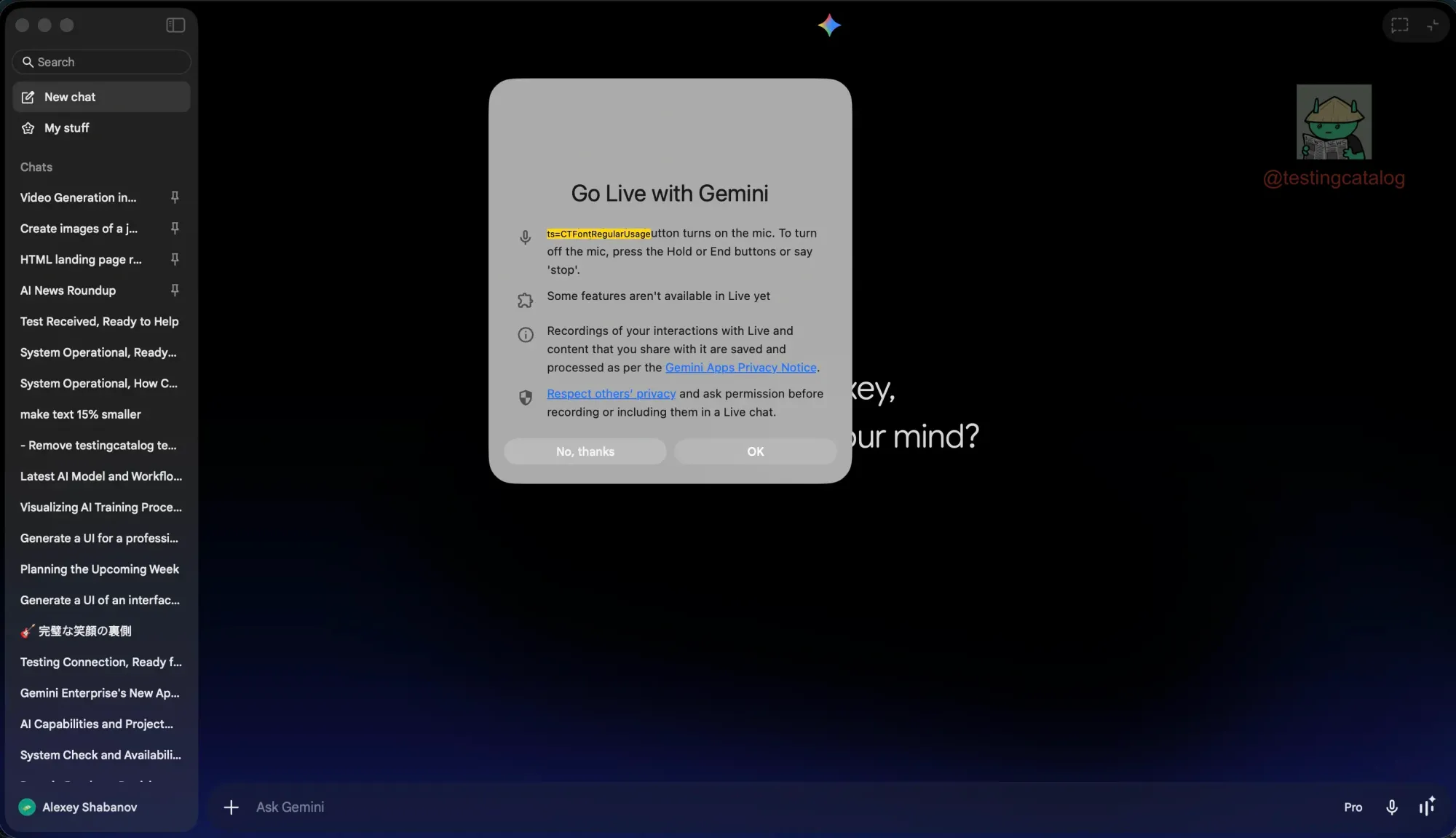
Google Tests Live Mode Screen Sharing in Gemini Desktop
#screen-sharing#voice-mode#macos-appgeminigooglegemini
Gemini desktop adds voice/screen share – upgrade your AI dev workflow now
30-Second TL;DR
What Changed
Native Swift app for macOS
Why It Matters
Boosts desktop AI productivity with voice and sharing, enabling seamless collaboration for developers and users.
What To Do Next
Install Gemini macOS app and toggle Live Mode flags in settings to test screen sharing.
Who should care:Developers & AI Engineers
Key Points
- •Native Swift app for macOS
- •Live Mode with screen sharing testing
- •Hints at desktop voice mode
- •Accessible via app settings
Deep Insight
AI-generated analysis for this event — not the original article.
Enhanced Key Takeaways
- •The integration utilizes the macOS ScreenCaptureKit framework, allowing Gemini to process visual context in real-time while maintaining system-level privacy permissions.
- •This feature is part of a broader push to unify Gemini's multimodal capabilities across platforms, mirroring the 'Gemini Live' experience previously exclusive to mobile Android and iOS applications.
- •The Swift-based architecture enables lower latency and better integration with macOS system resources compared to the previous Electron-based web-wrapper approaches used in earlier desktop iterations.
Competitor Analysis
Screen Sharing
- Google Gemini (macOS)
- Yes (Live Mode)
- OpenAI ChatGPT (macOS)
- Yes (Advanced Voice Mode)
- Anthropic Claude (Desktop)
- No (File upload only)
Architecture
- Google Gemini (macOS)
- Native Swift
- OpenAI ChatGPT (macOS)
- Native Swift
- Anthropic Claude (Desktop)
- Electron/Web-based
Real-time Voice
- Google Gemini (macOS)
- Yes
- OpenAI ChatGPT (macOS)
- Yes
- Anthropic Claude (Desktop)
- No
| Feature | Google Gemini (macOS) | OpenAI ChatGPT (macOS) | Anthropic Claude (Desktop) |
|---|---|---|---|
| Screen Sharing | Yes (Live Mode) | Yes (Advanced Voice Mode) | No (File upload only) |
| Architecture | Native Swift | Native Swift | Electron/Web-based |
| Real-time Voice | Yes | Yes | No |
Technical Deep Dive
- •Implementation leverages Apple's ScreenCaptureKit for high-performance, low-latency screen stream ingestion.
- •Uses a persistent WebSocket connection to stream visual frames to Gemini's multimodal backend for low-latency inference.
- •Integrates with macOS Accessibility APIs to allow the model to interpret UI elements and provide context-aware assistance.
- •Utilizes on-device audio processing buffers to synchronize voice input with visual screen data for seamless multimodal interaction.
Future ImplicationsAI analysis grounded in cited sources
Google will expand Gemini's desktop screen sharing to include active UI control capabilities.
The current implementation of screen sharing provides the necessary visual foundation for future 'agentic' workflows where the model can perform actions on the user's behalf.
Gemini will become the primary OS-level assistant for macOS users by late 2026.
Deep integration with native macOS frameworks allows Gemini to bypass browser limitations, positioning it as a direct competitor to Apple Intelligence.
Timeline
2024-02
Google rebrands Bard to Gemini and launches the standalone Gemini app for Android.
2024-05
Google announces the native Gemini app for macOS users.
2024-08
Google rolls out Gemini Live to Android subscribers, introducing conversational voice interaction.
2025-09
Gemini Live expands to iOS, bringing real-time voice capabilities to Apple devices.
- 2024-02Google rebrands Bard to Gemini and launches the standalone Gemini app for Android.
- 2024-05Google announces the native Gemini app for macOS users.
- 2024-08Google rolls out Gemini Live to Android subscribers, introducing conversational voice interaction.
- 2025-09Gemini Live expands to iOS, bringing real-time voice capabilities to Apple devices.
Weekly AI Recap
Read this week's curated digest of top AI events →
AI-curated news aggregator. All content rights belong to original publishers.
Original source: TestingCatalog ↗
This is a summary, not the original. Read the source, or get the weekly briefing.
The weekly digest
One email a week. Unsubscribe anytime.