Google Drive Adds Timestamped Video Comments
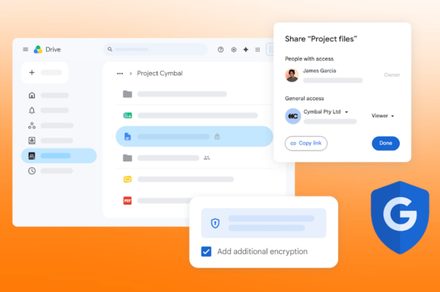
Pin review notes to exact video moments, making human feedback easier to act on in AI media workflows.
30-Second TL;DR
What Changed
Users can attach comments to exact moments in a video.
Why It Matters
Timestamped feedback can reduce ambiguity during creative reviews, especially when teams discuss edits, annotations, or corrections. AI practitioners working on video datasets or generated media may find it useful for coordinating human review, though the article does not mention AI-specific integrations.
What To Do Next
Test timestamped comments in a shared Google Drive video folder and use them to structure review feedback for your next video or dataset annotation pass.
Key Points
- •Users can attach comments to exact moments in a video.
- •Feedback is anchored directly to the playback timeline.
- •The feature is designed to streamline collaborative video review in Google Drive.
Deep Insight
AI-generated analysis for this event — not the original article.
Enhanced Key Takeaways
- •The feature integrates directly with Google Workspace's existing comment notification system, allowing users to receive email alerts when they are tagged in a specific video timestamp.
- •This functionality leverages Google's existing video player infrastructure used in Google Photos and Drive, extending the 'comment' metadata schema to include time-offset parameters.
- •The implementation supports various video formats natively supported by Google Drive, including MP4, MOV, and AVI, without requiring re-encoding for comment attachment.
- •Administrators can manage comment permissions for video files through standard Google Drive sharing settings, ensuring that timestamped feedback remains restricted to authorized collaborators.
- •The feature is part of a broader initiative to position Google Drive as a lightweight alternative to dedicated video review platforms like Frame.io or Wipster for enterprise teams.
Competitor Analysis
- Google Drive
- Yes
- Frame.io
- Yes
- Vimeo Review
- Yes
- Google Drive
- Included in Workspace
- Frame.io
- Subscription-based
- Vimeo Review
- Subscription-based
- Google Drive
- Limited
- Frame.io
- Advanced
- Vimeo Review
- Advanced
- Google Drive
- Deep Google Ecosystem
- Frame.io
- Adobe Creative Cloud
- Vimeo Review
- Standalone/API
| Feature | Google Drive | Frame.io | Vimeo Review |
|---|---|---|---|
| Timestamped Comments | Yes | Yes | Yes |
| Pricing | Included in Workspace | Subscription-based | Subscription-based |
| Version Stacking | Limited | Advanced | Advanced |
| Integration | Deep Google Ecosystem | Adobe Creative Cloud | Standalone/API |
Technical Deep Dive
- The feature utilizes a JSON-based metadata overlay that maps comment objects to specific millisecond offsets within the video manifest.
- Comment anchors are stored as sidecar metadata, preventing the need to modify the original video file container.
- The playback engine uses a custom event listener that pauses the video state when a comment anchor is clicked, synchronizing the player's currentTime property with the comment's offset value.
- Data persistence is handled via the Google Drive API, where comments are treated as distinct resource entities linked to the file ID.
Future ImplicationsAI analysis grounded in cited sources
Timeline
- 2014-06Google Drive introduces file-level commenting for non-Google documents.
- 2020-09Google Drive enhances video player UI to support better streaming and playback controls.
- 2023-05Google integrates Duet AI (now Gemini) into Workspace to assist with document and file analysis.
- 2026-08Google Drive officially rolls out timestamped video commenting for all Workspace tiers.
Weekly AI Recap
Read this week's curated digest of top AI events →
AI-curated news aggregator. All content rights belong to original publishers.
Original source: Digital Trends ↗
This is a summary, not the original. Read the source, or get the weekly briefing.
The weekly digest
One email a week. Unsubscribe anytime.