Emoji Generator Built with Copilot CLI
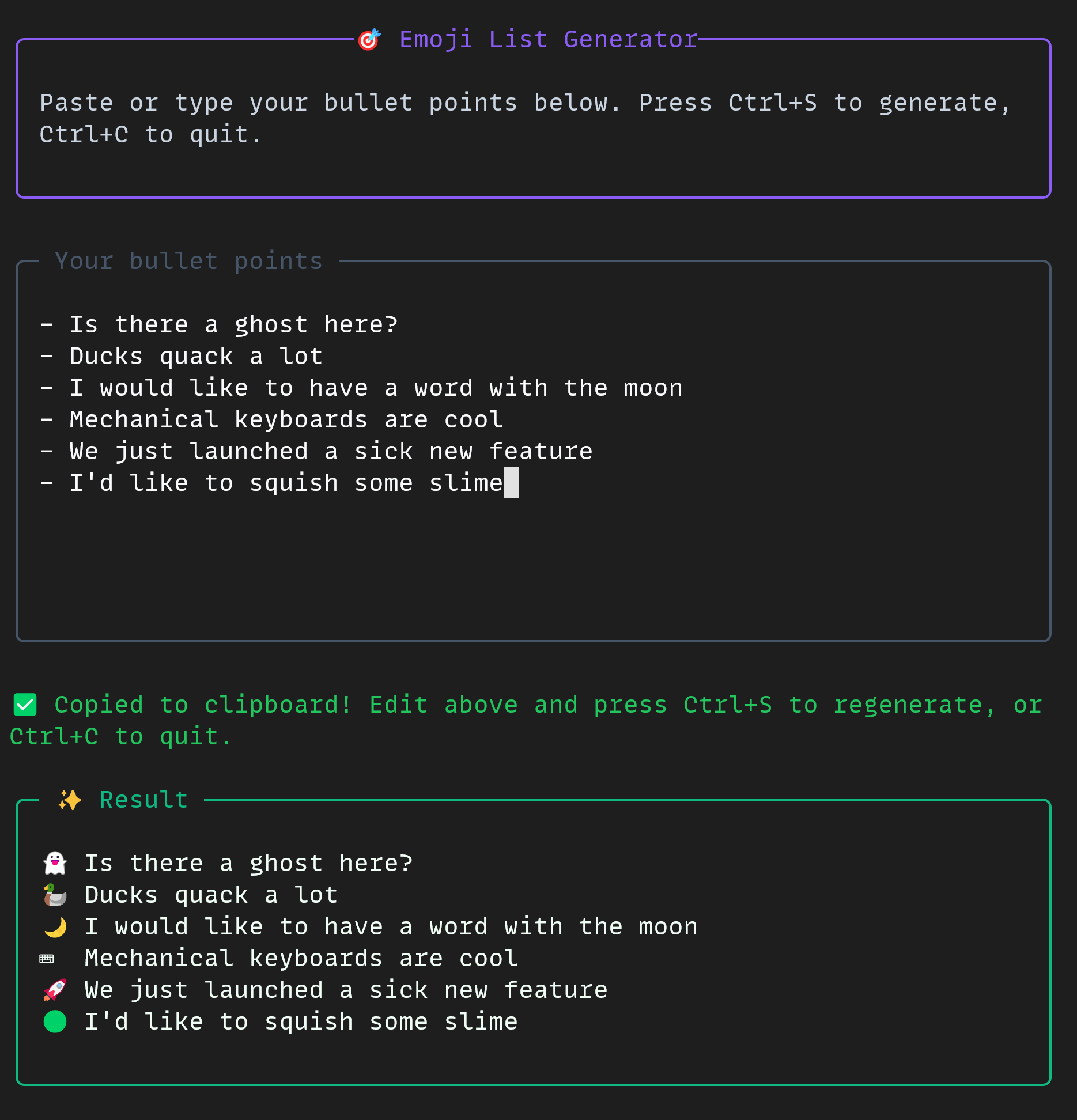
💡Copilot CLI demo builds emoji tool live—boost your CLI prototyping speed!
⚡ 30-Second TL;DR
What Changed
Demo builds emoji list generator via Copilot CLI
Why It Matters
This tutorial inspires developers to leverage Copilot CLI for quick CLI projects, potentially speeding up automation tasks. It reinforces GitHub's ecosystem for AI-driven coding workflows.
What To Do Next
Install GitHub Copilot CLI and replicate the emoji generator demo in your terminal.
Key Points
- •Demo builds emoji list generator via Copilot CLI
- •Featured in Rubber Duck Thursday live stream
- •Highlights AI assistance for CLI tool creation
🧠 Deep Insight
AI-generated analysis for this event — not the original article.
🔑 Enhanced Key Takeaways
- •The Copilot CLI tool leverages natural language processing to translate user intent into shell commands, significantly reducing the cognitive load of memorizing complex syntax for utilities like grep, sed, or awk.
- •The 'Rubber Duck Thursday' series serves as a strategic developer relations initiative by GitHub to demonstrate 'AI-native' workflows, moving beyond simple code completion to interactive, conversational terminal experiences.
- •The emoji generator demo specifically highlights the integration of Copilot CLI with standard Unix pipes and streams, showcasing how AI can assist in chaining modular CLI tools to build functional prototypes in minutes.
📊 Competitor Analysis▸ Show
| Feature | GitHub Copilot CLI | Warp AI | Fig (Amazon Q) |
|---|---|---|---|
| Primary Interface | Terminal/Shell Extension | Integrated Terminal Emulator | Terminal Autocomplete/CLI |
| Pricing | Included in Copilot Subscription | Freemium/Enterprise | Integrated into AWS Q |
| Core Strength | Natural language to shell command | Context-aware terminal UI | Real-time command suggestions |
🛠️ Technical Deep Dive
- •The Copilot CLI operates by intercepting shell input and sending it to a backend model (typically a fine-tuned version of OpenAI's GPT-4 or similar LLM) to generate executable shell commands.
- •It utilizes a 'explain' and 'execute' workflow, where the model provides a natural language explanation of the proposed command before the user confirms execution, ensuring a safety layer for destructive commands.
- •The tool maintains state awareness by capturing the user's current working directory and shell environment variables, allowing the model to provide context-specific suggestions.
- •Implementation relies on a Node.js-based CLI wrapper that interfaces with the GitHub Copilot API, handling authentication via the GitHub CLI (gh) tool.
🔮 Future ImplicationsAI analysis grounded in cited sources
⏳ Timeline
Weekly AI Recap
Read this week's curated digest of top AI events →
👉Related Updates
AI-curated news aggregator. All content rights belong to original publishers.
Original source: GitHub Blog ↗
This is a summary, not the original. Read the source, or get the weekly briefing.
The weekly digest
One email a week. Unsubscribe anytime.