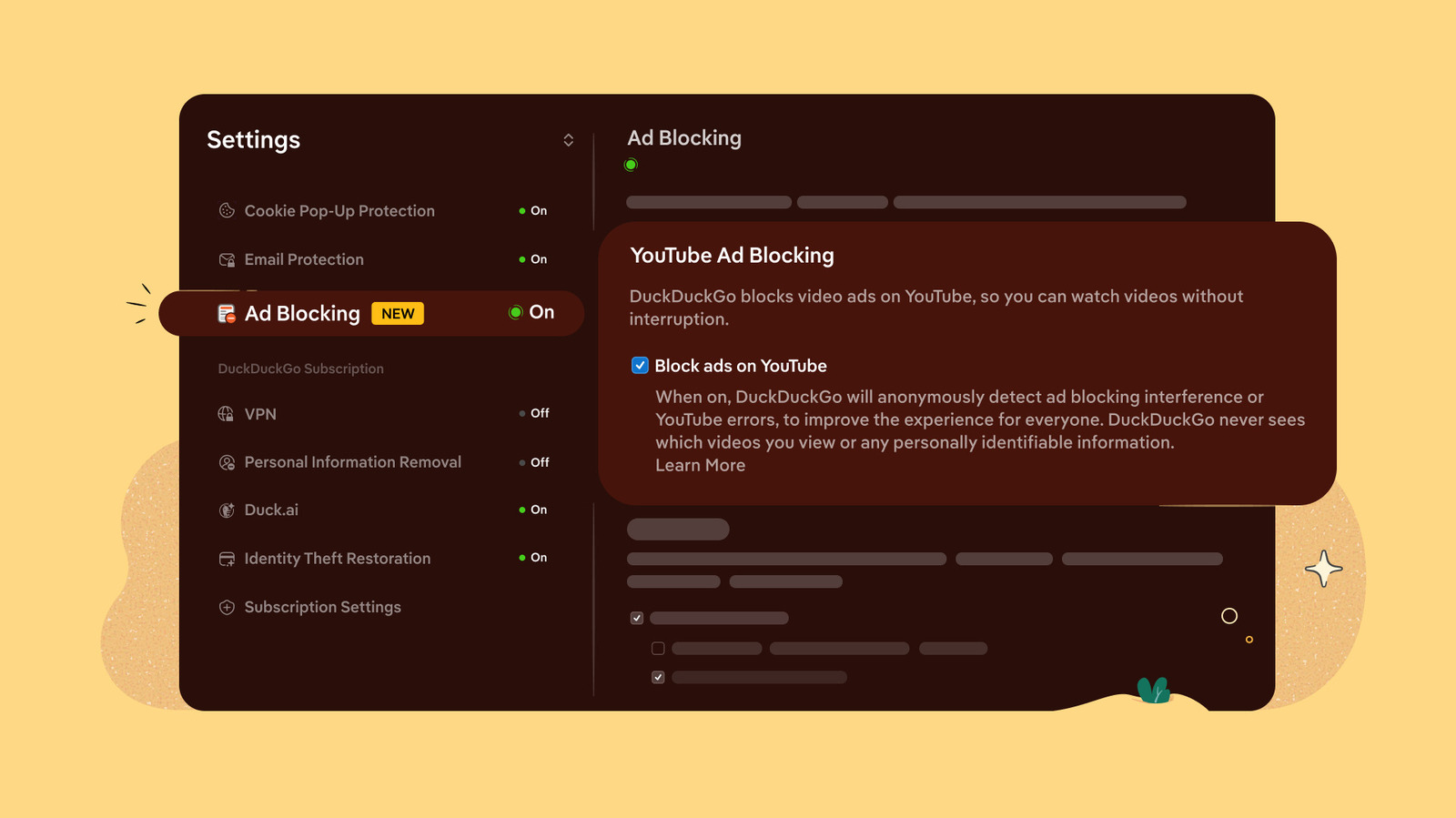
DuckDuckGo Browser now blocks YouTube video ads
💡Understand how browser-level ad blocking affects your data collection and ad-tech integration strategies.
⚡ 30-Second TL;DR
What Changed
DuckDuckGo browser now includes native video ad blocking.
Why It Matters
This change impacts how AI-driven ad-tech platforms track and monetize content. It may force developers to rethink client-side ad delivery mechanisms.
What To Do Next
If you are building ad-tech or analytics tools, audit your tracking scripts to ensure they remain functional against aggressive browser-level ad blockers.
Key Points
- •DuckDuckGo browser now includes native video ad blocking.
- •The feature is enabled by default for all users.
- •Specifically targets YouTube video advertisements.
🧠 Deep Insight
AI-generated analysis for this event — not the original article.
🔑 Enhanced Key Takeaways
- •The ad-blocking mechanism utilizes DuckDuckGo's proprietary 'Privacy Protection' engine, which filters out ad-serving domains and scripts before they load in the browser.
- •This update is part of a broader initiative by DuckDuckGo to reduce bandwidth consumption and improve page load speeds for media-heavy websites.
- •The feature operates at the network request level, allowing the browser to intercept and block ad-related tracking pixels simultaneously with video advertisements.
- •DuckDuckGo has explicitly stated that this implementation does not break video player functionality, a common issue with third-party ad-blocking extensions.
- •The update is being rolled out across all desktop and mobile versions of the DuckDuckGo browser, ensuring cross-platform parity for privacy-focused users.
📊 Competitor Analysis▸ Show
| Feature | DuckDuckGo Browser | Brave Browser | Google Chrome (w/o extensions) |
|---|---|---|---|
| Native Video Ad Blocking | Yes (Default) | Yes (Shields) | No |
| Privacy-First Architecture | Yes | Yes | No |
| Revenue Model | Search Ads/Affiliate | BAT/Ads | Ad-Supported/Data |
| Performance Impact | Low | Low | High (due to ad load) |
🛠️ Technical Deep Dive
- Implementation relies on a blocklist-based filtering system that is updated dynamically via the browser's background process.
- The engine intercepts network requests matching known ad-delivery patterns specifically for YouTube's video player API endpoints.
- It employs a 'request-blocking' API that prevents the browser from establishing a connection to ad-serving servers, thereby preventing the ad payload from being downloaded.
- The system is designed to be lightweight, minimizing CPU overhead compared to traditional browser extensions that inject CSS or JavaScript to hide ads.
🔮 Future ImplicationsAI analysis grounded in cited sources
⏳ Timeline
Weekly AI Recap
Read this week's curated digest of top AI events →
👉Related Updates

AI-curated news aggregator. All content rights belong to original publishers.
Original source: Engadget ↗
This is a summary, not the original. Read the source, or get the weekly briefing.
The weekly digest
One email a week. Unsubscribe anytime.