DuckDuckGo browser now blocks YouTube ads
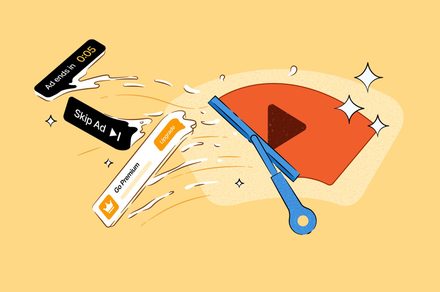
💡Understand how privacy-centric browsers are disrupting ad-tech delivery models and impacting user experience.
⚡ 30-Second TL;DR
What Changed
DuckDuckGo browser now natively blocks YouTube video ads.
Why It Matters
This move highlights the ongoing tension between privacy-focused browsers and ad-supported platforms. It signals a shift in user expectations toward ad-free experiences, potentially impacting how developers approach ad-tech integration.
What To Do Next
If you are building an ad-supported platform, audit your ad-delivery architecture to ensure it remains resilient against client-side request blocking.
Key Points
- •DuckDuckGo browser now natively blocks YouTube video ads.
- •Implementation may cause occasional playback hiccups or longer buffering.
- •Focuses on enhancing user privacy by stripping ad-tracking scripts.
🧠 Deep Insight
AI-generated analysis for this event — not the original article.
🔑 Enhanced Key Takeaways
- •DuckDuckGo utilizes a proprietary 'Duck Player' feature to facilitate ad-free YouTube viewing, which acts as a privacy-focused proxy to prevent Google from tracking user watch history.
- •The implementation relies on a server-side request handling mechanism that strips out tracking parameters and ad-serving scripts before the video stream reaches the client browser.
- •This update is part of a broader strategy to compete with privacy-centric browsers like Brave and Mullvad, which have historically offered similar ad-blocking capabilities via different technical architectures.
- •DuckDuckGo's approach differs from traditional ad-blockers by focusing on 'privacy-first' playback rather than just content filtering, aiming to reduce the browser fingerprinting surface area.
- •The feature is currently opt-in for some users or requires specific privacy settings to be enabled, ensuring that users who prefer to support creators via ads can still choose to do so.
📊 Competitor Analysis▸ Show
| Feature | DuckDuckGo | Brave Browser | uBlock Origin (Extension) |
|---|---|---|---|
| YouTube Ad Blocking | Native (Duck Player) | Native (Shields) | Extension-based |
| Privacy Focus | High (Proxy-based) | High (Filter-based) | High (Script-blocking) |
| Performance Impact | Moderate (Buffering) | Low | Low |
| Pricing | Free | Free | Free |
🛠️ Technical Deep Dive
- Duck Player utilizes an embedded iframe-like architecture that isolates the YouTube player from the main browser session.
- The browser intercepts network requests to doubleclick.net and other Google ad-serving domains, effectively nullifying the ad-injection process.
- By routing requests through a privacy-preserving proxy, the browser prevents the transmission of cookies and IP-based tracking data to YouTube's servers.
- The increased buffering is attributed to the overhead of the proxy server processing the video stream and stripping tracking metadata in real-time.
🔮 Future ImplicationsAI analysis grounded in cited sources
⏳ Timeline
Weekly AI Recap
Read this week's curated digest of top AI events →
👉Related Updates
AI-curated news aggregator. All content rights belong to original publishers.
Original source: Digital Trends ↗
This is a summary, not the original. Read the source, or get the weekly briefing.
The weekly digest
One email a week. Unsubscribe anytime.