📲Digital Trends•Stalecollected in 2h
Chrome Auto-Installs 4GB Gemini Nano
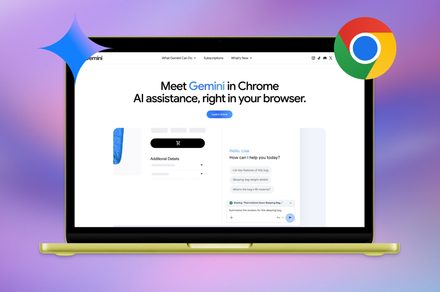
💡Chrome sneaks 4GB AI model on your PC—disable it to save space/privacy.
⚡ 30-Second TL;DR
What Changed
Silently downloads 4GB Gemini Nano model
Why It Matters
Raises privacy and storage concerns for users, while highlighting trend of embedding large AI models in browsers for edge computing.
What To Do Next
Go to chrome://flags and disable #enable-gemini-nano to remove the model.
Who should care:Developers & AI Engineers
Key Points
- •Silently downloads 4GB Gemini Nano model
- •No user consent required
- •Enables on-device AI processing
- •Tutorial to disable via flags
🧠 Deep Insight
AI-generated analysis for this event.
🔑 Enhanced Key Takeaways
- •The 4GB download is part of Google's 'Prompt API' and 'Writer API' rollout, designed to allow web developers to access local LLM capabilities directly within the browser without server-side roundtrips.
- •Chrome utilizes a 'component updater' mechanism to manage these model assets, which is the same background process used for browser security patches and extension updates, explaining the lack of explicit user prompts.
- •The Gemini Nano model is specifically optimized for quantization to fit within local memory constraints, though it requires significant RAM overhead, leading to performance degradation on devices with less than 16GB of system memory.
📊 Competitor Analysis▸ Show
| Feature | Google Chrome (Gemini Nano) | Microsoft Edge (Phi-3/Local) | Brave (Local AI) |
|---|---|---|---|
| Model Integration | Native/System-level | Integrated via Copilot/WebNN | Opt-in/Downloadable |
| Privacy Model | On-device (with telemetry) | On-device/Cloud hybrid | Local-first/Privacy-focused |
| Resource Usage | High (4GB+ footprint) | Variable (Optimized) | User-controlled |
| Developer Access | Prompt/Writer APIs | WebNN API | Limited/Experimental |
🛠️ Technical Deep Dive
- •Model Architecture: Gemini Nano is a distilled version of the Gemini Pro architecture, specifically optimized for mobile and edge hardware using 4-bit quantization.
- •Implementation: Chrome leverages the 'Optimization Guide' service to fetch and manage model weights, storing them in the user's profile directory under 'Component Extensions'.
- •Hardware Acceleration: The model utilizes WebNN (Web Neural Network API) to offload tensor operations to the device's NPU or GPU, depending on driver support.
- •Memory Management: Chrome implements a dynamic loading strategy where the model is paged into memory only when an active tab requests an AI inference task, though the 4GB footprint remains on disk.
🔮 Future ImplicationsAI analysis grounded in cited sources
Browser-based AI will become a primary vector for storage exhaustion on entry-level laptops.
As more browsers adopt local LLMs, the cumulative disk space required for multiple AI models will significantly impact devices with limited SSD capacity.
Regulatory scrutiny regarding 'silent' background downloads will increase.
The practice of downloading multi-gigabyte files without explicit user consent is likely to trigger investigations from privacy regulators regarding data usage and storage transparency.
⏳ Timeline
2023-12
Google announces Gemini Nano as the most efficient model for on-device tasks on Pixel 8 Pro.
2024-05
Google I/O introduces 'Gemini Nano in Chrome' as part of the Built-in AI initiative.
2025-02
Chrome Canary begins testing the Prompt API for web developers, requiring local model downloads.
2026-03
Google pushes Gemini Nano integration to Chrome Stable, triggering widespread reports of large background downloads.
📰 Event Coverage
📰
Weekly AI Recap
Read this week's curated digest of top AI events →
👉Related Updates

AI-curated news aggregator. All content rights belong to original publishers.
Original source: Digital Trends ↗