Are Passkeys Safer Than Traditional Smartphone PINs?
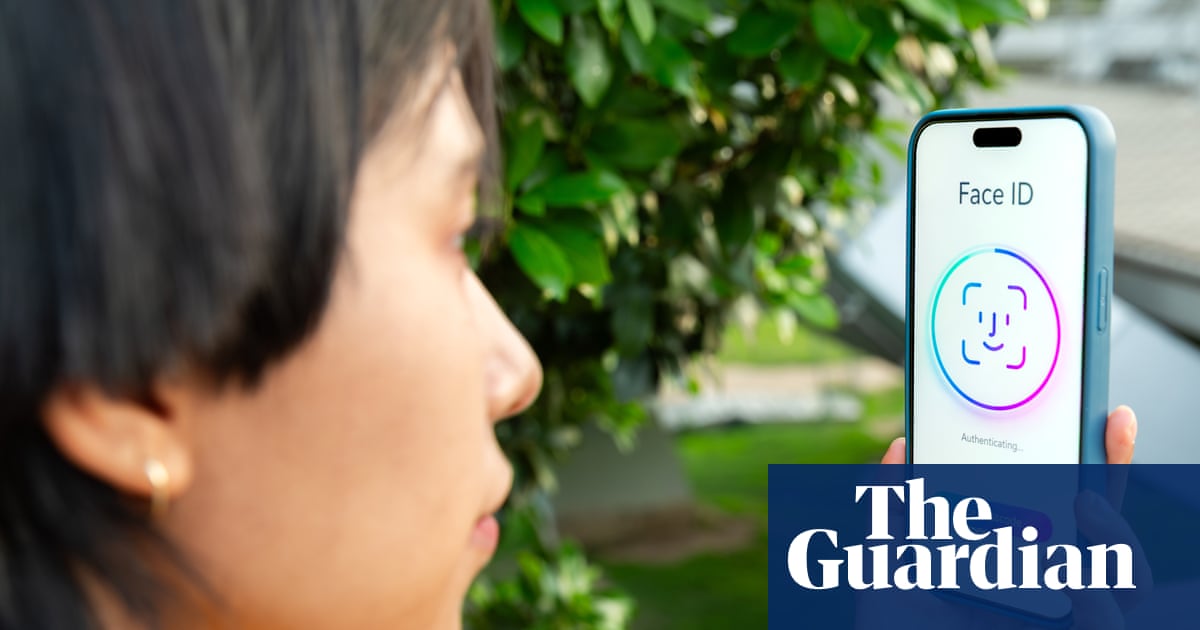
💡Learn why passkeys are the new standard for secure authentication and how to implement them in your apps.
⚡ 30-Second TL;DR
What Changed
Passkeys are inherently unphishable because they are not stored on company servers.
Why It Matters
Adopting passkeys reduces the attack surface for account takeovers, which is critical for securing AI-integrated enterprise platforms.
What To Do Next
Implement FIDO2/WebAuthn standards in your application to support passkey authentication for your users.
Key Points
- •Passkeys are inherently unphishable because they are not stored on company servers.
- •Authentication relies on unique device-bound credentials like facial recognition or hardware-backed PINs.
- •The article addresses user anxiety regarding device loss and unauthorized access via PIN guessing.
🧠 Deep Insight
Background and context from public sources — not the original article. 31 sources cited.
🔑 Enhanced Key Takeaways
- •Passkeys leverage public-key cryptography, generating a unique public-private key pair for each account, where the private key remains securely on the user's device and the public key is stored on the service's server.
- •Their inherent phishing resistance stems from 'origin binding' and 'challenge-response' mechanisms, ensuring authentication only occurs with the legitimate website and uses unique, short-lived cryptographic challenges, preventing replay attacks.
- •Passkeys are built upon the FIDO2 standards, specifically WebAuthn and CTAP, which define the protocols for secure communication between web applications, browsers, and authenticators.
- •While device-bound passkeys offer the highest security by keeping the private key solely on a hardware security module, synced passkeys provide convenience and redundancy through encrypted cloud synchronization (e.g., iCloud Keychain, Google Password Manager), allowing recovery even if a single device is lost.
- •Beyond security, passkeys significantly improve user experience by offering faster sign-in times and reducing password-related support requests, with some implementations showing up to a 70% improvement in conversion rates over passwords.
📊 Competitor Analysis▸ Show
| Feature / Method | Passkeys (FIDO2/WebAuthn) | Hardware Security Keys (FIDO2/WebAuthn) | Authenticator Apps (TOTP) | SMS OTP |
|---|---|---|---|---|
| Security Strength | Very High | Highest | Moderate | Low |
| Phishing Resistance | Fully phishing-resistant | Fully phishing-resistant | Vulnerable to phishing | Very weak, easily bypassed |
| AitM Attack Protection | Immune | Immune | Not protected | Easily bypassed |
| SIM Swap Protection | Strong | Immune | Strong | High risk |
| User Friction | Very Low | Low | Medium | Medium |
| Recovery Path | Cloud sync (encrypted), cross-device authentication, backup keys | Requires backup keys or account recovery flow | Re-setup with new device/app, backup codes | SIM swap, phone number recovery |
| Cost | Free (synced via platform) | Requires hardware purchase | Free (app download) | Free (carrier dependent) |
🛠️ Technical Deep Dive
- Public-Key Cryptography: Passkeys utilize asymmetric cryptography, where a unique public-private key pair is generated for each online service and user account. The private key is stored securely on the user's device (authenticator) and never leaves it, while the public key is registered with the online service (relying party).
- FIDO2 Standards: Passkeys are an implementation of the FIDO2 project, which comprises two core specifications:
- WebAuthn (Web Authentication API): A W3C standard that defines how web applications and browsers interact with authenticators for passwordless authentication.
- CTAP (Client to Authenticator Protocol): Facilitates communication between the browser/OS and external authenticators (like security keys or mobile devices) over transports such as USB, NFC, and Bluetooth.
- Secure Storage: Private keys are stored in hardware-protected environments on devices, such as:
- Secure Enclave: On Apple devices (iOS, macOS).
- Trusted Platform Module (TPM): On Windows and Android devices.
- Secure Element: On some Android devices and hardware security keys (e.g., YubiKey). These secure components isolate cryptographic operations from the main processor, making private keys resistant to extraction even if the main system is compromised.
- Authentication Flow:
- Registration: The user's device generates a key pair, stores the private key locally, and sends the public key to the relying party. The device prompts the user for local verification (biometric or PIN) to authorize saving the passkey.
- Sign-in: The relying party sends a cryptographic challenge to the user's device. The device prompts the user for local verification. Upon successful verification, the authenticator signs the challenge using the private key (which never leaves the device) and sends the signed response back to the relying party. The relying party verifies this signature against the stored public key.
- Phishing Resistance: Achieved through:
- Origin Binding: The passkey is cryptographically bound to the specific domain (origin) of the website or app it was created for, preventing its use on phishing sites.
- Challenge-Response: Each login uses a unique, short-lived challenge generated by the service, which the device signs. This prevents replay attacks as the signed challenge is only valid for that specific session.
- Passkey Types:
- Device-bound Passkeys: Private key is strictly tied to a single device's hardware security module and cannot be exported or synced. Offers the highest security but requires backup keys for recovery.
- Synced Passkeys (Roaming Passkeys): Private keys are encrypted and synchronized across a user's devices within a platform ecosystem (e.g., iCloud Keychain, Google Password Manager). This provides convenience and recovery but shifts the threat model to the cloud account's security.
🔮 Future ImplicationsAI analysis grounded in cited sources
⏳ Timeline
📎 Sources (31)
Factual claims are grounded in the sources below. Forward-looking analysis is AI-generated interpretation.
- dashlane.com
- microsoft.com
- clerk.com
- google.com
- bitwarden.com
- passkeycentral.org
- passkeycentral.org
- passkeycentral.org
- passkeys.com
- webauthn.me
- passkeys.dev
- sentinelone.com
- apple.com
- anvilsecure.com
- authsignal.com
- fidoalliance.org
- slashid.dev
- nhimg.org
- authsignal.com
- loginradius.com
- dashlane.com
- kordu.tools
- corbado.com
- slashid.dev
- passkeys.com
- doubleoctopus.com
- fidoalliance.org
- twilio.com
- medium.com
- daon.com
- prove.com
Weekly AI Recap
Read this week's curated digest of top AI events →
👉Related Updates

AI-curated news aggregator. All content rights belong to original publishers.
Original source: The Guardian Technology ↗
This is a summary, not the original. Read the source, or get the weekly briefing.
The weekly digest
One email a week. Unsubscribe anytime.