AI fails to deliver high-quality professional PPTs
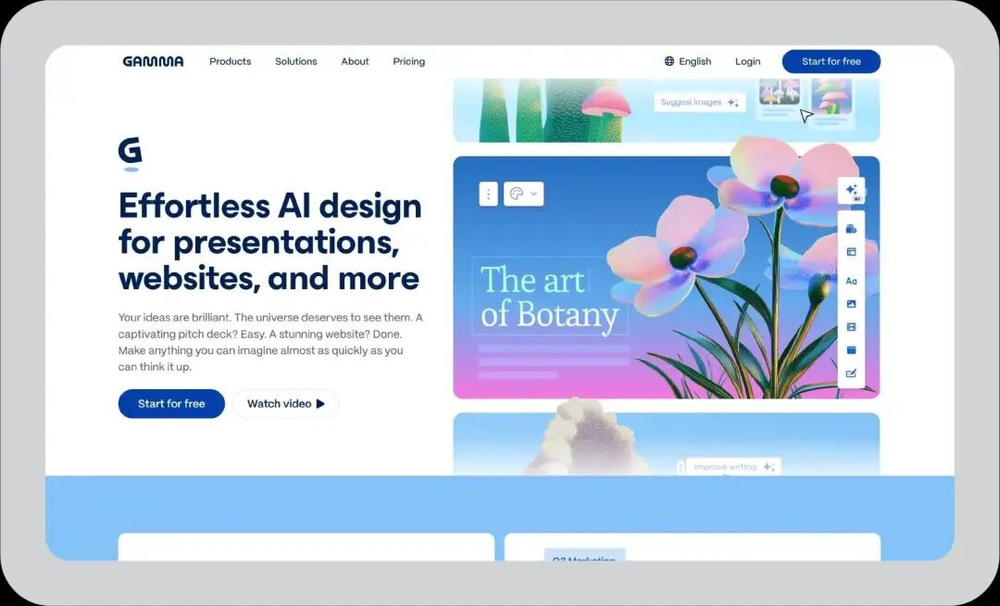
Why AI-generated presentations are still 'toys' for professionals and where the technical gaps lie.
30-Second TL;DR
What Changed
Export issues like formatting errors and layer collapse remain major bottlenecks for tools like Gamma.
Why It Matters
The current generation of AI PPT tools is insufficient for high-stakes business consulting, suggesting a need for better multi-modal integration and document-grounded generation.
What To Do Next
Instead of relying on 'one-click' generators, use RAG-based tools like NotebookLM to extract core arguments before manually structuring the presentation.
Key Points
- •Export issues like formatting errors and layer collapse remain major bottlenecks for tools like Gamma.
- •AI tools often prioritize 'template-filling' over logical content generation, leading to low information density.
- •Rigid 'smart templates' in tools like Beautiful.ai often hinder user customization, creating a 'PPT cage'.
Deep Insight
AI-generated analysis for this event — not the original article.
Enhanced Key Takeaways
- •Enterprise adoption is increasingly hindered by data privacy concerns, as many AI presentation tools lack SOC 2 Type II compliance or granular data residency controls required by large corporations.
- •The 'hallucination' of data visualization is a critical failure point; AI models frequently generate aesthetically pleasing charts that misrepresent underlying numerical datasets.
- •Integration friction with legacy ecosystems like Microsoft 365 and Google Workspace remains high, as AI-native tools often use proprietary formats that do not support native PPTX editing features.
- •Recent industry benchmarks indicate that human-in-the-loop (HITL) editing time for AI-generated decks often exceeds 60% of the total creation time, negating the promised productivity gains.
- •The shift toward 'agentic' workflows is attempting to solve the logical structure issue by utilizing RAG (Retrieval-Augmented Generation) to ground content in internal company documents rather than generic LLM training data.
Competitor Analysis
- Gamma
- Web-native, fluid layouts
- Beautiful.ai
- Rigid, smart-template design
- Microsoft Copilot (PPT)
- Deep M365 integration
- Canva Magic Design
- Graphic design/Asset library
- Gamma
- Freemium/Subscription
- Beautiful.ai
- Subscription
- Microsoft Copilot (PPT)
- Enterprise/Add-on
- Canva Magic Design
- Freemium/Subscription
- Gamma
- Moderate (Layer issues)
- Beautiful.ai
- Low (Proprietary format)
- Microsoft Copilot (PPT)
- High (Native PPTX)
- Canva Magic Design
- Moderate (Image-heavy)
| Feature | Gamma | Beautiful.ai | Microsoft Copilot (PPT) | Canva Magic Design |
|---|---|---|---|---|
| Core Strength | Web-native, fluid layouts | Rigid, smart-template design | Deep M365 integration | Graphic design/Asset library |
| Pricing Model | Freemium/Subscription | Subscription | Enterprise/Add-on | Freemium/Subscription |
| Export Quality | Moderate (Layer issues) | Low (Proprietary format) | High (Native PPTX) | Moderate (Image-heavy) |
Technical Deep Dive
- Most AI presentation tools utilize a two-stage pipeline: an LLM (e.g., GPT-4o or Claude 3.5) for content generation and a secondary layout engine (often CSS-in-JS or custom canvas rendering) for visual placement.
- The 'layer collapse' issue stems from the conversion process between HTML/CSS-based web rendering and the Open XML (PPTX) format, which requires mapping DOM elements to specific slide object models.
- Information density issues are largely attributed to the token-limited context windows of early-stage presentation agents, which prioritize brevity to avoid visual overflow.
- Advanced implementations are now moving toward using Vector Databases to store brand guidelines and slide components, allowing the model to retrieve 'style-consistent' assets rather than generating them from scratch.
Future ImplicationsAI analysis grounded in cited sources
Timeline
- 2022-09Beautiful.ai introduces 'Smart Slide' technology to automate layout constraints.
- 2023-04Gamma launches its AI-powered presentation platform, emphasizing web-first, non-linear slide design.
- 2023-11Microsoft integrates Copilot into PowerPoint, focusing on native PPTX generation from Word documents.
- 2024-05Canva expands its Magic Studio suite to include AI-driven presentation generation, targeting non-professional designers.
Weekly AI Recap
Read this week's curated digest of top AI events →
AI-curated news aggregator. All content rights belong to original publishers.
Original source: 虎嗅 ↗
This is a summary, not the original. Read the source, or get the weekly briefing.
The weekly digest
One email a week. Unsubscribe anytime.