Sheets Canvas Turns Data Into Interactive Experiences
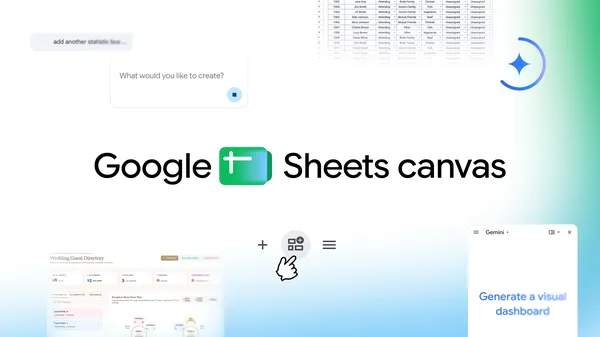
💡See how prompt-driven Sheets canvas can turn raw spreadsheet data into usable interactive tools.
⚡ 30-Second TL;DR
What Changed
Creates interactive dashboards from spreadsheet data
Why It Matters
Sheets canvas could lower the barrier to building lightweight internal tools and data views. AI practitioners may find it useful for quickly prototyping dashboards and workflow interfaces before investing in custom applications.
What To Do Next
Test Google Sheets canvas with a representative operational spreadsheet by prompting it to create a dashboard, then evaluate the result against your existing reporting workflow.
Key Points
- •Creates interactive dashboards from spreadsheet data
- •Supports custom study trackers and seating charts
- •Uses simple prompts instead of manual construction
🧠 Deep Insight
AI-generated analysis for this event.
🔑 Enhanced Key Takeaways
- •Sheets Canvas leverages Google's Gemini multimodal models to interpret unstructured data and layout preferences from natural language prompts.
- •The feature integrates directly with Google Workspace's 'Smart Canvas' ecosystem, allowing for bi-directional data syncing between the canvas and the underlying spreadsheet.
- •It includes a 'Live Preview' mode that allows users to iterate on visual components in real-time before finalizing the interactive dashboard.
- •The tool supports automated data visualization selection, where the AI suggests the most appropriate chart types based on the statistical properties of the selected data range.
- •Google has implemented enterprise-grade security controls, ensuring that data processed by Sheets Canvas remains within the user's existing Workspace data boundary and is not used to train public models.
📊 Competitor Analysis▸ Show
| Feature | Sheets Canvas | Microsoft Loop | Notion | Airtable Interfaces |
|---|---|---|---|---|
| Primary Focus | Spreadsheet-to-App | Collaborative Components | Knowledge/Doc Management | Database-to-App |
| Pricing | Included in Workspace | Included in M365 | Freemium/Tiered | Tiered/Usage-based |
| AI Integration | Gemini-native | Copilot-native | Notion AI | Airtable AI |
🛠️ Technical Deep Dive
- Architecture: Utilizes a transformer-based layout engine that maps spreadsheet cell references to coordinate-based UI components.
- Data Processing: Employs a RAG (Retrieval-Augmented Generation) pipeline to ground the AI's visual suggestions in the specific schema of the user's spreadsheet.
- Rendering: Uses a WebGL-accelerated canvas layer for high-performance interaction and smooth transitions between data states.
- API Support: Exposes a JSON-based schema for developers to extend custom canvas components via Google Apps Script.
🔮 Future ImplicationsAI analysis grounded in cited sources
⏳ Timeline
Weekly AI Recap
Read this week's curated digest of top AI events →
👉Related Updates
AI-curated news aggregator. All content rights belong to original publishers.
Original source: Google AI Blog ↗