SageMaker Endpoints Gain Enhanced Metrics
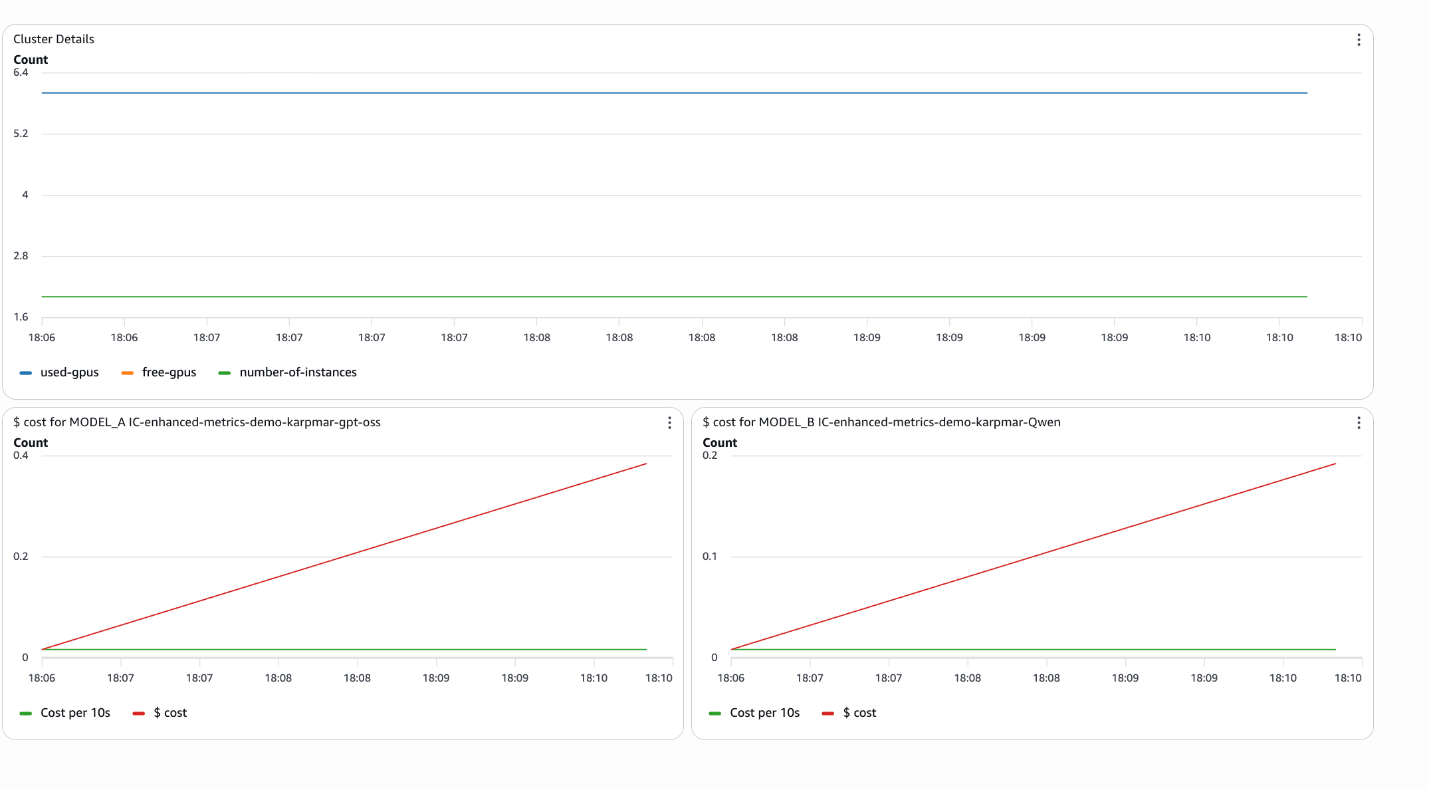
💡Granular SageMaker metrics unlock better endpoint monitoring & optimization
⚡ 30-Second TL;DR
What Changed
Enhanced metrics for SageMaker AI endpoints
Why It Matters
This update empowers AI teams to detect issues faster, reducing downtime and costs in ML deployments. It bridges the gap between model training and reliable inference at scale.
What To Do Next
Configure enhanced metrics on your SageMaker endpoints in the AWS console today.
Key Points
- •Enhanced metrics for SageMaker AI endpoints
- •Configurable publishing frequency for metrics
- •Granular visibility for monitoring and troubleshooting
- •Improved performance for production endpoints
🧠 Deep Insight
Background and context from public sources — not the original article. 7 sources cited.
🔑 Enhanced Key Takeaways
- •Metrics such as Invocation5XXErrors, InvocationModelErrors, Invocations, and ModelCacheHit are emitted to the /aws/sagemaker/Endpoints namespace at a 1-minute frequency.[1]
- •New streaming-specific metrics include MidStreamErrors for errors during response streaming and FirstChunkLatency measuring time to first response chunk in microseconds.[1]
- •Metrics differ by endpoint type, with serverless endpoints offering unique operational metrics like CPU and Memory Utilization not always available for real-time endpoints.[2]
- •Multi-model endpoints provide specialized metrics for CPU and GPU instances, including model loading times, cache hit rates, and model wait times.[3]
🛠️ Technical Deep Dive
- •Endpoint metrics in /aws/sagemaker/Endpoints namespace include Invocation5XXErrors (count of 5xx HTTP responses), InvocationModelErrors (non-2xx responses including timeouts), Invocations (total InvokeEndpoint requests), and InvocationsPerCopy (normalized per inference component copy).[1]
- •Streaming metrics: MidStreamErrors (errors post-initial response), FirstChunkLatency (microseconds from request to first chunk, for bidirectional streaming).[1]
- •Multi-model metrics: ModelCacheHit (ratio of requests with pre-loaded models), plus CPU/GPU-specific model loading metrics like download/upload times at 1-minute frequency.[3]
- •All metrics available via CloudWatch at 1-minute granularity; retention per CloudWatch GetMetricStatistics policy (typically 15 months for statistics).[1][3]
- •Monitoring console sections: Operational (CPU/Memory Utilization), Invocation (Model Latency/Errors), Health (Invocation Failures); customizable widgets and periods.[2]
🔮 Future ImplicationsAI analysis grounded in cited sources
⏳ Timeline
📎 Sources (7)
Factual claims are grounded in the sources below. Forward-looking analysis is AI-generated interpretation.
- docs.aws.amazon.com — Monitoring Cloudwatch
- docs.aws.amazon.com — Manage Endpoints Console Monitoring
- docs.aws.amazon.com — Multi Model Endpoint Cloudwatch Metrics
- docs.aws.amazon.com — Endpoint Scaling Query History
- docs.aws.amazon.com — Doc History
- docs.aws.amazon.com — Inference Pipeline Logs Metrics
- docs.aws.amazon.com — Sagemaker Incident Response
Weekly AI Recap
Read this week's curated digest of top AI events →
👉Related Updates
AI-curated news aggregator. All content rights belong to original publishers.
Original source: AWS Machine Learning Blog ↗
This is a summary, not the original. Read the source, or get the weekly briefing.
Weekly AI briefing
One email a week. Unsubscribe anytime.