Open WebUI + Docker Model Runner Zero-Config Integration
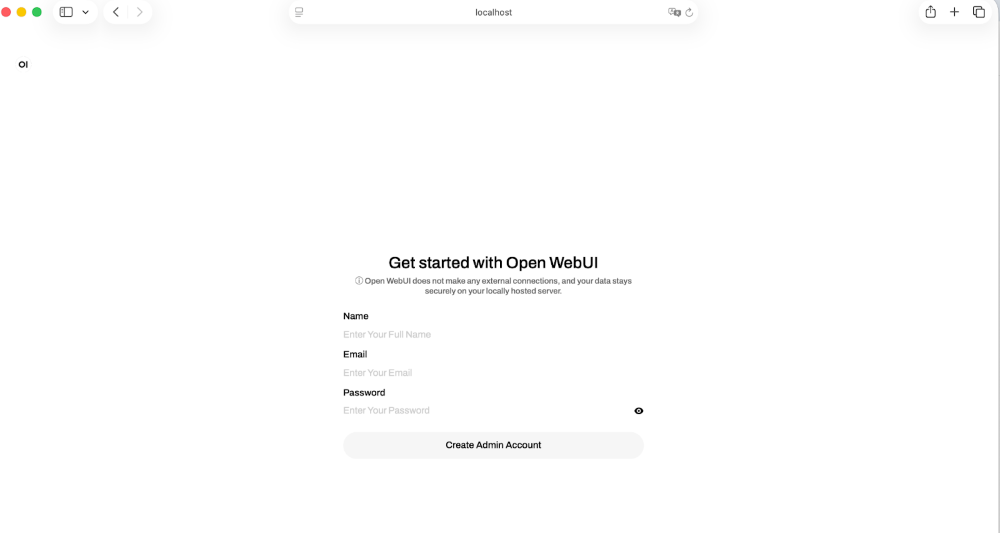
💡Zero-config self-hosting for local LLMs—ideal for privacy-focused devs.
⚡ 30-Second TL;DR
What Changed
Seamless integration between Open WebUI and Docker Model Runner
Why It Matters
This update lowers barriers for AI practitioners to run local models, promoting privacy and cost savings over cloud services. It accelerates experimentation with self-hosted LLMs without complex setups.
What To Do Next
Launch Docker Model Runner at localhost:12434 and start Open WebUI to test automatic model integration.
Key Points
- •Seamless integration between Open WebUI and Docker Model Runner
- •Automatic detection of DMR at localhost:12434
- •Zero configuration for self-hosted models
- •Combines two open-source projects for easier local AI workflows
🧠 Deep Insight
Background and context from public sources — not the original article. 9 sources cited.
🔑 Enhanced Key Takeaways
- •Open WebUI supports Python-based 'functions' as lightweight plugins that extend model behavior, with a dedicated function enabling Docker Model Runner integration via local API for automatic model discovery[2]
- •Docker Model Runner operates on port 12434 by default and requires TCP host access configuration in Docker Desktop (Settings > AI) or Docker Engine for proper Open WebUI connectivity[4]
- •The integration includes a dynamic container provisioner built into the Docker extension that eliminates manual port configuration and third-party scripts, enabling one-click deployment[2]
- •Open WebUI adds critical features absent from Docker Model Runner's bare-minimum design: chat history, file uploads, prompt editing, and multi-model comparison capabilities, creating a complete local AI assistant experience[2]
📊 Competitor Analysis▸ Show
| Feature | Open WebUI + DMR | LM Studio | Ollama (standalone) |
|---|---|---|---|
| Self-hosted | Yes | Yes | Yes |
| Chat Interface | Yes (ChatGPT-like) | Yes | No (CLI only) |
| File Uploads | Yes | Yes | No |
| Chat History | Yes | Yes | No |
| Multi-model Comparison | Yes | Yes | No |
| Zero-config Setup | Yes (with Docker extension) | Partial | No |
| Local API Access | Yes (port 12434) | Yes | Yes |
| Python Plugin Support | Yes (functions) | Limited | No |
🛠️ Technical Deep Dive
- Architecture: Open WebUI connects to Docker Model Runner via HTTP API at
http://localhost:12434(orhttp://host.docker.internal:12434in Docker Compose); uses Ollama-compatible API endpoints[1] - Container Configuration: Docker Compose deployment uses
ghcr.io/open-webui/open-webui:mainimage with volume mounting at/app/backend/datafor persistent storage[1] - Environment Variables:
OLLAMA_BASE_URL(required),WEBUI_AUTH(default: true),OPENAI_API_BASE_URL(optional for OpenAI-compatible APIs),OPENAI_API_KEY[1] - Model Parameters: Temperature, top-p, max tokens, and other inference settings are adjustable in chat interface and passed through to Docker Model Runner[1]
- Authentication: WEBUI_AUTH can be disabled for local-only deployments; API key field accepts any value when using Docker Model Runner[1]
- Extension Integration: Docker extension includes Model Context Protocol (MCP) support for Docker management capabilities directly through AI interface[6]
- Function System: Python-based functions act as lightweight plugins; dedicated DMR function automatically lists and accesses downloaded models via local API[2]
🔮 Future ImplicationsAI analysis grounded in cited sources
⏳ Timeline
📎 Sources (9)
Factual claims are grounded in the sources below. Forward-looking analysis is AI-generated interpretation.
- docs.docker.com — Openwebui Integration
- docker.com — Open Webui Docker Desktop Model Runner
- GitHub — 15180
- docs.docker.com — Ide Integrations
- convert.com — Build AI Chat Interface Open Webui Docker
- GitHub — Openwebui Docker Extension
- kenhuangus.substack.com — Seamless Ollama and Open Webui Updates
- openwebui.com
- youtube.com — Watch
Weekly AI Recap
Read this week's curated digest of top AI events →
👉Related Updates
AI-curated news aggregator. All content rights belong to original publishers.
Original source: Docker Blog ↗
This is a summary, not the original. Read the source, or get the weekly briefing.
Weekly AI briefing
One email a week. Unsubscribe anytime.