Microsoft tests customizable Start menu and taskbar for Insiders
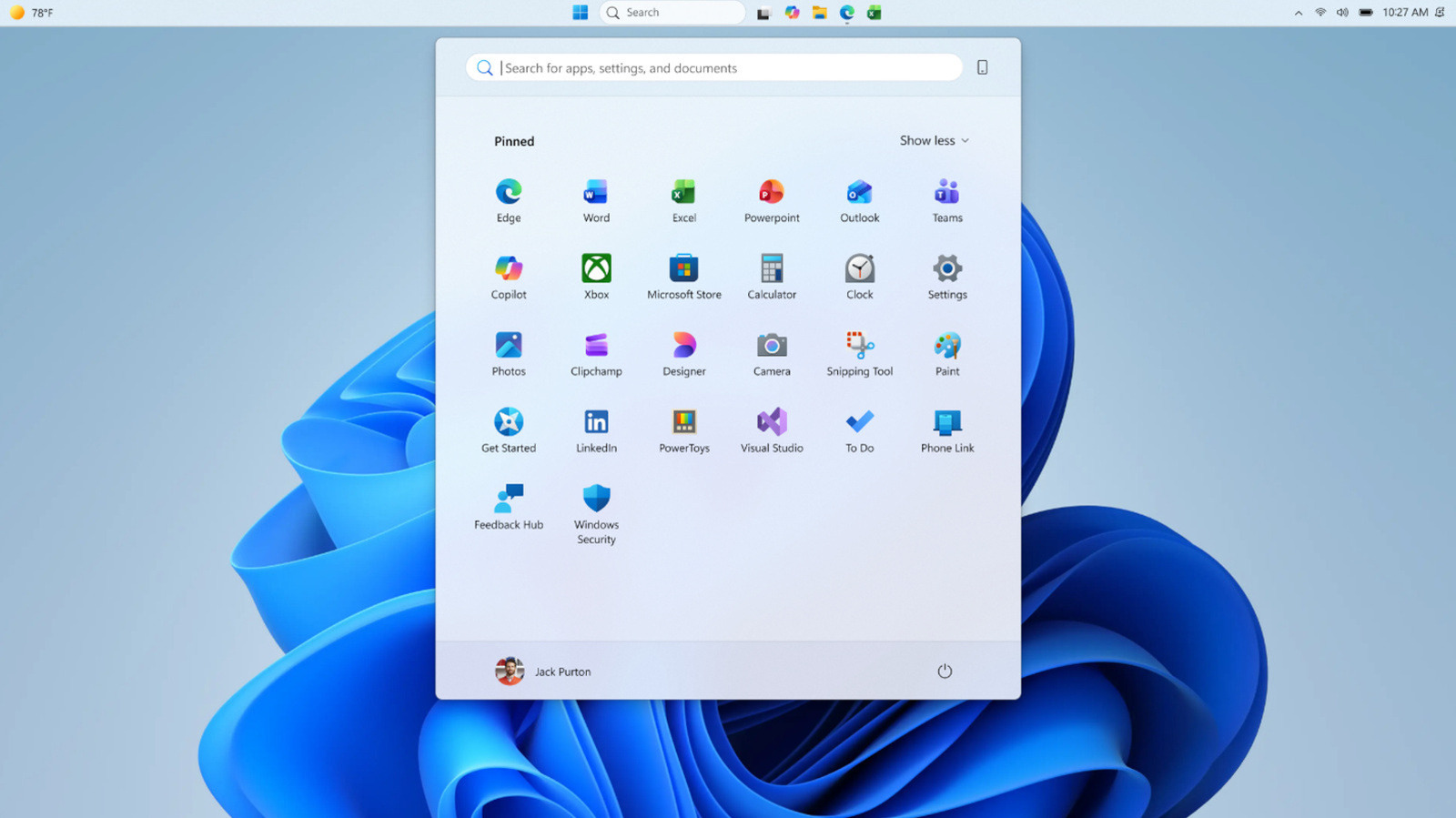
💡Understand how upcoming Windows 11 UI changes might impact the accessibility and layout of your desktop AI tools.
⚡ 30-Second TL;DR
What Changed
Windows 11 Insiders can now resize the Start menu interface.
Why It Matters
These UI changes suggest a shift toward more modular desktop environments, which may influence how developers design AI-integrated desktop widgets and overlay applications.
What To Do Next
If you are building desktop AI agents, monitor these UI changes to ensure your overlay windows remain compatible with the new taskbar and menu layouts.
Key Points
- •Windows 11 Insiders can now resize the Start menu interface.
- •Microsoft is testing new repositioning options for the taskbar.
- •These updates aim to provide greater UI flexibility for power users.
🧠 Deep Insight
Web-grounded analysis with 16 cited sources.
🔑 Enhanced Key Takeaways
- •Microsoft is introducing section-level toggles for the Start menu, allowing Insiders to hide or show specific parts like Pinned apps, recommendations, or the entire list of all apps, providing a more modular user experience.
- •The new taskbar customization options for Windows 11 Insiders include the ability to position the taskbar on any edge of the screen (top, bottom, left, or right) and choose icon alignment for each position, a significant restoration of functionality from previous Windows versions.
- •Microsoft is addressing user feedback by improving recommendations in the Start menu, allowing users to disable them without affecting jump lists or recent files in File Explorer, and also adding an option to hide account details (username and profile picture) for privacy.
- •The Start menu is being rebuilt using WinUI 3, aiming to deliver faster and more responsive performance, even when the system is under heavy load, which is a key improvement over the current implementation.
- •Windows 11 initially launched in October 2021 with a taskbar rebuilt from scratch, which led to the removal of many customization features, including the ability to move the taskbar and drag-and-drop functionality, causing significant user dissatisfaction.
🛠️ Technical Deep Dive
- The Windows 11 Start menu is being rebuilt with WinUI 3, a modern UI framework, to enhance performance and responsiveness.
- OEMs can customize the Windows 11 Start layout using a
LayoutModification.jsonfile, which allows for pinning specific apps and websites. - The Windows 11 taskbar was initially rewritten from the ground up, which Microsoft cited as the reason for the absence of certain customization features present in Windows 10.
- Implementing taskbar repositioning required significant code rework due to underlying assumptions in the Windows 11 taskbar design regarding its fixed bottom position, which affected how applications calculated screen space.
- Currently, features like auto-hide and tablet-optimized taskbar are not yet supported in alternate taskbar positions, and touch gestures are still under development for these new layouts.
🔮 Future ImplicationsAI analysis grounded in cited sources
⏳ Timeline
📎 Sources (16)
Factual claims are grounded in the sources below. Forward-looking analysis is AI-generated interpretation.
- Google Search Source
- Google Search Source
- Google Search Source
- Google Search Source
- Google Search Source
- Google Search Source
- Google Search Source
- Google Search Source
- Google Search Source
- Google Search Source
- Google Search Source
- Google Search Source
- Google Search Source
- Google Search Source
- Google Search Source
- Google Search Source
Weekly AI Recap
Read this week's curated digest of top AI events →
👉Related Updates
AI-curated news aggregator. All content rights belong to original publishers.
Original source: Engadget ↗