Make Agentic Workflows Visible with Canvases
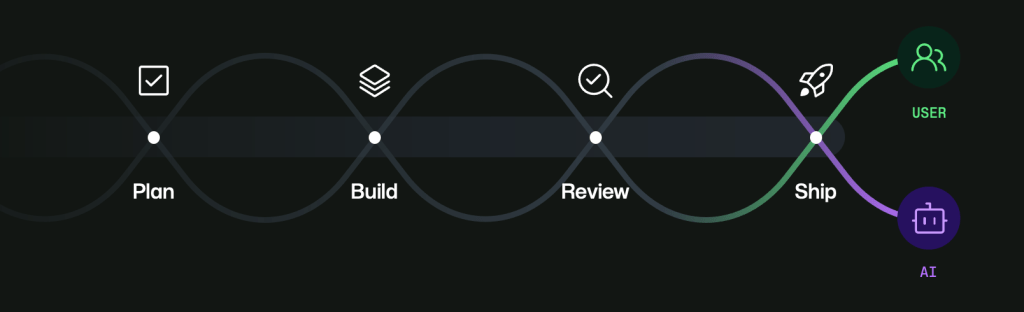
💡Learn why visual canvases may make agent workflows easier to monitor, steer, and optimize.
⚡ 30-Second TL;DR
What Changed
Chat interfaces are useful for expressing intent but can hide ongoing agent work in scrolling conversations.
Why It Matters
For AI builders, the article highlights a shift from purely conversational agent interfaces toward visual workflow orchestration. This could make complex tasks easier to audit, redirect, and optimize, although the post does not provide quantitative performance or cost results.
What To Do Next
Prototype one multi-step agent task in a visual canvas and compare its debugging time and token usage with a chat-only implementation.
Key Points
- •Chat interfaces are useful for expressing intent but can hide ongoing agent work in scrolling conversations.
- •Canvases provide a more visible workspace for monitoring and steering agentic workflows.
- •A structured canvas-based workflow may improve operational clarity and cost efficiency.
🧠 Deep Insight
AI-generated analysis for this event.
🔑 Enhanced Key Takeaways
- •GitHub Canvases integrate directly with GitHub Copilot, allowing developers to persist agentic outputs in a side-by-side editor view rather than a transient chat window.
- •The architecture utilizes a state-management layer that synchronizes the agent's reasoning process with the document state, enabling users to edit agent-generated code or text in real-time.
- •By moving workflows to a canvas, GitHub aims to reduce 'token churn'—the unnecessary consumption of LLM tokens caused by re-processing long chat histories to maintain context.
- •Canvases support multi-modal interactions, allowing agents to render diagrams, project boards, and code blocks simultaneously within a single persistent workspace.
- •This feature is part of GitHub's broader 'Copilot Workspace' initiative, which shifts the paradigm from simple code completion to autonomous task execution and project-level planning.
📊 Competitor Analysis▸ Show
| Feature | GitHub Canvases | Cursor Composer | Replit Agent |
|---|---|---|---|
| Primary Interface | Persistent Canvas/Side-by-Side | Modal/Composer Window | Integrated Agent Terminal |
| Context Management | Document-centric state | Project-wide codebase indexing | Environment-based execution |
| Pricing | Included in Copilot Business/Enterprise | Tiered (Pro/Business) | Subscription-based (Replit Core) |
| Benchmarks | High integration with GitHub Actions | High speed/IDE-native | Best for full-stack deployment |
🛠️ Technical Deep Dive
- Uses a state-synchronization protocol to maintain consistency between the LLM's internal reasoning state and the visible document content.
- Implements a 'context-window optimization' strategy that selectively injects relevant canvas segments into the prompt rather than the entire chat history.
- Leverages GitHub's existing LSP (Language Server Protocol) infrastructure to ensure that agent-generated code in the canvas is validated against the project's specific language settings.
- Utilizes a streaming architecture that allows the agent to update specific regions of the canvas asynchronously without re-rendering the entire workspace.
🔮 Future ImplicationsAI analysis grounded in cited sources
⏳ Timeline
Weekly AI Recap
Read this week's curated digest of top AI events →
👉Related Updates
AI-curated news aggregator. All content rights belong to original publishers.
Original source: GitHub Blog ↗