ChatGPT Turns Tab Clutter Into Useful Context
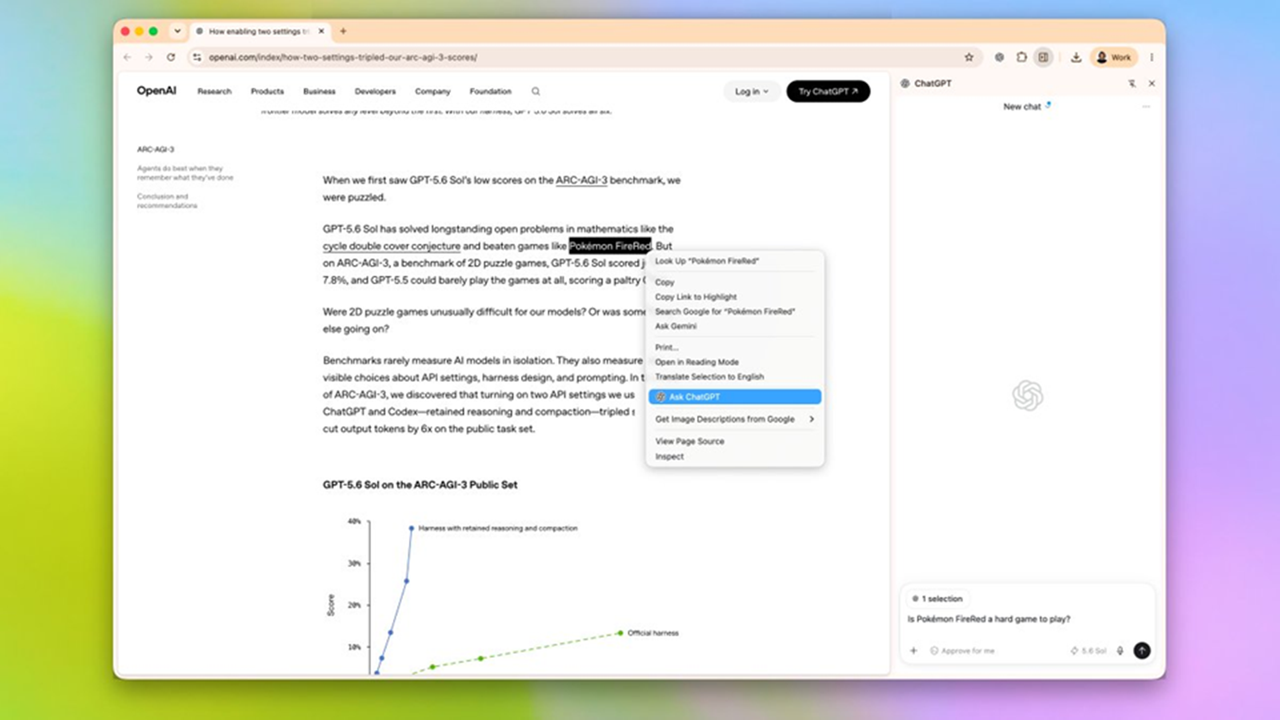
💡See how ChatGPT’s in-browser context can turn scattered tabs into a practical research workflow.
⚡ 30-Second TL;DR
What Changed
ChatGPT Side Chat works alongside the web pages users are already viewing.
Why It Matters
For AI practitioners, the feature illustrates how assistants can become more useful when they have access to users’ active work context. It may reduce the friction of switching between browser tabs and standalone AI tools, while making privacy and context-selection behavior important evaluation areas.
What To Do Next
Test ChatGPT Side Chat on a multi-tab research task and record its summary accuracy, context selection, and handling of sensitive pages.
Key Points
- •ChatGPT Side Chat works alongside the web pages users are already viewing.
- •It can turn information scattered across open Chrome tabs into a more organized working context.
- •The feature positions ChatGPT as an in-browser research and productivity assistant rather than a separate chat destination.
🧠 Deep Insight
AI-generated analysis for this event.
🔑 Enhanced Key Takeaways
- •The Side Chat feature utilizes a local-first processing approach for tab metadata to minimize privacy risks associated with sending full browsing history to OpenAI servers.
- •Integration is achieved through a dedicated Chrome Extension that leverages the Chrome Side Panel API, allowing for persistent state management while navigating between different URLs.
- •The system includes a 'Context Sync' toggle that allows users to selectively include or exclude specific tabs, preventing the model from hallucinating based on irrelevant open pages.
- •OpenAI has implemented a new 'Browser Context Window' token budget that is separate from the standard chat context window to ensure performance stability during multi-tab analysis.
- •The feature supports cross-domain data synthesis, enabling the model to correlate information from disparate sources like Google Docs, research papers, and news articles simultaneously.
📊 Competitor Analysis▸ Show
| Feature | ChatGPT Side Chat | Microsoft Copilot (Edge) | Perplexity Pages |
|---|---|---|---|
| Browser Integration | Chrome Extension | Native (Edge Sidebar) | Web-based / Extension |
| Context Awareness | Multi-tab synthesis | Active tab focus | Source-based research |
| Pricing | Free / Plus tiers | Free / Pro tiers | Free / Pro tiers |
| Primary Strength | Cross-tab organization | Deep OS/Browser integration | Citations & Accuracy |
🛠️ Technical Deep Dive
- Utilizes the Chrome Side Panel API to maintain a persistent UI state independent of the main browser viewport.
- Implements a lightweight local indexing service to extract DOM text content from active tabs without requiring full page reloads.
- Employs a vector-based retrieval system to rank tab content by relevance before injecting it into the LLM prompt context.
- Uses a secure WebSocket connection for real-time communication between the browser extension and OpenAI's backend infrastructure.
- Supports OAuth 2.0 for seamless authentication across the browser session and the ChatGPT platform.
🔮 Future ImplicationsAI analysis grounded in cited sources
⏳ Timeline
Weekly AI Recap
Read this week's curated digest of top AI events →
👉Related Updates
AI-curated news aggregator. All content rights belong to original publishers.
Original source: TechRadar AI ↗