Building a general-purpose accessibility agent
💡Learn how GitHub is using AI agents to solve complex digital accessibility challenges for developers.
⚡ 30-Second TL;DR
What Changed
Development of an experimental general-purpose accessibility agent
Why It Matters
This research could significantly lower barriers for developers with disabilities by automating complex navigation tasks. It sets a precedent for integrating accessibility directly into the developer workflow.
What To Do Next
Review GitHub's findings on agentic UI interaction to understand how to build more inclusive interfaces for your own AI applications.
Key Points
- •Development of an experimental general-purpose accessibility agent
- •Focus on improving digital inclusivity through AI-driven automation
- •Sharing technical insights and lessons learned from the pilot project
🧠 Deep Insight
Web-grounded analysis with 12 cited sources.
🔑 Enhanced Key Takeaways
- •The experimental agent aims to provide engineers with reliable, just-in-time answers to accessibility questions directly within the GitHub Copilot CLI and VS Code integration.
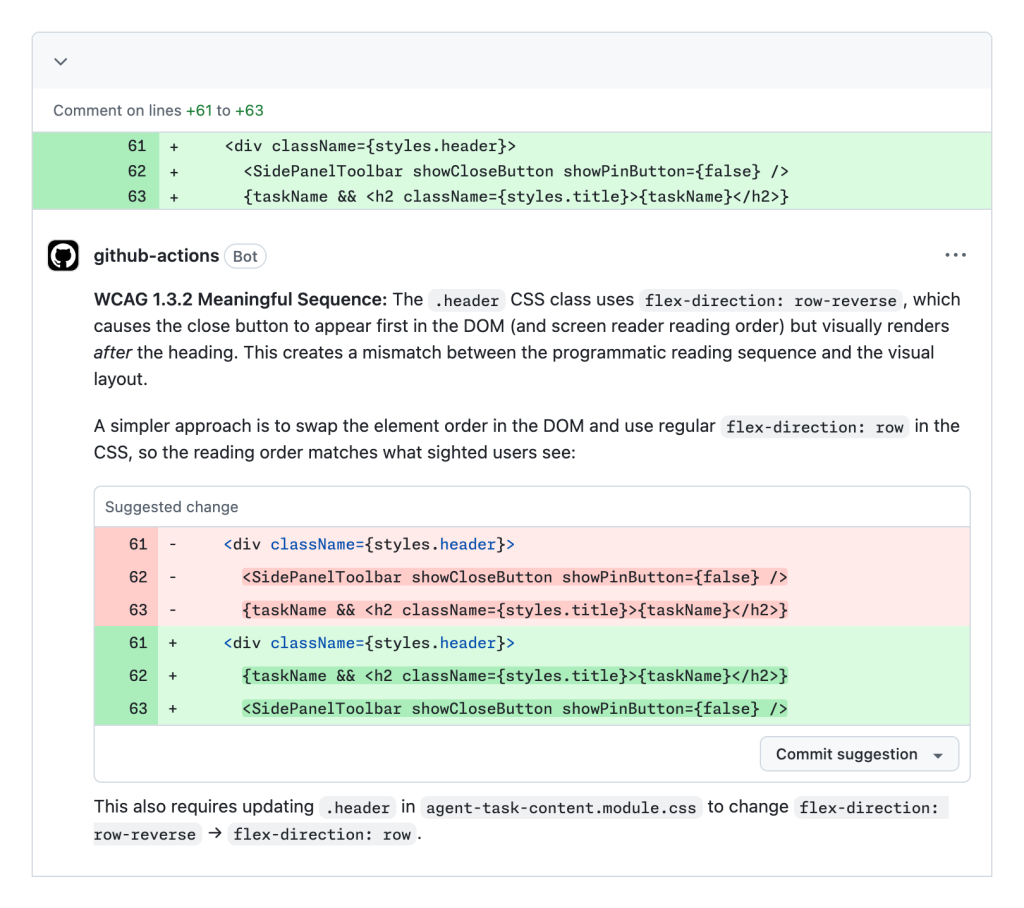
- •The agent automatically evaluates changes to front-end code, having reviewed 3,535 pull requests with a 68% resolution rate for common issues like ensuring clear structure for assistive technologies and providing text alternatives for non-text content.
- •GitHub's internal AI-powered workflow, built with GitHub Actions, GitHub Copilot, and GitHub Models APIs, centralizes accessibility feedback, analyzes it for WCAG compliance and severity, and coordinates issue triage and resolution across various product teams.
- •This AI-driven system has dramatically improved issue resolution, increasing the percentage of accessibility issues resolved within 90 days from 21% to 89% and reducing the average resolution time by over 60%.
- •GitHub has open-sourced an AI-powered accessibility scanner, refactored from their internal testing solution, enabling customers to integrate it into their DevOps processes to find, file, and fix accessibility bugs using GitHub Copilot.
📊 Competitor Analysis▸ Show
| Competitor | Key Features | AI-Powered | Remediation | Compliance | Pricing (if available) |
|---|---|---|---|---|---|
| GitHub Accessibility Agent | Just-in-time answers, automated PR review, issue triage, code remediation, open-source scanner. | Yes | Yes (automated code fixes) | WCAG 2.1/2.2, internal policies | N/A (internal pilot, integrated with Copilot) |
| accessiBe | AI-powered solution, machine learning, computer vision, automated scanning, overlay for user adjustments. | Yes | Automated (overlay-based, some code identification) | WCAG 2.2 AA, ADA, Section 508 | Starts at $59/month |
| UserWay | AI-powered widget, automated solutions, user customization overlay, uRemediate for automated and manual efforts. | Yes | Automated (overlay-based, some code identification) | WCAG 2.2 AA | N/A |
| Level Access Accessibility Platform | Advanced software, expert managed services, training solutions, comprehensive digital experience accessibility. | N/A (focus on platform, services) | N/A | Legal compliance | N/A |
| Siteimprove | Enterprise accessibility, content quality, SEO, analytics, multi-site management. | N/A (focus on platform, automation) | N/A | WCAG, ADA | N/A |
| TestParty | Remediation-first, AI-powered platform, scans, flags, auto-remediates directly in codebase, integrates into developer workflows. | Yes | Yes (direct source code remediation) | WCAG 2.2 AA, ADA | N/A |
| BrowserStack Accessibility Testing | Complete testing platform, automated scans, AI agents, semi-automated checks, manual testing on real devices. | Yes | N/A (focus on testing/identification) | WCAG, ADA | Starts at $29/month |
🛠️ Technical Deep Dive
- The GitHub accessibility agent functions as a specialized AI assistant within GitHub Copilot, configured using
.agent.mdfiles. - These agents can be scoped to a specific repository or organization and are equipped with defined expertise, tools, and behavioral instructions.
- They possess capabilities to read files, make edits, execute commands, and interact with external services, including GitHub's API.
- The internal AI-powered workflow leverages GitHub Actions to initiate AI analysis via GitHub Copilot and GitHub Models APIs upon the creation of an accessibility issue.
- GitHub Copilot classifies WCAG violations, severity levels, and affected user segments by referencing stored prompts that incorporate internal accessibility policies and component library documentation.
- A crucial feedback loop involves human reviewers validating Copilot's initial analysis, with any discrepancies logged to refine prompt files and enhance the accuracy of future AI outputs.
- The agent's operational guidelines are structured around WCAG principles (Perceivable, Operable, Understandable, Robust) and cover detailed aspects such as semantics & ARIA, keyboard & focus management, accessible forms, non-text content alternatives, media & motion considerations, visual design contrast, logical structure & navigation, dynamic application accessibility, mobile & touch interactions, and various testing methodologies.
🔮 Future ImplicationsAI analysis grounded in cited sources
⏳ Timeline
📎 Sources (12)
Factual claims are grounded in the sources below. Forward-looking analysis is AI-generated interpretation.
Weekly AI Recap
Read this week's curated digest of top AI events →
👉Related Updates
AI-curated news aggregator. All content rights belong to original publishers.
Original source: GitHub Blog ↗