Android 17 Finally Adds Native App Lock
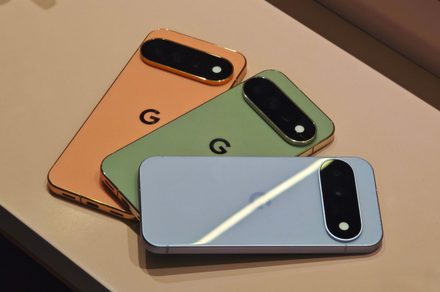
💡Pixel users can now protect private AI chats and app data without installing a third-party locker.
⚡ 30-Second TL;DR
What Changed
Native App Lock is included in Android 17 QPR2 Beta 3.
Why It Matters
The feature improves privacy for mobile users who handle sensitive work or AI applications on Pixel devices. Developers of mobile AI apps may benefit from stronger device-level protection around private conversations and data.
What To Do Next
Install Android 17 QPR2 Beta 3 on a test Pixel device and verify that your mobile AI app handles locked-state notifications and biometric authentication correctly.
Key Points
- •Native App Lock is included in Android 17 QPR2 Beta 3.
- •The feature is currently available on Pixel phones.
- •Locked apps can hide notifications and require a PIN or fingerprint.
🧠 Deep Insight
AI-generated analysis for this event.
🔑 Enhanced Key Takeaways
- •The App Lock implementation utilizes the Android BiometricPrompt API, ensuring consistent authentication behavior across different hardware sensors.
- •Data for locked apps is isolated within the Android framework's 'Private Space' architecture, preventing unauthorized access even if the device is connected to a PC via ADB.
- •The feature includes an 'Auto-lock' setting that allows users to choose between locking immediately upon exiting the app, after the screen turns off, or after a specific timeout period.
- •Google has integrated this feature directly into the Settings > Security & Privacy menu, rather than requiring a separate standalone application.
- •The implementation supports 'Hide sensitive content' for notifications, which specifically masks notification text on the lock screen and within the notification shade for locked applications.
📊 Competitor Analysis▸ Show
| Feature | Android 17 (Native) | Samsung One UI (Secure Folder) | iOS (App Lock) |
|---|---|---|---|
| Implementation | System-level integration | Containerized environment | System-level integration |
| Authentication | Biometric/PIN | Biometric/PIN/Pattern | FaceID/TouchID/Passcode |
| Data Isolation | App-specific locking | Full OS-in-OS isolation | App-specific locking |
| Availability | Pixel (Beta) | Samsung Galaxy devices | iOS 18+ |
🛠️ Technical Deep Dive
- The feature leverages the existing Android 'Work Profile' infrastructure to manage app state and notification suppression.
- It utilizes the 'UsageStatsManager' to monitor app launch events and trigger the authentication overlay before the activity resumes.
- The authentication overlay is rendered as a system-level window (TYPE_KEYGUARD_DIALOG) to prevent overlay attacks from malicious third-party apps.
- Notification masking is handled by the NotificationManagerService, which intercepts and modifies the notification payload based on the lock status of the target package.
🔮 Future ImplicationsAI analysis grounded in cited sources
⏳ Timeline
Weekly AI Recap
Read this week's curated digest of top AI events →
👉Related Updates
AI-curated news aggregator. All content rights belong to original publishers.
Original source: Digital Trends ↗