🇨🇳cnBeta (Full RSS)•較早收集於 18m
Winslop 推出原生 UI 大改版
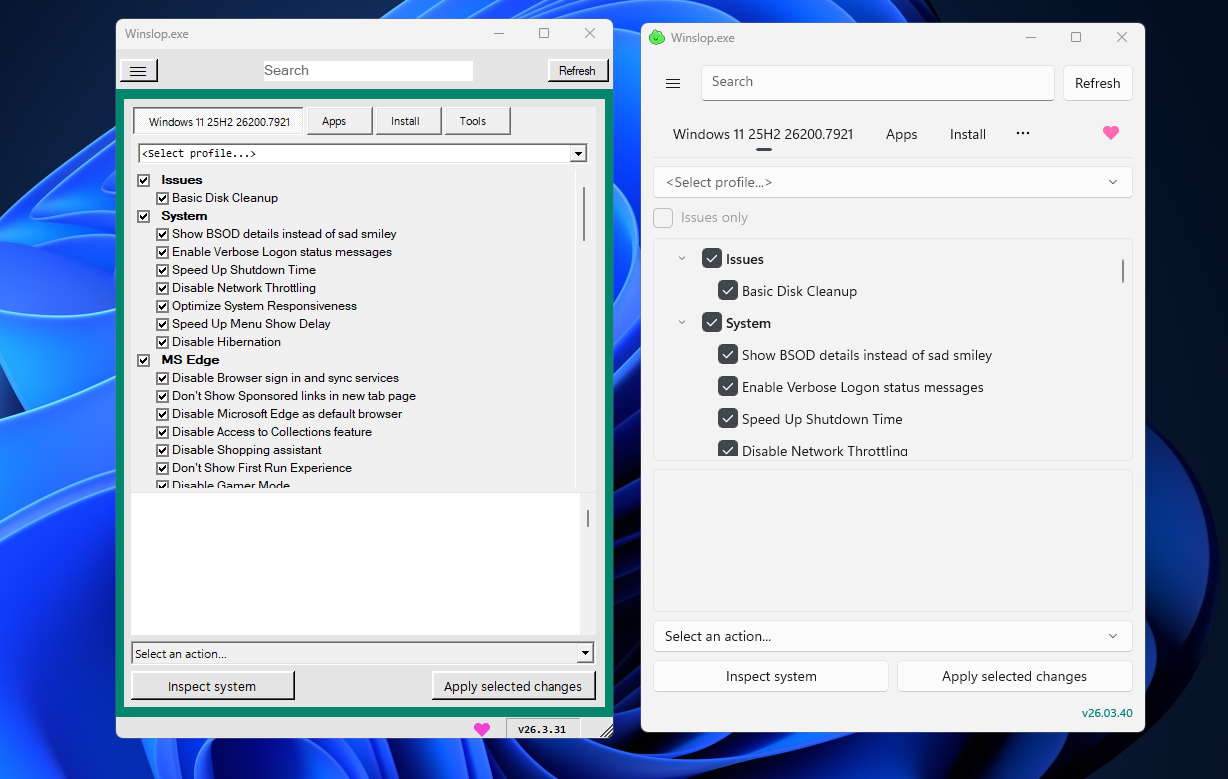
💡用 Winslop 新原生 UI 輕鬆移除 Windows 11 AI 臃腫—適合開發環境。(38字)
⚡ 30-Second TL;DR
有什麼變化
移除 Windows 11 的 AI 功能與預裝元件
為什麼重要
讓進階使用者優化 Windows 11 效能與隱私,移除不想要 AI,提升開發者生產力。
下一步行動
從儲存庫下載最新 Winslop,測試原生 UI 並精簡 Windows 11 AI 元件。
誰應關注:Developers & AI Engineers
關鍵要點
- •移除 Windows 11 的 AI 功能與預裝元件
- •最新版本重大原生 UI 改造
- •受拒絕微軟 AI 整合的使用者青睞
🧠 深度解析
背景與延伸:來自公開資料,非原文內容。引用 9 個來源。
🔑 增強重點摘要
🛠️ 技術深入
🔮 前景展望AI analysis grounded in cited sources
⏳ 時間線
2026-01
Winslop 推出初期版本,作為移除 Windows 11 AI 功能的工具
2026-02
發布 26.02.02 版本,從腳本轉為原生二進位並新增工作列動作
2026-03
原生 UI 大改版發布,重新設計為現代 Windows 11 風格介面
📎 來源 (9)
Factual claims are grounded in the sources below. Forward-looking analysis is AI-generated interpretation.
- windowsforum.com — Winslop 26 02 02 Debloat Windows 11 for Control and Privacy
- windowscentral.com — Winslop Users Still Turning to Third Party Tools to Bypass AI
- youtube.com — Watch
- elevenforum.com — New Tool Removes AI From Windows 11
- neowin.net — Popular Windows AI Debloater Redesigned with Native Windows 11 Ui
- GitHub — Releases
- windowsforum.com — Winslop Open Source Gui Debloat for Windows 11 Privacy and Control
- xda-developers.com — Tired of Copilot Winslop Lets You Easily Purge Windows 11 AI Features
- askwoody.com — Winslop Remove Bloat Crapfixer Updates
📰
AI 週報
閱讀本週精選 AI 大事摘要 →
👉相關動態
AI 策展新聞聚合。所有內容版權歸原始發布者所有。
原始來源: cnBeta (Full RSS) ↗
每週 AI 簡報
每週一封,可隨時退訂。