來源The Next Web (TNW)•較早收集於 71m
Windows 11 搜尋功能現在支援兩字元查詢
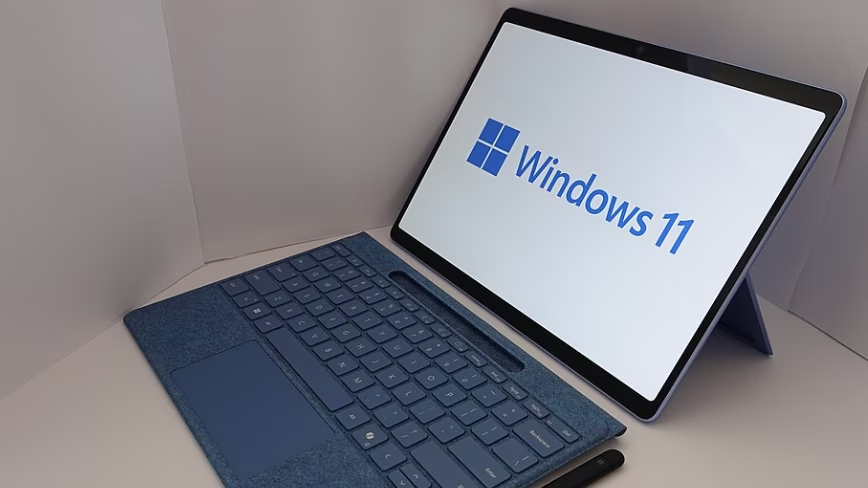
💡一項微小的作業系統更新,提升了使用短命名慣例的開發人員在檢索本機檔案時的效率。
⚡ 30 秒速覽
有什麼變化
最小搜尋字元要求從 3 個減少至 2 個
為什麼重要
此更新提升了開發人員與重度使用者在處理短命名慣例時的檔案管理效率。這反映了作業系統層級資訊檢索功能的細微但重要的改進。
下一步行動
更新您的 Windows 11 環境至 2026 年 6 月修補程式,以測試您的本機開發檔案索引工作流程是否變得更快速。
誰應關注:Developers & AI Engineers
關鍵要點
- •最小搜尋字元要求從 3 個減少至 2 個
- •改善 Q3 或 V2 等短名稱檔案的檢索效率
- •包含本機檔案結果排序演算法的更新
🧠 深度解析
背景與延伸:來自公開資料,非原文內容。引用 19 個來源。
🔑 增強重點摘要
- •The June 2026 update for Windows 11 is part of Microsoft's broader 'commitment to Windows quality' initiative, announced in March 2026, which aims to enhance search to find 'what matters faster' by surfacing apps, files, and settings more clearly.
- •Alongside the two-character query support, a 'Search by Substring' improvement is also rolling out, enabling users to discover files with compound names (e.g., 'MeetingNotesApril') by typing only a part of the name like 'April' or 'status', addressing a long-standing user frustration.
- •This search enhancement is included in the larger June 2026 Windows 11 update (KB5094126), which also features other significant performance improvements, such as a 'Low Latency Profile' designed to accelerate app launches and core shell experiences like the Start menu and Search itself.
- •Microsoft is actively developing an option to allow users to disable web search results within Windows 11's search function, a response to persistent user complaints about clutter and the forced promotion of Bing.
📊 競品分析▸ Show
| Feature / Tool | Windows Search (Post-June 2026 Update) | Everything (Voidtools) | Listary | DocFetcher |
|---|---|---|---|---|
| Indexing Speed | Improved, but can be sluggish for large/complex structures | Near-instant, direct NTFS MFT reading | Fast, integrates with File Explorer | Requires index creation, then fast for content |
| Search Scope | Local files, apps, settings, web results (optional) | Filenames and folders only (by default) | Files, folders, app launcher | File contents (PDF, Word, text files) |
| Min. Characters | 2 characters | 1 character | 1 character | Varies by query |
| Substring Search | Yes (rolling out) | Yes | Yes (fuzzy matching) | Yes (keyword/phrase based) |
| Content Search | Yes (often unreliable for less common formats) | Slower and optional | No (primarily filename/launcher) | Excellent, indexes content of various formats |
| Resource Usage | Can be intensive during indexing | Minimal | Moderate | Can be higher during initial indexing |
| Customization | Limited, some advanced filters | Highly customizable, advanced filters | Customizable commands, Quick Switch | Advanced filtering options |
| Integration | Built-in OS, Start Menu, File Explorer | Standalone, can integrate with Flow Launcher | File Explorer integration, instant search in folders | Standalone |
🛠️ 技術深入
- Windows Search is implemented as a Windows service, with the core component being the Indexer.
- The Indexer continuously crawls the file system and monitors file system notifications to maintain an up-to-date index of data.
- The search index is stored in an Extensible Storage Engine (ESE) file named
Windows.edb, typically located in\ProgramData\Microsoft\Search\Data\Applications\Windows\. - It utilizes 'iFilters' to extract textual content from various file formats (e.g., documents, audio, video) and 'property handlers' to derive metadata like file names and tags.
- The indexing process occurs in three main stages: queuing URLs (identifying items to be indexed), crawling URLs (accessing items and collecting data), and updating the index with the collected data.
- Windows Search supports incremental searches and uses the Advanced Query Syntax for complex queries.
- The system maintains two types of indices: value indices for filtering and sorting by entire property values, and inverted indices for quick word matching within textual content.
- For security and isolation, the search service typically runs two host processes: one in the system security context and another in the user security context.
🔮 前景展望基於引用來源的 AI 分析
User satisfaction with Windows Search will significantly increase.
The combination of two-character queries, substring search, and the upcoming option to disable web results directly addresses long-standing user frustrations, making local file discovery more intuitive and less cluttered.
Microsoft's focus on refining core Windows experience improvements will continue.
This update, alongside other performance enhancements like the Low Latency Profile, indicates a strategic shift towards refining fundamental OS functionalities based on user feedback, rather than solely pushing new AI features.
⏳ 時間線
1996
Indexing Service (predecessor to Windows Search) introduced in Windows NT 4.0.
2004-12
Initial development and release of Windows Desktop Search (precursor) as an optional add-on for Windows XP/2000.
2007-01
Windows Search officially introduced as a built-in component in Windows Vista.
2012
Windows 8/8.1 enabled content indexing in user profiles by default, integrating search across settings, files, and apps.
2025-01
Enhanced Windows Search released for NPU-based Copilot+ PCs, supporting natural language queries for local content.
2026-06
Windows 11 update reduces minimum search character requirement to two and introduces substring search.
📎 來源 (19)
Factual claims are grounded in the sources below. Forward-looking analysis is AI-generated interpretation.
📰
AI 週報
閱讀本週精選 AI 大事摘要 →
👉相關動態


AI 策展新聞聚合。所有內容版權歸原始發布者所有。
原始來源: The Next Web (TNW) ↗
每週電子報
每週一封,可隨時退訂。